Mixing music can feel like a creative rollercoaster, and having a solid lineup of mixing plugins makes a massive difference. The plugin world keeps evolving, so I’ve put together this fresh guide on the must-have mixing plugins for 2026. Whether you’re building your first plugin bundle or updating your favorites, you’ll find some real game changers here that help you get cleaner, punchier mixes.
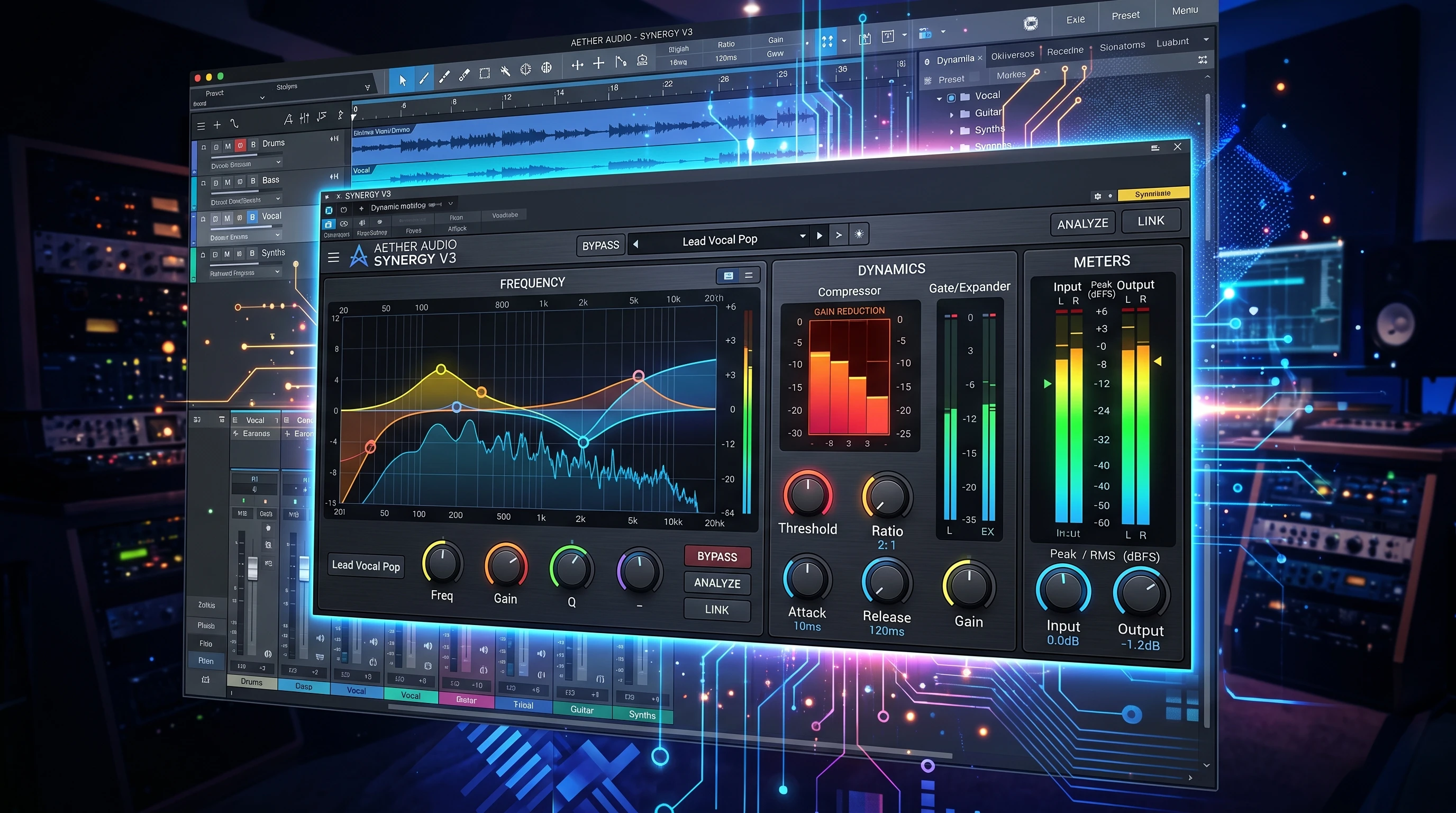
Why Mixing Plugins Matter in 2026
Mixing plugins are the workhorses behind polished tracks today. Back in the day, you needed racks of vintage gear. Now, you can shape your entire mix using just your computer and some clever software. From classic analog emulations to cutting-edge AI tools, plugins give you control over every sonic detail.
These plugins aren’t just for pros with huge studios. Bedroom producers and indie musicians are dropping radio-ready tracks thanks to recent plugin technology. With more genres popping up and streaming platforms raising the quality bar, investing in some top-shelf plugins has never been more worthwhile.
In 2026, plugin makers are pushing boundaries with new tech like real-time spectral processing, AI mixing assistants, and super low-latency designs. Upgrading your arsenal helps your work stand out and saves serious time when mixing for clients or your own projects.
Getting Started: The Basics of Essential Mixing Plugins
If you’re new to mixing or haven’t updated your plugin folder in a while, a handful of categories should always be covered. Each plugin type solves different mix problems; some help tidy up recordings, others add that magic or glue that makes everything sound pro.
- EQ Plugins: Great for carving out frequencies, cleaning up muddiness, and brightening vocals or instruments.
- Compressor Plugins: Help balance dynamics, bring parts forward or tuck them in, and add punch or smoothness.
- Reverb & Delay Plugins: Add space and depth, making mixes feel three-dimensional.
- Saturation & Distortion Plugins: Add warmth, character, and vibe, especially useful for digital tracks that sound too clean.
- Stereo Imaging Plugins: Spread or focus your mix in the stereo field for a bigger, wider sound.
Understanding each of these plugin types helps even beginners pick the right tool for every stage of the mix. Often, the simplest solution, like dialing in a basic EQ or soft compression, is all you need for a mix to shine.
My Top Mixing Plugin Picks for 2026
The plugin scene is buzzing, but a few names really stand out when I’m talking about reliable, mix-friendly tools. In the last year, I’ve tested tons of new releases on everything from hip-hop beats to indie rock sessions. These are the plugins I keep coming back to because they just get results.
- Sonnox Oxford EQ: This dynamic EQ gives you precise control with a matched spectrum analyzer. It’s perfect for taming resonances or brightening vocals. The transparent sound and easy workflow make it a studio staple.
- Waves C6 Multiband Compressor: With built-in sidechain, this compressor gets musical results quickly. It adapts to vocals, drums, or mix buses, saving time when balancing tricky levels.
- CSR Plate Reverb: The lush, detailed spaces from this plugin are wild. It models real rooms down to microscopic detail, and the interface makes tweaking early reflections and tail decay easy, even if you’re newer to engineering.
- Arturia Tape J-37: Vintage console flavor, subtle tape warmth, or aggressive drive, this one brings character you can hear without overcooking things.
- Waves Dorrough Stereo: Being able to carve out mids while widening the sides is super useful, especially for making busy mixes sound clear and punchy on headphones and speakers.
All of these plugins offer demos, so it’s worth checking them out in your own workflow to see if they match your style. Keep in mind, a plugin doesn’t need to be expensive or famous; the best tool is the one you actually reach for.
Quick Checklist for Building a Mixing Plugin Chain
Finding the right plugin is just step one; knowing where and how to use them is just as important. I follow a checklist that helps me mix efficiently and get consistent results:
- Start with a Clean EQ: Roll off unwanted lows, tame harshness, and give tracks their space before adding more processing.
- Add Compression for Control: Use compressors to level out performances, add groove, or tighten up drums and bass.
- Shape with Saturation: Throw in some gentle tape or analog-style plugins for warmth and mix glue.
- Sculpt Space with Effects: Work in reverb or delay, keeping effects subtle so the mix isn’t washed out.
- Finalize Stereo Image: Use a stereo plugin to ensure your mix sounds wide where needed but focused in the center.
Jumping straight to complex plugin grids is tempting, but simple chains give better control and are easier to tweak during revisions. Get familiar with what each plugin in your chain is actually doing before adding more. If you find yourself stuck, try removing a plugin or simplifying your chain, as less can be more for clarity.
What To Consider Before Buying a Mixing Plugin
Before grabbing the latest plugin, I try to keep a few things in mind. All the marketing can get overwhelming, but a little planning saves money and fills real gaps in your mixing workflow:
- Compatibility: Make sure your DAW supports the plugin, and check for updates for macOS, Windows, or ARM chips.
- CPU Usage: Some brand new plugins look cool but can really bog down your computer. Look for demo versions to see how your setup handles it.
- User Interface: A simple, clear layout helps you mix faster and keeps you in a creative flow.
- Sound Quality: Trust your ears. If a plugin colors your sound in a way you don’t like, or overhypes itself, move on.
- Customer Support & Community: Plugins get updates, and having support you can actually reach comes in handy long term.
Compatibility
Plugin companies keep pushing new tech, so always double-check your DAW version and system specs. If you use an older computer, some plugins might not run smoothly, so download trial versions before buying. A plugin that’s stable and responsive makes mixing way more enjoyable and less stressful.
User Interface & Workflow
A plugin can have the best sound in the world, but if it takes forever to figure out, it usually ends up collecting digital dust. Look for clean layouts, tooltips, and straightforward controls. Some companies design their plugins with quick presets that help you get started easily, which is especially useful for learning.
Pro Level Tips and Tricks for Using Mixing Plugins
Using the right plugins is just half the story. How you use them can take your mixes from average to eye-catching. Over the years, I’ve picked up a few tips for getting the most out of every mixing session:
Gain Staging Matters: Run your signals at healthy levels (not too hot, not too low). Your plugins will sound better and be easier to tweak without unwanted distortion.
Stack Smart: Sometimes, subtle tweaks with two plugins in a row do a better job than pushing one to its max.
Go Subtle With Effects: Reverbs and delays get out of control fast. I keep wet or dry mixes low for clarity and use filters to keep effects out of the way of the main melodic elements.
Taking these steps helps create a pro-sounding mix and makes your workflow smoother. Keeping things simple and consistent usually leads to better results. Don’t forget to reference professional mixes in your genre to get a sense of how your plugins are affecting the overall sound.
Real World Applications: Mixing Plugins in Different Genres
Plugins are super flexible, but the way you use them can vary depending on your music style:
- HipHop/Trap: Fast compressors and transient shapers highlight punchy drums, while autotune or tuning plugins add gloss to vocals.
- Pop & EDM: Wide stereo delays and modern reverb plugins open up catchy, polished mixes. Sidechain compression keeps kick drums and bass clear in busy tracks.
- Rock & Indie: Analog emulation plugins or tape saturation add grit and vibe to guitars, with parallel compression on drums for energy.
There’s no exact formula. Just build up your plugin chain to fit the needs of your production style and let your ears guide you. Over time, you’ll find go-to choices that suit your favorite genres. Remember, it’s okay to experiment and break the “rules” to stumble upon sounds that set your mixes apart.
Frequently Asked Questions
Here are some questions I get all the time about mixing plugins:
Question: Do I need to pay for expensive plugins to mix well?
Answer: Not at all. There are amazing free plugins out there, and some DAWs come with stock plugins that sound great. Paid plugins can speed up your workflow or offer special sounds, but skill matters more than price.
Question: How do I know if a plugin is worth buying?
Answer: Check for demo versions, read real user reviews, and actually listen to the results. If you consistently reach for it mix after mix, it probably earns its spot.
Question: How many plugins do I really need?
Answer: Having a core set- an EQ, compressor, reverb, and one or two colors or effects- is usually enough to handle most mixes. Quality and familiarity are more important than quantity.
Key Takeaways for Mixing Plugins in 2026
Trying out new plugins and learning their strengths is a great way to take your mixes up a notch, no matter what style you work in. Staying open to updates in plugin tech and keeping your toolkit lean and familiar leads to better mixes and a smoother workflow. The fastest way to get great at mixing is to focus on understanding your tools and listening closely, not chasing every new release.
Get your favorite plugins lined up and fire up your DAW. It’s a great time to mix music that sounds modern and fresh.