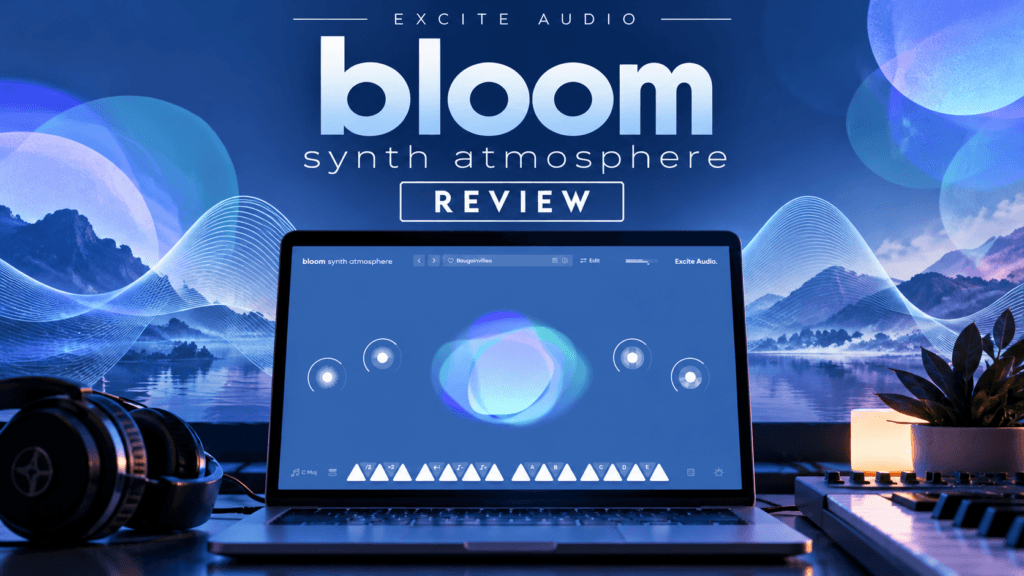
 Bloom Synth Atmosphere Plugin Review: Is It Worth It?
Creating atmospheric music is about more than choosing the right chords or finding an interesting melody. Sometimes, the sounds surrounding those musical elements are what give a production its character.
A subtle drone, evolving synth pad, or distant melodic texture can transform an otherwise ordinary beat into something immersive.
That’s where Excite Audio Bloom Synth Atmosphere comes in.
Designed for producers who want to create ambient textures, evolving soundscapes, and atmospheric musical ideas without spending hours programming synthesizers, Bloom Synth Atmosphere offers a creative approach to sound design.
But is it genuinely useful, or is it another preset-based instrument that you’ll eventually forget about?
In this Bloom Synth Atmosphere plugin review, we’ll explore its features, workflow, sound design capabilities, advantages, limitations, and whether it deserves a place in your music production setup.
What Is Bloom Synth Atmosphere?
Bloom Synth Atmosphere is a sample-based virtual instrument developed by Excite Audio, designed specifically for creating atmospheric sounds and musical textures.
Unlike traditional synthesizers that require you to build patches using oscillators, envelopes, and filters, Bloom Synth Atmosphere starts with professionally designed samples and musical phrases.
You can trigger these sounds, manipulate their playback, layer them, and use built-in effects to create something different.
The instrument is particularly well-suited for producing:
- Ambient and cinematic music
- Atmospheric Hip-Hop and Trap Soul
- Contemporary R&B
- Lo-Fi and experimental music
- Electronic music and soundscapes
- Background textures for film and video
Bloom Synth Atmosphere includes 250 factory presets, 112 included samples across eight banks, and the ability to import your own audio.
Its biggest attraction is the opportunity to create complex-sounding atmospheric arrangements without needing advanced synthesis knowledge.
Bloom Synth Atmosphere Key Features
| Feature | Details |
|---|---|
| Developer | Excite Audio |
| Instrument type | Sample-based atmospheric instrument |
| Factory presets | 250 |
| Included samples | 112 across 8 banks |
| Sample triggering | 14 playable sample keys |
| Sequencer | Built-in step sequencing and modulation |
| Effects | Reverb, Delay, Noise |
| Sample import | Up to 112 user samples |
| Tempo synchronization | Yes |
| Platforms | Windows and macOS |
| Plugin formats | VST, VST3, AU (Mac), AAX, Standalone |
One of the most appealing aspects of Bloom Synth Atmosphere is that its features are designed around making musical ideas quickly rather than requiring extensive sound programming.
Exploring the Bloom Synth Atmosphere Sound Library
A virtual instrument is only as useful as the sounds it provides.
Bloom Synth Atmosphere organizes its preset library into seven categories, each serving a different musical purpose.
1. Drones
Drones are sustained sounds that provide atmosphere, tension, and depth.
They can be especially useful when creating cinematic intros, emotional transitions, or ambient backgrounds.
For example, a dark drone underneath a simple minor chord progression could introduce tension without requiring additional melodic instruments.
2. Experimental Sounds
The Experimental category focuses on unconventional textures and creative sound design.
These sounds are useful for producers who want something beyond traditional pads and synth leads.
Experimental textures can also work well as transitional elements between different sections of a song.
3. Full Atmospheres
Full Atmospheres combine multiple sonic elements, including drones, melodic phrases, synthesizers, and noise.
These presets can provide a starting point for an entire musical idea.
However, because some sounds already contain several layers, producers should be careful not to overcrowd their arrangements.
4. Melodic Sounds
The Melodic category focuses on pitched musical material that can be used to create melodies and atmospheric phrases.
For R&B and Trap Soul producers, this category could be particularly interesting.
A soft melodic texture layered behind an electric piano or Rhodes-style instrument can add movement without competing with the main chord progression.
5. Rhythmic Atmospheres
Rhythmic sounds introduce movement through repeating patterns, chopped textures, and percussive elements.
These are useful for creating momentum without relying entirely on traditional drum programming.
A rhythmic atmospheric layer could help make a simple four-chord progression feel more engaging.
6. Synth Sounds
The Synth category focuses on electronic textures without the organic elements found in some of the other categories.
These sounds can complement modern electronic music, Synthwave, ambient Pop, and atmospheric R&B.
7. Textures
Textures are designed to sit behind the main musical elements.
Instead of drawing attention to themselves, they can add subtle movement, character, and space.
For producers who enjoy spacious arrangements, this category may be one of the most useful parts of the instrument.
How Does Bloom Synth Atmosphere Work?
Bloom Synth Atmosphere uses a workflow that combines sample triggering, musical phrases, and real-time sound manipulation.
The main interface provides access to 14 sample keys spread across two octaves.
White keys trigger samples and loops, while designated black keys act as modifiers.
These modifiers can change how sounds behave, including:
- Half-time playback
- Double-time playback
- Reverse playback
- Octave-down playback
- Octave-up playback
Additional custom modifiers can trigger sequences and effect changes.
This arrangement makes it possible to create variations without constantly opening menus or editing individual audio files.
Tempo and Key Synchronization
One of Bloom Synth Atmosphere’s most practical features is its ability to synchronize samples with your DAW’s tempo.
You can also select a musical key to help integrate pitched material into your project.
This is particularly convenient when working with rhythmic textures or atmospheric phrases that need to complement an existing arrangement.
However, producers should still listen carefully to harmonic compatibility rather than assuming every sample will automatically work with every chord progression.
The Built-In Sequencer
Bloom Synth Atmosphere includes a sequencer designed for triggering samples, building rhythmic patterns, and creating evolving arrangements.
Instead of functioning strictly like a conventional drum sequencer, it allows producers to combine looping material and one-shot sounds.
You can adjust parameters such as:
- Step timing and playback direction
- Swing and rhythmic variation
- Trigger probability
- Sample velocity
- Pitch and volume modulation
- Effect automation
This opens up creative possibilities beyond simply playing factory presets.
For example, you could combine a sustained drone with a repeating melodic phrase, then introduce occasional reversed textures to create variation.
The sequencer is especially useful for producers who struggle with turning static sounds into evolving musical ideas.
Sound Design and Sample Editing
Although Bloom Synth Atmosphere is built around ready-made sounds, it offers more editing flexibility than a basic preset player.
The Edit page allows you to manipulate individual samples.
You can adjust playback direction, speed, start and end points, pitch, formant, attack, release, volume, and panning.
These controls are useful when a preset is close to what you want but doesn’t fit your arrangement perfectly.
For example, reversing a melodic sample and increasing its attack time could turn a recognizable phrase into a swelling atmospheric effect.
Likewise, adjusting the sample’s start point could produce an entirely different texture from the same source material.
Importing Your Own Samples
One particularly valuable feature is the ability to import your own audio.
Bloom Synth Atmosphere supports up to 112 user samples, which can replace the included material.
This means you’re not limited to the factory library.
You could import recordings of:
- Analog synthesizers
- Processed piano chords
- Guitar harmonics
- Vocal textures
- Field recordings
- Original sound design experiments
For producers who enjoy sampling and experimenting, this gives the instrument more long-term creative potential.
Bloom Synth Atmosphere Effects
The plugin includes three primary effects modules: Reverb, Delay, and Noise.
These effects are important because atmospheric production often depends on how sounds occupy space.
Reverb
Bloom Synth Atmosphere provides Hall, Plate, and Spring reverb algorithms.
You can adjust parameters including decay-related controls, pre-delay, filtering, and wet/dry balance.
Reverb can help transform short musical phrases into longer, more spacious textures.
For example, a short synth phrase with a longer reverb tail can create a sense of distance and atmosphere.
However, excessive reverb can make arrangements muddy, particularly when several instruments occupy similar frequency ranges.
Delay
The delay module provides stereo and ping-pong delay options.
Delay can add rhythmic repetition and movement to melodic textures.
A subtle ping-pong delay may be especially useful when creating wide, atmospheric backgrounds.
Noise
The Noise module includes 15 noise types, such as vinyl crackle, cassette and tape static, crowd noise, and amplifier hiss.
These sounds can add character and imperfection to otherwise clean electronic textures.
For Lo-Fi Hip-Hop and nostalgic R&B, subtle noise layers can help establish a particular mood.
The key is moderation.
Noise should support the production rather than distract from its main musical elements.
Four Macro Controls for Quick Sound Manipulation
Bloom Synth Atmosphere provides four macro controls designed for immediate sound shaping.
These include Lo-Fi, Modulation, Width, and Submerge.
Each macro offers a quick way to alter the character of a sound without manually adjusting several parameters.
This is particularly useful when you’re building a track and want to experiment without interrupting your creative flow.
For example, you might increase the Width control to create a broader atmospheric layer, then adjust the sound’s filtering to keep it from competing with the lead vocal.
The macro-based workflow is one of the plugin’s biggest strengths for beginners.
Is Bloom Synth Atmosphere Good for R&B and Trap Soul?
Absolutely worth considering.
Modern R&B and Trap Soul frequently rely on spacious arrangements, atmospheric synthesizers, subtle textures, and emotionally expressive chord progressions.
Bloom Synth Atmosphere offers several tools that could complement those production styles.
Imagine building a slow R&B beat around an E minor 9 chord progression.
You have a warm electric piano playing the chords, a restrained drum groove, and a smooth bassline.
The arrangement sounds good, but something feels missing.
Rather than adding another prominent instrument, you could introduce a quiet atmospheric texture from Bloom Synth Atmosphere.
The texture could provide movement and depth while allowing the piano and vocals to remain the focal points.
A Practical Trap Soul Production Example
Here’s one way to incorporate Bloom Synth Atmosphere into a beat:
Step 1: Set your DAW tempo to approximately 82 BPM.
Step 2: Create a chord progression using a Rhodes-style electric piano.
Step 3: Open Bloom Synth Atmosphere and explore the Textures or Drones categories.
Step 4: Choose an atmospheric sound that complements your chord progression.
Step 5: Use the plugin’s filtering and effects to soften the texture.
Step 6: Lower the instrument’s volume until it supports the arrangement rather than dominating it.
Step 7: Automate the texture’s level or filtering to create movement between the verse and chorus.
This approach allows Bloom Synth Atmosphere to contribute to the overall mood without taking attention away from the primary musical elements.
Is Bloom Synth Atmosphere Beginner-Friendly?
Yes, particularly for producers who want atmospheric sounds without learning traditional synthesis first.
Many advanced synthesizers offer tremendous flexibility, but they can also introduce a steep learning curve.
Bloom Synth Atmosphere approaches sound creation differently.
Instead of requiring you to understand oscillator waveforms, modulation matrices, and complex envelope routing, it allows you to begin with musical material and reshape it.
This can help beginners focus on arrangement, sound selection, and creativity.
However, the plugin still offers enough editing and sequencing features to reward producers who want to explore beyond the factory presets.
Bloom Synth Atmosphere Pros and Cons
Pros
Fast creative workflow: Producers can quickly audition atmospheric sounds and build musical ideas.
Large preset collection: The 250 factory presets provide a variety of starting points.
Useful sample manipulation: Reverse playback, pitch controls, formant adjustments, and sequencing add creative flexibility.
Built-in effects: Reverb, Delay, and Noise are especially relevant for atmospheric production.
Custom sample import: Importing original samples helps extend the instrument beyond its factory library.
Beginner accessibility: Producers don’t need extensive sound design experience to get started.
Cons
Not a traditional synthesizer: Producers looking for detailed oscillator-level synthesis may find it limiting.
Sample-based workflow: The character of the instrument depends heavily on its source material.
Potentially busy presets: Complex atmospheric phrases may require editing to fit into an existing arrangement.
Some overlap with existing tools: Producers who already own advanced samplers, atmospheric sample libraries, and effects may not need another instrument covering similar territory.
Limited appeal outside atmospheric production: Its specialized sound palette may not be essential for producers who primarily need conventional basses, leads, and keyboard sounds.
Bloom Synth Atmosphere vs Traditional Synthesizers
One important consideration is understanding what Bloom Synth Atmosphere is designed to do.
Traditional synthesizers such as Serum, Vital, and ZENOLOGY Pro allow producers to create sounds through synthesis engines and detailed parameter control.
Bloom Synth Atmosphere takes a more immediate, sample-based approach.
| Bloom Synth Atmosphere | Traditional Synthesizer |
|---|---|
| Starts with recorded samples and phrases | Often starts with oscillators or synthesis engines |
| Focuses on atmospheric textures | Can cover a much wider range of sounds |
| Quick preset-based workflow | Can offer deeper sound programming |
| Built-in sample sequencing | Synthesis and modulation-focused workflows |
| Well-suited for layering ambience | Often better for designing sounds from scratch |
Neither approach is inherently better.
The right choice depends on your production style and how much control you want over the underlying sound.
For many producers, Bloom Synth Atmosphere makes more sense as a complementary instrument than as a replacement for their primary synthesizer.
Is Bloom Synth Atmosphere Worth Buying?
Bloom Synth Atmosphere is worth considering if atmospheric sound design is an important part of your production workflow.
Its combination of ready-made sounds, sample editing, sequencing, and built-in effects offers a convenient way to introduce texture and movement into music.
The ability to import custom samples also makes it more flexible than an instrument restricted entirely to factory content.
However, its value depends on what you already own.
If you have a substantial collection of ambient sample libraries and enjoy creating textures with traditional synthesizers, Bloom Synth Atmosphere may overlap with tools you already use.
On the other hand, if you regularly spend too much time searching for atmospheric sounds or programming elaborate effects chains, its streamlined workflow could be appealing.
Our recommendation: Consider Bloom Synth Atmosphere if you frequently produce atmospheric R&B, Trap Soul, Lo-Fi, ambient, or cinematic music and prefer a fast, sample-driven creative process.
If you primarily need a versatile synthesizer for basses, leads, and detailed sound design, a more conventional instrument may be a better first purchase.
Who Should Buy Bloom Synth Atmosphere?
Bloom Synth Atmosphere is particularly suitable for:
- R&B and Trap Soul producers who want subtle atmospheric layers behind chords and vocals.
- Ambient music producers who regularly work with drones, evolving textures, and soundscapes.
- Film and video composers who need to establish atmosphere quickly.
- Beginner producers who want creative sounds without complex synthesis programming.
- Sample-based producers who enjoy manipulating recorded material into new musical ideas.
It may be less appealing to producers who rarely use atmospheric textures or who prefer designing every sound from the oscillator level.
Frequently Asked Questions
Is Bloom Synth Atmosphere a VST plugin?
Yes. Bloom Synth Atmosphere is available in VST and VST3 formats, along with AU on macOS, AAX, and a standalone version.
Can I use Bloom Synth Atmosphere in FL Studio?
Yes. Bloom Synth Atmosphere supports FL Studio and other compatible DAWs, including Ableton Live, Logic Pro, Cubase, Pro Tools, and Reason.
Can I import my own samples into Bloom Synth Atmosphere?
Yes. The instrument supports importing up to 112 custom samples, allowing producers to personalize its sound library.
Is Bloom Synth Atmosphere good for beginners?
Yes. Its preset-based workflow and macro controls make it approachable for beginners, while its sequencer and editing features provide room for experimentation.
Is Bloom Synth Atmosphere a replacement for Serum?
Not necessarily. Serum is a more comprehensive synthesizer for detailed sound creation, while Bloom Synth Atmosphere specializes in manipulating samples and atmospheric phrases.
Can Bloom Synth Atmosphere make complete beats?
It can provide melodic, rhythmic, and atmospheric elements, but it is better viewed as a creative instrument within a larger production setup rather than a complete beat-making solution.
Final Verdict: Bloom Synth Atmosphere Review
Excite Audio Bloom Synth Atmosphere offers an interesting combination of atmospheric sample content, sequencing, effects, and creative manipulation tools.
Its greatest strength is its focus.
Rather than attempting to become an all-purpose synthesizer, it concentrates on helping producers create immersive textures and musical atmospheres.
The preset library provides accessible starting points, while the sequencer, sample editing features, and custom sample import offer additional creative possibilities.
There are limitations, particularly for producers who want extensive synthesis controls or who already have similar atmospheric tools.
Nevertheless, Bloom Synth Atmosphere could be a useful addition to a production setup focused on mood, space, and texture.
For R&B, Trap Soul, ambient, and cinematic producers, it is certainly worth exploring.
Bottom line: Bloom Synth Atmosphere is best suited for producers who want to add depth, movement, and atmosphere to their music without building every sound from scratch.
If that sounds like your production style, it’s worth checking out.
Explore Bloom Synth Atmosphere: pluginboutique
Disclosure: This article may contain affiliate links. If you purchase through these links, Pluginera may earn a commission at no additional cost to you.