Mixing music in 2026 feels a lot less intimidating once you have a good grip on what plugins actually do and which ones are worth getting to know early on. The world of mixing plugins keeps expanding, with bundles and tools that pack a ton of power for bedroom producers and pro engineers alike. If you’re just stepping into music production or mixing, figuring out where to start with plugins can feel overwhelming, but understanding the essentials makes a really big difference in getting your mixes to sound clear and punchy.
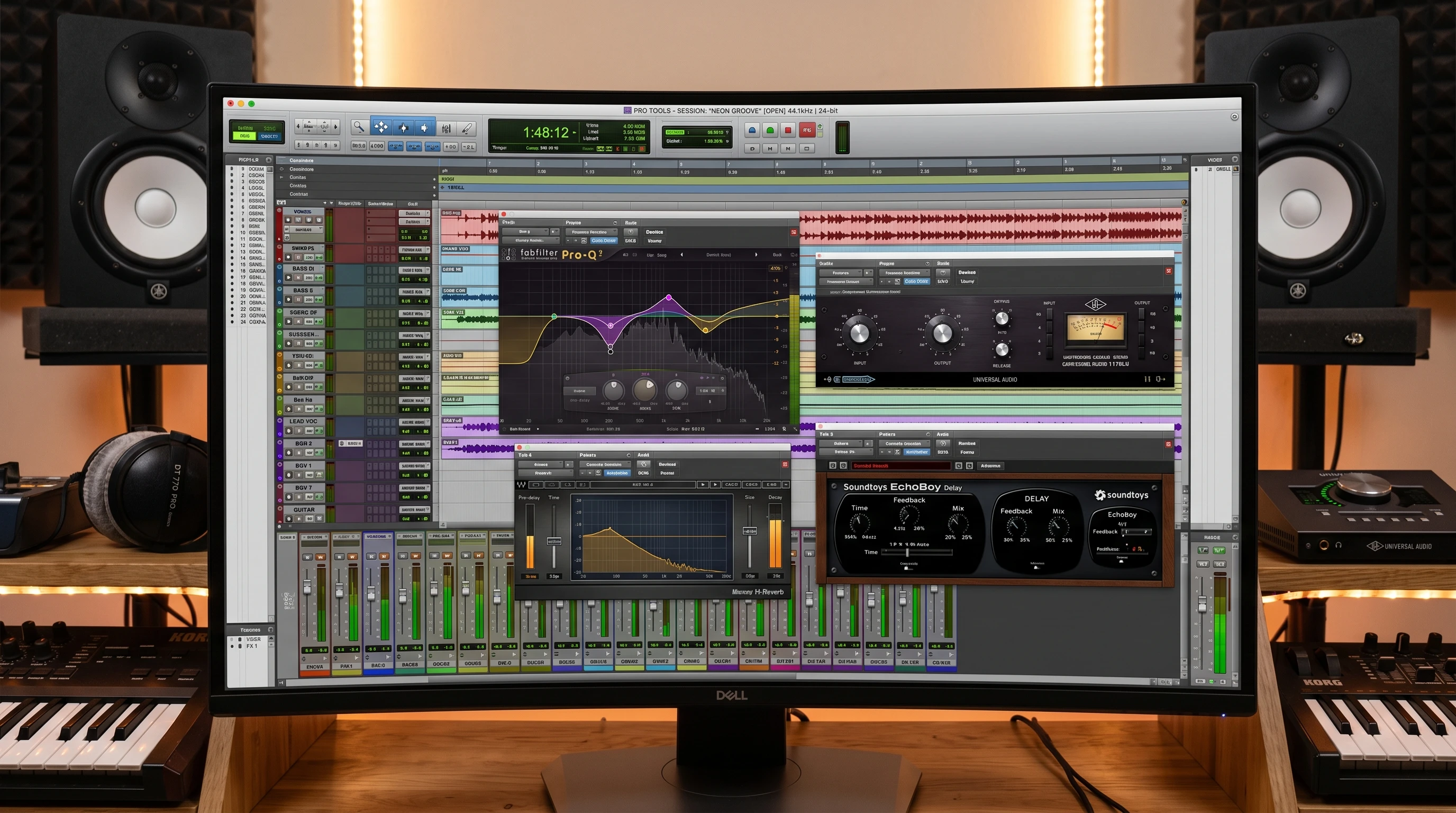
Mixing Plugins Explained: The Foundation for Beginners
Mixing plugins work as digital versions of classic studio gear, giving you tools right inside your music software to shape, step up, and polish sounds. Instead of racks of expensive hardware, you get everything packed into easy-to-use software modules. Plugins like EQs, compressors, reverbs, and saturators act like your toolbox; each one does a very specific job in your mix.
For beginners, grabbing all the buzzworthy plugins can be tempting. But starting simple keeps things focused and helps you develop an ear for what each type of processing actually does. Having just the right tools at your disposal helps you focus on getting a great sound without endless menu diving. Starting with a manageable number of plugins lets you really learn what each one brings to your workflow before you expand further.
Basic Types of Mixing Plugins Every Beginner Should Know
You’ll run into a few main categories of mixing plugins. Here’s a quick overview of what you’ll see most often:
- EQ (Equalizer): Shapes the tone of your tracks, brightens vocals, cleans up muddiness, and balances frequencies.
- Compressor: Controls the loudness and punch; helps vocals sit properly and drums pop without overwhelming your track.
- Reverb: Adds space and ambience; places sounds in a “room” so mixes feel open and natural.
- Delay: Creates echoes, thickens up sounds, and adds creative effects.
- Saturation & Distortion: Adds warmth or bite by gently overdriving the sound, which is pretty handy for bass, synths, or vocals that feel too clean.
Popular Mixing Plugin Bundles Worth Checking Out
If you want a bundle that gives you everything you’ll need from day one, these packages come up a lot among beginners and pros alike:
- Waves Platinum Bundle: Widely used because it covers all the basics: EQs, comps, reverbs, modulation effects, and some extras like noise reduction and limiters. It’s a solid start for any genre, and there are constant sales if you’re watching your budget.
- IK Multimedia Total Bundle: Includes their MixBox and T-RackS lines. You get classic modeled EQs, saturation, compressors, reverbs, and mastering tools. MixBox is especially user-friendly, letting you stack effects in any order without a steep learning curve.
- Fabfilter: Known for their clean sound and slick, visual interfaces. The Pro-Q EQ is super intuitive for carving up frequencies, Pro-C is a great all-purpose compressor, and Pro-R makes dialing in reverb tones straightforward.
- Slate Digital Processing Plugins: These mimic legendary analog gear with simple controls. Their Virtual Mix Rack lets you combine classic-sounding EQs, compressors, and saturators into one easy window. Monthly plans make Slate Digital accessible early on.
How To Choose Your First Mixing Plugins
With hundreds of plugins on the market, knowing what to actually buy or download saves time and money. The trick is focusing on what you’ll actually use, rather than grabbing what’s popular. Here’s what usually helps beginners settle in:
- Stick to the Essentials: Get one each of EQ, compressor, and reverb from a bundle or free options (like TDR Nova or Valhalla Supermassive for reverb).
- Look for Visual Feedback: Plugins that show you what’s happening; FabFilter and SSL Native make it easy to hear and see adjustments in real time.
- Choose FabFilter Designs: Good plugins let you tweak the sound without complicated menus. Beginners get more out of simple interfaces.
- Don’t Overload Your Session: Learn what you have before chasing more plugins, or your mixes can start sounding overprocessed or muddy.
Choosing your first plugins should be about what fits your workflow and music taste, rather than what’s trending. Sticking with the basics until you truly know what you need helps avoid overwhelm, and eventually you can mix in some variety with more plugins if your sound calls for it.
Mixing Plugin Terms and What They Really Mean
Some plugin terminology might look confusing at first. Here are a few terms you’ll run into and what they mean:
- Threshold: Level where a compressor or gate starts working. Set this to control what parts of a signal get squashed or allowed through.
- Ratio: In a compressor, how much gain reduction happens after a sound crosses the threshold. Higher ratios mean stronger compression.
- Attack/Release: How fast a plugin responds (attack) and stops responding (release) to a sound. These shape the punch and smoothness.
- Frequency Bands: Parts of the audio spectrum you can boost or cut with an EQ; lows, mids, and highs. Sweeping these lets you find and fix issues.
Learning How to Use Mixing Plugins Effectively
Plugins do a lot, but they don’t fix problems by themselves. The real progress comes from getting hands-on and paying attention to your ears.
- Start With Subtle Moves: Huge EQ boosts or heavy compression can make things sound weird fast. Gentle adjustments, small cuts and boosts, are more natural.
- Always Compare with the Bypass Button: Turn the plugin off and on to see if you’re improving the sound or just changing it.
- Mix in Context: Tweak sounds while the whole song is playing, not in solo. What sounds “good” by itself can easily get lost in the full mix.
- Use Presets, Then Tweak: Presets get you close faster, but always adjust controls to fit your track’s vibe.
As you keep working with plugins, you’ll spot patterns- techniques that work for certain genres or instruments, and you’ll get better at trusting your own ears above all else.
Common Challenges When Starting Out with Mixing Plugins
Everybody runs into a few hang-ups in their first few mixes. Here are issues I see a lot and practical ways to work through them:
- Overprocessing: Loading up too many plugins can suck the life out of a song. Work with fewer plugins until you know what’s needed.
- Not Trusting Your Ears: If you don’t notice a real improvement, trust that instinct. Reference pro mixes on headphones you know well to calibrate your ears.
- Plugin Latency: Some plugins, especially linear phase EQs or heavy mastering tools, can add delay. Most DAWs compensate automatically, but keep an eye out if things feel out of sync.
- Computer Crashes: Mixing big sessions with lots of plugins can slow your system. Freezing tracks or using plugin “eco” modes can help if your CPU gets bogged down.
Workflow Tips: Building Confidence with Your Plugin Chain
Building a mix is smoother when you set up a basic order for your plugins. Most beginners see solid results with this starting point:
- EQ to clean up any mud or weird resonances.
- Compressor to control loud peaks and smooth out the performance.
- Saturation or light distortion if you want extra warmth or bite.
- Reverb or delay for a sense of space (just enough to make things blend, not blur).
This isn’t a strict rule, but it works well for vocals, drums, and just about anything you want to make clear and present in a mix. As you experiment, you may find variations that suit your personal workflow, or switch up the order to suit the style of music you’re mixing.
Mixing Plugins Used in Real-World Projects
I’ve seen these plugin bundles and brands used everywhere—from TikTok hits mixed in bedrooms to major label releases. The Waves Platinum Bundle shows up constantly for vocal processing. Fabfilter’s Pro-Q is almost always used to carve out space in busy mixes. IK Multimedia’s Total Bundle comes in handy for classic, analog-sound rock or pop tracks. Slate Digital’s subscriptions often show up in projects where producers want that polished, studio-worthy vibe on a tight budget.
Practical Example: On a recent hip hop demo, I used Pro-Q for vocal cleanup, Slate’s Virtual Mix Rack for gentle saturation and compression, and Waves’ Renaissance Reverb to make the chorus bigger. The whole vocal chain was beginner-friendly and easy to adjust, but delivered a pro sound.
Frequently Asked Questions
Question: Do I need to buy plugin bundles or can I use free plugins?
Answer: You can get great results with free plugins, especially when starting out. Upgrading to paid bundles makes sense once you want a bigger range of sounds or an easier workflow.
Question: How do I know which type of EQ or compressor to use?
Answer: Try a basic parametric EQ and a simple VCA or FET compressor first (these often come in starter bundles or free DAW plugins). As you get the hang of their sounds, exploring other types like analog emulations is useful.
Question: Why do my tracks sound muddy even when I use EQ plugins?
Answer: Sometimes, too many sounds compete in the same frequency range. Try cutting low-mids on instruments that aren’t supposed to sound big, like guitars or background synths, so vocals or kick can shine.
Ready to Start Mixing with Plugins?
Getting a mix to sound modern and pro is more about how you use your tools than how many plugins you have. Picking a solid few plugins from reliable brands, like Waves, IK Multimedia, Fabfilter, or Slate Digital, will set you up for clear, polished mixes. Experiment with presets, trust your judgment, and keep your setup streamlined. The more you practice, the easier it is to dial in the sound you want with confidence.