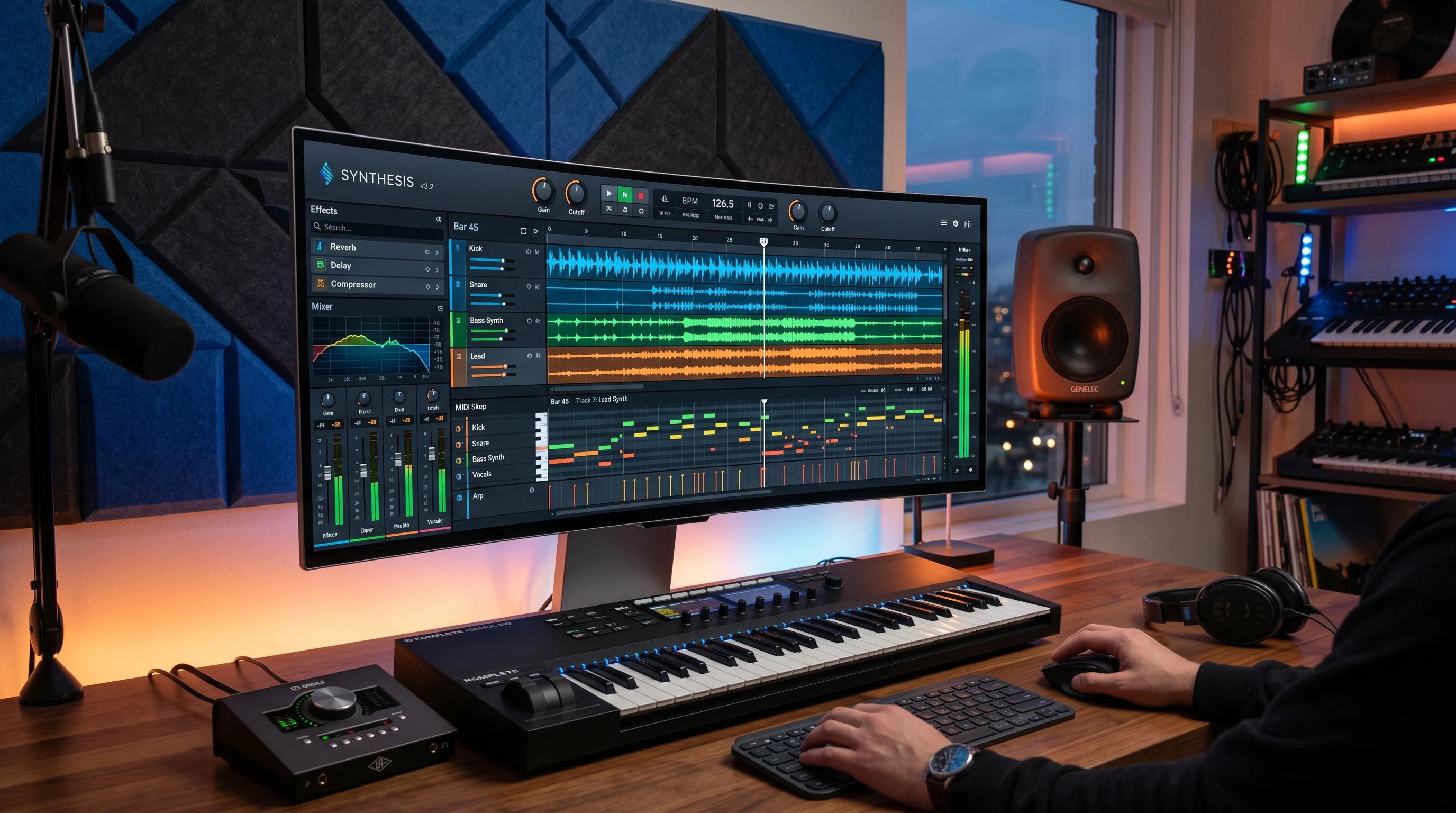
Music production in 2026 has reached a point where almost everything happens inside a computer. Digital Audio Workstations, also known as DAWs, provide the backbone for anyone wanting to create, record, mix, or produce tracks. Whether you’re just starting out or you’ve been making beats for years, picking the right DAW can have a big impact on how you make music and how much you enjoy the process. In this article, I’ll walk you through the seven DAWs that are shaping the scene in 2026, plus a few things to keep in mind if you’re considering which one to use or switch to.
Why DAWs Matter for Modern Producers
DAWs have truly switched up the way people get into music. In years past, making music meant spending hours in a studio packed with expensive gear. Now, it’s amazing how much you can get done with just a laptop and the right DAW. Today, even industry pros are dropping chart-topping tracks made at home or on the go. Since every DAW offers different workflows and features, choosing one is a key step for producers, musicians, and beatmakers.
In the last five years, DAWs have gone from simple recording tools to creative hubs. They now pack advanced virtual instruments, built-in mastering, cloud collab, and smart automation features. With all these choices, every producer can track down a DAW that matches their style, whether it’s EDM, hip hop, movie soundtracks, or indie rock.
Meet the Major Players: Top DAWs in 2026
After using a bunch of different DAWs and chatting with other producers, there are seven names that always come up: Pro Tools, Reason, FL Studio, Cubase, Bitwig Studio, Ableton Live, and Logic Pro. Each has a different feel, so let’s break them down and get a sense of what could work best for you.
- Pro Tools: Still the go-to for recording and mixing, especially in professional studios and film audio. Extremely reliable for multitrack sessions and audio editing.
- Reason: Loved for its “rack” of virtual gear and creative sound design. The modular vibe makes it feel hands-on and perfect for experimenting.
- FL Studio: Known for a fast workflow and pattern-based sequencing. Hugely popular with hip hop, trap, and EDM producers.
- Cubase: Powerful MIDI tools and all-in-one compositional features make this a great pick for both songwriting and precise editing.
- Bitwig Studio: This newer DAW has a loyal following among electronic producers, thanks to its modular approach and creative modulation tools.
- Ableton Live: Loved for live performance and launching clips, it’s super flexible for creative production and playing out.
- Logic Pro: Apple’s DAW goes deep for songwriters and producers, with tons of built-in sounds, smart tools, and a smooth workflow on Macs.
Key Features to Look for in a DAW
Picking your DAW is a bit like finding the right car. What works for one person might not work for someone else. Here are the key features I check out to see how a DAW fits my needs:
- Audio and MIDI editing: Is it easy to chop samples, move MIDI, or fix takes? Fast editing will keep your creativity flowing.
- Built-in plugins and instruments: Some DAWs come loaded with virtual synths, samplers, and effects, while others leave you to mix and match with add-ons.
- Workflow and layout: An easy-to-read interface and simple navigation help keep your ideas moving, instead of getting lost in submenus.
- Export and collaboration options: With remote work on the rise, being able to easily share projects is more important than ever.
- Performance and stability: Reliable programs matter even more now—glitches can really kill the vibe for both pros and casual users.
DAW Spotlights: What Makes Each One Worth Checking Out?
Pro Tools
Pro Tools stays king in high-end studios. The biggest plus is just how steady it is for audio recording. If you’re doing a lot of multi-instrument recording or post-production, Pro Tools feels like a comfortable pair of gloves. Its editing options are next-level cool, handling huge sessions without lag. Keep in mind, though, that it’s more of an investment since the subscription and hardware requirements are steep compared to some other DAWs.
Reason
Reason stands out for anyone who likes to experiment with sound. The virtual rack lets you stack up synths, drum machines, mixers, and pedals—connecting cables for different chains is a fun way to build unique sounds. Reason works standalone or as a plugin inside other DAWs, adding flexibility to your setup.
FL Studio
FL Studio is the top pick for beatmakers who want speed. The Pattern Sequencer and Piano Roll strike the right balance between simplicity for beginners and deeper power for pros. Automation and channel rack layering keep the workflow fast and inspiring—I can go from a blank screen to a finished beat before I know it.
Cubase
Cubase shines when it’s time for in-depth MIDI production and composing. If you’re arranging complex musical parts or scoring for strings, the MIDI tools can’t be beat. The included Channel Strip makes mixing easy to handle, and its deep features get the job done for both electronic and traditional music. There’s a learning curve, but it pays off if you like precision editing.
Bitwig Studio
Bitwig Studio is for the adventurous. The modular modulation framework hands you more creative power than most DAWs. The built-in devices are endlessly flexible, and Bitwig feels fresh whether I’m jamming live or just sketching ideas. Its hardware integration is another plus for synth-heads, and the DAW is quietly becoming a favorite for those wanting to push boundaries in sound design.
Ableton Live
Ableton Live’s Session View really changed music making. Launching loops and samples is smooth, and the warp function makes changing tempo feel effortless. For live sets or studio work, Ableton comes with Max for Live, making it easy to add unique effects and tools. I also like how MIDI mapping is simple and lets me focus on music, not menus.
Logic Pro
Logic Pro is packed with value for Mac users. It comes with a massive set of virtual instruments, and the Drummer tool handles rhythmic ideas with little fuss. The smart tempo system, live loops, and polished interface make it a fun pick for songwriters and arrangers. The price is appealing too, since it’s a one-time buy instead of a subscription model.
Things to Keep in Mind Before You Choose
- Device compatibility: Some DAWs like Logic and GarageBand are Mac-only. Others work on both Windows and Mac, or even Linux in the case of Bitwig.
- Budget: There are free options, as well as paid programs charging hundreds. Some use subscriptions, while others stick to a simple one-time payment.
- Genre: Certain DAWs shine with specific styles. FL Studio for beatmakers, Cubase for composers, Reason for sound designers—it helps to match the DAW with your focus.
- Learning curve: Some DAWs cram in tons of features and can take time to get used to, while others are more straightforward.
- Community and support: Active forums, online tutorials, and YouTube tips can get you unstuck quickly as you pick things up.
Common Roadblocks For Producers (And How I Deal With Them)
- Plugin compatibility: Some plugins may not load or work smoothly after updates. It helps to double-check plugin formats like VST, AU, or AAX before downloading or buying new additions.
- System resources: Large sessions with many tracks or plugins can slow down any computer. Bouncing stems and freezing tracks keeps my projects running faster and saves headaches.
- Backing up projects: Forgetting to back up is too easy, but losing a session is rough. Using auto-backups or cloud saves has bailed me out many times.
- Staying inspired: When routines get stale, I try switching DAWs or learning a fresh technique to shake things up and spark creativity.
Plugin Compatibility
I’ve had moments when my go-to VSTs failed after a software or system update. That’s why I always check compatibility and hold onto backup installers. Picking DAWs that support the most common plugin formats widens my choices for sound design.
System Resources
Even the best laptops can freeze up running a big project with lots of plugins. Freezing tracks or bouncing out heavy sections helps keep everything running smoothly without dragging down creativity.
Backing Up Projects
Cloud storage or even a simple USB backup routine is just smart. After one bad drive failure, I never skip this anymore—it’s way better to lose a few minutes syncing files than to lose entire days of music by accident.
Finding Inspiration
When I hit a wall, loading up a new DAW demo or playing around with a lesser-known plugin brings a rush of new ideas. Sometimes, all it takes is tweaking your usual workflow to get unstuck.
Real-World Uses: Examples from the Field
- Studio sessions: Most producers in pro studios expect Pro Tools or Logic files. Using those DAWs or sharing stems in common formats can help collaborations happen faster.
- Hip hop and EDM: These genres lean on FL Studio and Ableton for speed and flexibility.
- Film scoring and composing: Cubase and Logic are favorites here because of their MIDI and orchestration tools.
- Sound exploration: Bitwig and Reason are always popular with synth and modular fans for their openness and creativity.
Frequently Asked Questions
Here are some of the most common questions I hear from folks getting into music production or looking to switch DAWs:
Question: Which DAW is the easiest for beginners?
Answer: Both FL Studio and Ableton Live are praised for userfriendly workflows. Logic Pro on the Mac side is another favorite, with lots of built-in sounds and drag-and-drop power.
Question: Can I switch DAWs later on?
Answer: Definitely. Most DAWs share similar core features, so once you learn one, your know-how transfers over. Many can import/export stems or even open different project formats.
Question: Are free DAWs worth checking out?
Answer: Yes—especially for testing the waters or recording quick ideas. Reaper, Tracktion, and GarageBand all offer plenty for beginners, but as you level up, the main options above might be worth investing in.
Find Your Workflow and Have Fun Making Music
Your DAW is where you’ll spend countless creative hours, so picking one that feels right and fuels your inspiration matters. There’s no single “best”—it all comes down to what clicks with you and what boosts your creativity the most. Try demos, note your favorite features, and see which DAW helps bring your ideas to life with the least resistance. Keep exploring; the most fun part of DAWs is stumbling upon fresh sounds and techniques every time you start a new project.