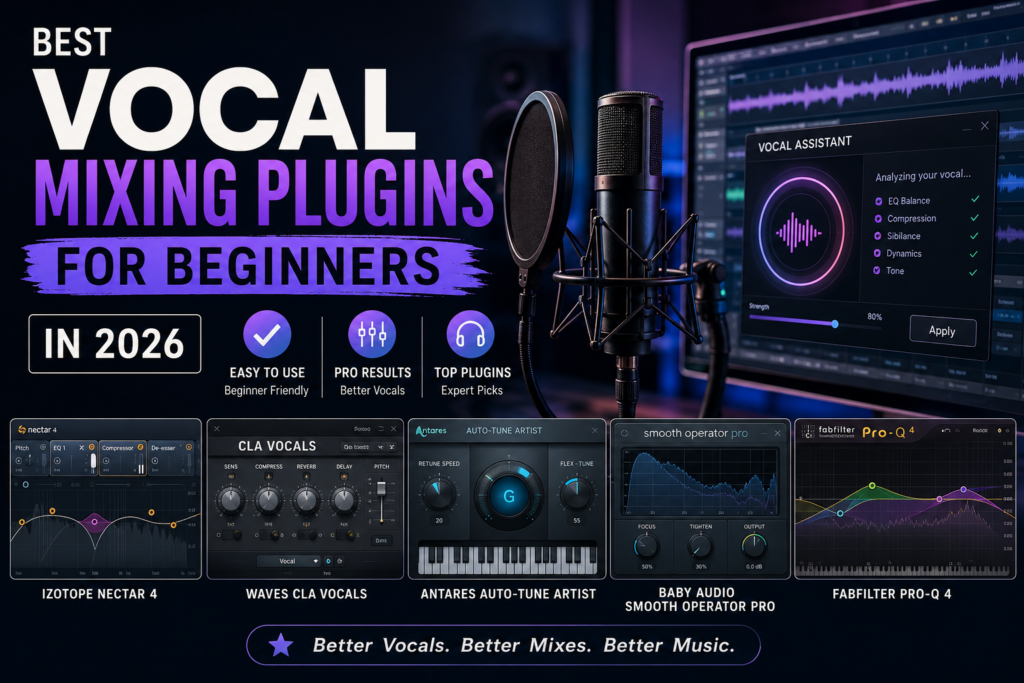
 Whether you’re recording vocals for hip-hop, R&B, pop, podcasting, or singer-songwriter productions, achieving a professional vocal sound can feel overwhelming when you’re just starting out. Fortunately, modern vocal mixing plugins have made it easier than ever for beginners to create polished, radio-ready vocals without years of engineering experience.
In 2026, plugin developers continue to focus on simplifying complex mixing processes through intelligent presets, AI-assisted processing, and streamlined interfaces. As a result, new producers can spend less time struggling with technical settings and more time focusing on creativity.
In this guide, we’ll explore the best vocal mixing plugins for beginners in 2026, discuss the essential features you should look for, and provide practical tips to help you get the most out of your vocal productions.
Introduction to Vocal Mixing Plugins: The 2026 Landscape
What Are Vocal Mixing Plugins?
Vocal mixing plugins are software tools used inside a Digital Audio Workstation (DAW) to process and enhance recorded vocals. These plugins help improve clarity, balance dynamics, add character, and create depth within a mix.
Some of the most common vocal processing tools include:
- Equalizers (EQ)
- Compressors
- De-essers
- Reverb
- Delay
- Saturation
- Pitch correction
- Vocal channel strips
Together, these tools transform raw recordings into polished performances that sit properly within a mix.
How Vocal Mixing Plugins Have Evolved
Over the past decade, vocal processing has become significantly more beginner-friendly. Earlier generations of plugins often required extensive technical knowledge, while today’s plugins frequently include:
- AI-powered processing suggestions
- Intelligent vocal assistants
- Genre-specific presets
- Visual feedback tools
- One-knob processing options
- Comprehensive vocal channel strips
These advancements allow beginners to achieve professional results much faster than ever before.
Why Beginners Should Use Vocal Mixing Plugins
Without proper processing, even a great vocal performance can sound dull, harsh, or inconsistent. Vocal mixing plugins help:
- Improve vocal clarity
- Control volume fluctuations
- Reduce harsh frequencies
- Add space and depth
- Enhance overall professionalism
For beginners, quality plugins provide a shortcut to understanding the fundamentals of mixing while delivering better sounding productions.
Top Vocal Mixing Plugins for Beginners in 2026
iZotope Nectar 4
Nectar 4 remains one of the most beginner-friendly vocal processing suites available.
Key features include:
- AI-powered Vocal Assistant
- Compression
- EQ
- De-esser
- Harmony generation
- Saturation modules
- Vocal unmasking technology
The Vocal Assistant analyzes your recording and creates a starting point for your mix automatically, making it ideal for new producers.
Best For: Complete vocal processing with minimal learning curve.
Waves CLA Vocals
Waves CLA Vocals has earned a reputation as one of the easiest vocal processors to use.
Instead of forcing users to build complex plugin chains, CLA Vocals combines multiple processing stages into a single interface.
Benefits include:
- Quick results
- Simple controls
- Multiple vocal effects
- Industry-proven sound
Best For: Fast vocal enhancement with minimal setup.
Antares Auto-Tune Artist
Pitch correction has become a standard part of modern vocal production.
Auto-Tune Artist offers:
- Real-time pitch correction
- Easy-to-understand controls
- Low-latency performance
- Professional vocal tuning
Beginners can quickly learn the fundamentals of pitch correction without becoming overwhelmed.
Best For: Modern vocal tuning and correction.
Baby Audio Smooth Operator Pro
This intelligent resonance suppression plugin helps beginners remove harsh frequencies automatically.
Features include:
- Dynamic resonance control
- Simple visual interface
- Transparent processing
- Fast workflow
Best For: Cleaning up harsh vocals.
FabFilter Pro-Q 4
Although more advanced than some beginner plugins, FabFilter Pro-Q remains one of the most educational EQ plugins available.
Advantages include:
- Excellent visual feedback
- Spectrum analyzer
- Dynamic EQ capabilities
- Intuitive workflow
Best For: Learning professional EQ techniques.
Essential Features to Look for in Vocal Mixing Plugins
Equalization (EQ)
EQ allows you to shape the tonal balance of a vocal recording.
Common uses include:
- Removing muddiness
- Enhancing vocal presence
- Reducing harsh frequencies
- Creating space in the mix
A quality EQ plugin should provide clear visual feedback and intuitive controls.
Compression
Compression controls volume inconsistencies and helps vocals remain present throughout a mix.
Benefits include:
- Increased consistency
- Improved vocal intelligibility
- Better overall balance
For beginners, plugins with simple compression controls can dramatically shorten the learning process.
Reverb and Delay
Reverb creates space while delay adds depth and movement.
These effects help vocals sound:
- Larger
- Fuller
- More professional
- Better integrated within the track
Look for plugins that include genre-specific presets for quick results.
Presets and Templates
Presets are invaluable learning tools.
They provide:
- Immediate starting points
- Educational insights
- Faster workflow
- Consistent results
Many modern vocal plugins include presets tailored for:
- Hip-Hop
- R&B
- Pop
- Rock
- Podcasting
- Voiceovers
User-Friendly Interface
A clean interface can significantly improve the learning experience.
Look for plugins that offer:
- Visual feedback
- Logical layouts
- Simple controls
- Helpful tooltips
The easier a plugin is to understand, the faster you’ll develop your mixing skills.
Beginner’s Guide to Using Vocal Mixing Plugins Effectively
Step 1: Start with a Clean Recording
No plugin can completely fix a poor recording.
Before processing:
- Record in a quiet space
- Use proper microphone technique
- Monitor input levels carefully
- Minimize background noise
Step 2: Apply Basic EQ
Begin by removing unnecessary low frequencies.
Typical starting points include:
- High-pass filtering below 80 Hz
- Reducing muddy frequencies around 200–400 Hz
- Enhancing presence around 3–5 kHz
Remember that subtle adjustments often sound best.
Step 3: Add Compression
Apply moderate compression to smooth out vocal dynamics.
For beginners:
- Aim for 3–6 dB of gain reduction
- Use moderate attack and release settings
- Avoid over-compression
The goal is control, not squashing the performance.
Step 4: Control Harshness
Use a de-esser or dynamic EQ to tame:
- Harsh “S” sounds
- Excessive brightness
- Problematic resonances
This step often improves vocal clarity significantly.
Step 5: Add Space
Introduce reverb and delay carefully.
A little ambience goes a long way.
Too much reverb can cause vocals to sound distant and muddy.
Step 6: Compare Frequently
Always compare your processed vocal to the original recording.
This helps you:
- Avoid over-processing
- Develop critical listening skills
- Learn what each plugin contributes
Common Challenges and Troubleshooting Tips
Problem: Vocal Sounds Muddy
Possible causes:
- Excessive low-mid frequencies
- Too much reverb
- Poor microphone placement
Solution:
- Cut frequencies around 200–400 Hz
- Reduce reverb levels
- Improve recording technique
Problem: Vocal Gets Lost in the Mix
Possible causes:
- Insufficient compression
- Lack of presence frequencies
- Competing instruments
Solution:
- Increase compression slightly
- Boost 3–5 kHz carefully
- Create space using EQ on other instruments
Problem: Harsh or Piercing Vocals
Possible causes:
- Excessive high frequencies
- Strong sibilance
- Aggressive saturation
Solution:
- Use a de-esser
- Reduce harsh frequencies
- Lower saturation settings
Continue Learning Through Community Resources
One of the best ways to improve is by engaging with the music production community.
Helpful resources include:
- YouTube tutorials
- Producer forums
- Discord communities
- Plugin manufacturer tutorials
- DAW-specific user groups
Learning from experienced producers can dramatically accelerate your growth.
Final Thoughts
The best vocal mixing plugins for beginners in 2026 combine professional sound quality with simplified workflows. Tools like Nectar 4, CLA Vocals, Auto-Tune Artist, Smooth Operator Pro, and FabFilter Pro-Q 4 provide excellent starting points for producers who want better vocals without a steep learning curve.
Remember that plugins are only part of the equation. Consistent practice, careful listening, and a willingness to experiment will ultimately have the biggest impact on your vocal mixes.
Start with a few high-quality plugins, learn them thoroughly, and focus on improving one skill at a time. Before long, you’ll be creating professional-sounding vocals that elevate every track you produce.