 SSL Fusion Bundle: Is It Worth It for Hip-Hop and R&B?
A beat can have the right chords, a strong bassline, and drums that knock—and still leave you looking for a little more texture or polish.
Maybe the percussion feels too sharp. Maybe your keyboard layers need a broader tonal adjustment. Or perhaps you want to experiment with saturation without completely changing the character of your mix.
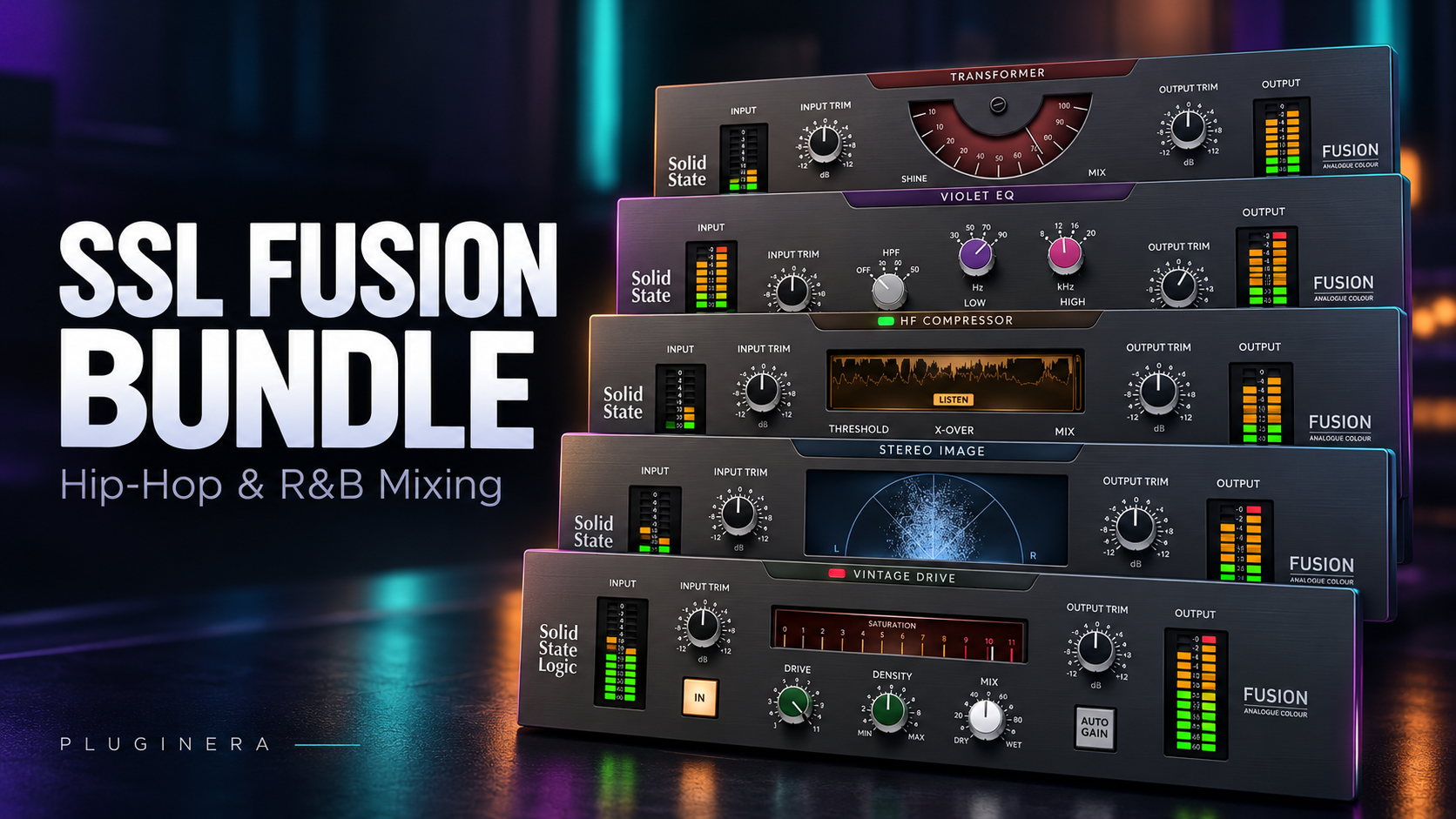
The SSL Fusion Bundle brings five processors inspired by Solid State Logic’s Fusion hardware into your DAW. Together, they cover saturation, shelving EQ, high-frequency compression, stereo shaping, and transformer coloration.
For Hip-Hop, R&B, and Trap Soul producers, that creates several interesting possibilities. But whether the bundle deserves a place in your collection depends on what your music needs—and what your existing plugins already provide.
This guide explains the documented features and suggests practical ways to evaluate them. The production examples are starting points for your own experiments, rather than claims from a hands-on listening test.
Affiliate Disclosure: This article may contain affiliate links. If you purchase through these links, Pluginera may earn a commission at no additional cost to you.
SSL Fusion Bundle Price and Current Offer
As checked on October 21, 2026, Plugin Boutique lists the SSL Fusion Bundle for $49.99, with the offer advertised until November 1. Prices, taxes, and availability may change. www.pluginboutique.com
At that price, the important question is whether you will use several of the included processors regularly.
A discount becomes valuable when the tools help you finish better music or make useful decisions faster. Buying another bundle that sits unused does very little for your production.
Check the current SSL Fusion Bundle price at Plugin Boutique.
What Is Included in the SSL Fusion Bundle?
The SSL Fusion Bundle includes five separate plugins, allowing you to choose individual processors for different tracks or groups.
| Plugin | Main purpose |
|---|---|
| Vintage Drive | Saturation and soft compression |
| Violet EQ | Broad low- and high-frequency shelving adjustments |
| HF Compressor | High-frequency dynamic control |
| Stereo Image | Mid-side stereo shaping |
| Transformer | Transformer-style coloration |
These processors offer different ways to adjust a sound’s tone and presentation. You can use them individually or combine selected modules in a processing chain.
You do not need to use all five simply because they come together.
SSL Fusion Vintage Drive: Adding Character to Drums and Samples
Vintage Drive models the nonlinear saturation circuit from SSL’s Fusion hardware. Its Drive and Density controls shape the processing, while Mix lets you blend the processed and original signals. Auto Gain helps compensate for changes in level.
For Hip-Hop production, a useful place to experiment is a sample group.
Suppose your sample fits the beat, but you want to explore a little more texture. Insert Vintage Drive, increase the processing gradually, and listen to how it changes the sample against the drums and bass.
The important question is whether the result improves the record.
A Simple Drum-Bus Experiment
Try this on a short section containing both quieter and louder drum hits:
- Insert Vintage Drive on your drum group.
- Increase the processing until the change becomes easy to recognize.
- Reduce the amount or blend it back using Mix.
- Compare the processed and bypassed versions at similar loudness.
- Listen carefully to the kick and snare attack.
Saturation can change more than the tone. If the drums lose the attack that makes the groove work, back off the processing.
For smooth R&B, a restrained setting is a useful starting point. For gritty sample-based Hip-Hop, you might deliberately explore a stronger effect.
SSL Fusion Violet EQ: Broad Tone Shaping
Violet EQ is a two-band shelving EQ designed around broad tonal adjustments.
That makes it an option to explore when a sound needs a change in overall weight or brightness.
Imagine an R&B keyboard group containing an electric piano, a soft pad, and a supporting synth. Before adding processing, balance those sounds against one another. Then audition a small shelving adjustment and judge the result with the vocal playing.
Does the keyboard group become clearer? Does it become distracting? Does the change improve the arrangement’s emotional character?
Be Careful With Low-End Boosts
Hip-Hop and Trap Soul mixes often already contain substantial bass energy.
If the kick and 808 occupy the bottom end, adding more low frequencies to your keyboard group may create unnecessary competition.
Before boosting, ask:
- Does this instrument need more low end?
- Is it already competing with the bass?
- Would lowering another element solve the problem?
For specific resonances or masking problems, start with a suitable corrective EQ. Then evaluate whether Violet EQ’s broad tonal shaping adds something useful.
Related: Mix With Stock Plugins For Beginners
SSL Fusion HF Compressor: Controlling Bright Percussion
HF Compressor provides high-frequency dynamic control. SSL includes a Listen function for auditioning the material being removed, along with Mix and Auto Gain controls.
For Trap Soul and modern Hip-Hop, a practical experiment is placing it on a bright percussion group.
Fast hi-hat patterns and open hats can add energy, but their busiest moments may feel uncomfortable against an otherwise smooth instrumental.
Begin with gentle processing and listen to the whole beat.
What Should You Listen For?
Compare a busy chorus with a quieter section.
Ask yourself:
- Do the hi-hats still provide movement?
- Is the percussion becoming dull?
- Does the snare still have the brightness it needs?
- Is one particular sound causing most of the problem?
That last question matters.
If one open hat is too loud, adjusting that track may produce a better result than compressing the entire percussion group.
Use the processor when its response helps the music. Avoid treating every bright sound as something that needs to be softened.
SSL Fusion Stereo Image: Creating Space Around the Center
Stereo Image uses mid-side processing to adjust stereo presentation.
A useful place to explore it is on existing stereo material, such as pads, keys, or backing-vocal groups.
For example, a chorus may feel fuller when the pad occupies more space around the central elements. A modest width adjustment is worth auditioning while the lead vocal, kick, and bass remain clearly established.
Check the Mix in Mono
After changing the stereo presentation, listen in mono.
Pay attention to whether important parts become noticeably weaker or less distinct. Then return to stereo and decide whether the added width improves the song enough to keep it.
Also remember that width does not solve every arrangement problem.
A busy pad may need fewer notes, a lower level, or a different sound before stereo processing becomes helpful.
SSL Fusion Transformer: Exploring Another Tonal Color
Transformer models the coloration of Fusion’s transformer circuit. Its controls include Amount, Shine, Mix, and LF Extend.
SSL documents that driving the model can introduce low-frequency roll-off. LF Extend provides a way to bypass that behavior.
For Hip-Hop producers, that makes the bottom end an important part of the evaluation.
Try the processor on a group or mix, match the listening level, and focus on the relationship between the kick and bass.
Does the change support the groove? Does the sub still carry the weight you want? Are you hearing a useful tonal difference?
Keep the processor where it helps. There is no requirement to put it on every channel.
How to Start Using the SSL Fusion Bundle
The easiest way to learn the bundle is to begin with one processor and one clear goal.
For example:
“The percussion becomes too bright when the chorus arrives.”
That gives you a specific reason to try HF Compressor. It also gives you something concrete to compare against simply lowering the offending percussion track.
Or your goal might be:
“I want to explore more texture on this sample without changing the drum balance.”
That creates a useful starting point for Vintage Drive on the sample group.
Try a Short Processing Chain
Once you understand the individual modules, experiment with a short chain:
Vintage Drive → Violet EQ → HF Compressor
This is a suggested order for exploration.
Saturation changes the signal reaching the EQ. The EQ then changes what reaches the high-frequency compressor. Changing the order may produce a different result.
Begin with restrained settings and compare the complete chain against bypass at similar loudness.
Add Stereo Image or Transformer when you have a specific reason to explore their effects.
Can You Use SSL Fusion Plugins in Reason?
SSL’s current documentation lists VST3, AU on macOS, and AAX formats. Reason users should confirm that their installed version supports the supplied VST format. Plugin Boutique also states that an iLok account is required for authorization. I am a Reason user, and I use these plugins daily. Can confirm that they do indeed work in Reason.
Check SSL’s current operating-system requirements and activation instructions before purchasing, particularly if you recently updated your computer.
Within Reason, begin with a balanced mix using the mixer and tools you already understand. Then introduce Fusion processing where you want to evaluate a particular tonal or stereo change.
For example, you could experiment with:
- Vintage Drive on a drum or sample group.
- Violet EQ on a keyboard group.
- HF Compressor on bright percussion.
- Stereo Image on a stereo pad group.
- Transformer on a selected bus.
These are production ideas to test in your session. The right choice depends on the source material.
Related: How to Build a Vocal Chain in Reason
SSL Fusion Bundle vs. Stock Plugins
Stock plugins can already handle many essential mixing tasks.
Before adding another processor, get the levels working. Listen to the relationship between the kick and bass. Make sure the melody leaves room for a vocal. Address unnecessary frequency buildup.
Then decide whether another tool offers a useful sound or a workflow you prefer.
For example, if your existing saturation plugin already gives your drums the character you want, Vintage Drive needs to earn its place through an improvement you can hear or a process you find easier.
The same applies to EQ, high-frequency control, and stereo processing.
Compare the results in the context of a complete track. A plugin that sounds impressive in isolation may contribute very little once the full arrangement plays.
Related: How To Get a Professional Mix With Stock Plugins
Who Should Consider the SSL Fusion Bundle?
The SSL Fusion Bundle is worth considering if you understand basic mixing and want focused tools for exploring tone, saturation, and stereo presentation.
It may suit producers who regularly finish complete beats and can identify specific areas that need refinement.
You are more likely to benefit when you can explain why you are reaching for each processor.
Who Can Comfortably Wait?
You can wait if your existing plugins already cover these jobs and you like the results.
You can also wait if your main challenges are finishing arrangements, choosing sounds, or balancing instruments.
Those decisions deserve your attention first.
A new finishing processor will not resolve a chorus that needs stronger development or a bass part that competes with the kick.
Is the SSL Fusion Bundle Worth It for Hip-Hop and R&B?
The SSL Fusion Bundle deserves consideration if you expect to use several of its processors and want to explore their approach to tone shaping.
For Hip-Hop and R&B, start with practical tests: saturation on a sample group, high-frequency control on percussion, and broad EQ adjustments on keys.
Compare those results against the plugins you already own at similar loudness.
The strongest reason to buy is a sound or workflow you can identify. When a processor consistently helps you make useful decisions, it becomes a valuable part of your setup.
Check the SSL Fusion Bundle’s current price and availability at Plugin Boutique.
Frequently Asked Questions
Is the SSL Fusion Bundle one plugin?
No. The bundle includes five separate plugins that you can use independently.
Does the SSL Fusion Bundle include a G-Series bus compressor?
No. Its included compressor is HF Compressor, a specialized high-frequency processor. The five-plugin bundle does not include the separate SSL G-Series bus compressor.
Is the SSL Fusion Bundle only for mastering?
The processors also offer possibilities on individual tracks and groups. Choose where to use them according to the sound you want to change.
Do you need to use all five plugins together?
No. Start with the processor that addresses your goal. Add another only when it makes a useful contribution.
Will the bundle automatically make a mix sound professional?
No. The result still depends on your source sounds, arrangement, balance, and processing decisions.
Related Reading
Continue building your mixing skills with these Pluginera guides:
- Mix With Stock Plugins For Beginners
- How To Get a Professional Mix With Stock Plugins
- How to Build a Vocal Chain in Reason
- Do You Really Need Expensive Plugins?