 How to Make Your Mix Sound Wider Without Ruining Mono Compatibility
Have you ever listened to a professionally mixed song and wondered how the producer managed to make everything sound so wide, spacious, and immersive?
The vocals sit perfectly in the center, the drums sound powerful, and the instruments seem to extend beyond the speakers.
Then you listen to your own mix.
Everything sounds crowded, narrow, or stuck in the middle.
Naturally, you reach for a stereo widening plugin.
But there’s a problem.
While stereo widening can make your music sound impressive through headphones, excessive widening can introduce phase issues, weaken important instruments, and cause sounds to disappear when your mix is played in mono.
The good news?
You don’t need expensive plugins to create a professional-sounding stereo image.
In this guide, you’ll learn how to make your mix sound wider using panning, EQ, stereo effects, arrangement techniques, and careful processing without sacrificing mono compatibility.
Whether you’re producing Hip-Hop, R&B, Trap Soul, Pop, or electronic music, these techniques can help you create more spacious, balanced productions.
What Makes a Mix Sound Wide?
Before reaching for a stereo widening plugin, it’s important to understand what actually creates the perception of width.
Stereo width comes from differences between the audio reaching your left and right speakers.
These differences can involve:
- Level: A sound is louder in one speaker than the other.
- Timing: Similar sounds reach each speaker at slightly different times.
- Frequency content: Different frequencies are emphasized on each side.
- Reverberation: Reflections create a sense of space around instruments.
- Arrangement: Different musical elements occupy different positions in the stereo field.
When these elements work together, your mix can feel wider and more immersive.
However, stereo width doesn’t mean placing every instrument as far left or right as possible.
In fact, some of the widest-sounding productions have extremely strong centers.
A centered kick, bass, snare, and lead vocal can provide stability while supporting instruments create width around them.
The contrast between a focused center and spacious sides often makes a mix feel bigger.
Why Mono Compatibility Matters
Mono compatibility refers to how well your stereo mix translates when the left and right channels are combined into a single channel.
Even though most listeners use stereo headphones or speakers, mono playback remains relevant.
Certain portable speakers, club sound systems, accessibility settings, and other playback situations may reproduce audio in mono.
When a stereo mix collapses to mono, some sounds may change in level or tone.
This is normal to a degree.
However, problems occur when phase relationships between the left and right channels cause excessive cancellation.
For example, imagine duplicating a synthesizer track and reversing the polarity of one copy.
The two tracks may create an unusually wide or disconnected stereo effect.
But when summed to mono, matching portions of those signals can cancel each other.
In an extreme case, the sound may disappear almost entirely.
A wide mix that falls apart in mono isn’t necessarily a better mix.
The goal is to create width while maintaining clarity, balance, and musical impact across different playback systems.
1. Start With Panning Before Using Stereo Widening Plugins
Panning determines where an instrument sits between the left and right speakers.
Instead of stacking every instrument in the center, distribute supporting elements across the stereo field.
For example, consider an R&B production with the following instruments:
| Instrument | Starting Pan Position |
|---|---|
| Kick | Center |
| Snare | Center |
| Bass | Center |
| Lead Vocal | Center |
| Main Piano | Center or slightly offset |
| Guitar Layer 1 | 40% Left |
| Guitar Layer 2 | 40% Right |
| Shaker | 25% Right |
| Secondary Percussion | 25% Left |
| Background Vocals | Spread left and right |
These positions aren’t rules. They’re starting points.
The idea is to give instruments their own space instead of forcing them to compete in the center.
Panning in Reason
Reason makes this process straightforward using its SSL-style mixer.
- Open the main mixer.
- Identify the channels containing your supporting instruments.
- Locate each channel’s pan control.
- Move selected instruments slightly left or right.
- Listen to how the instruments interact.
- Adjust the positions until the mix feels balanced.
Start with moderate panning positions before experimenting with extreme settings.
Remember that a mono track panned to one side doesn’t necessarily become wider on its own.
The sense of width develops through the relationship between multiple instruments and their positions.
2. Use Double Tracking to Create Natural Stereo Width
Double tracking is one of the most effective ways to create a wide sound without relying on artificial stereo processing.
The technique involves recording the same musical part more than once and placing the performances at different stereo positions.
Because no two performances are perfectly identical, the natural differences create a sense of width.
This works especially well with guitars, vocals, and certain keyboard parts.
Example: Wide R&B Background Vocals
Imagine recording a three-part harmony.
Instead of recording each part once, record two performances of selected harmony parts.
Then:
- Pan the first performance to the left.
- Pan the second performance to the right.
- Keep the lead vocal centered.
- Balance the harmony levels beneath the lead.
- Add a shared reverb to help the performances feel cohesive.
The result can sound noticeably wider without needing a dedicated stereo widening plugin.
Can You Just Duplicate the Same Recording?
You can duplicate a recording, but duplicating an identical signal and panning the copies left and right doesn’t create true stereo width.
When both channels contain the same signal at the same level, the result is essentially centered mono playback.
To create meaningful differences, you need different performances or carefully designed processing.
Actual double tracking is often the better option because it creates natural variations in timing, articulation, and tone.
3. Use EQ to Create Separation Between Instruments
Stereo width isn’t only about panning.
Frequency separation can also influence how spacious a mix feels.
When several instruments occupy similar frequency ranges, they can mask one another and make the production sound crowded.
For example, a piano, synthesizer pad, and electric guitar might all compete in the low-mid frequencies.
Even if those instruments are panned differently, excessive frequency overlap can make the arrangement feel dense.
How to Create Space With EQ
Start by identifying the primary role of each instrument.
If the piano carries the main chord progression, it may need greater clarity in the midrange.
The synthesizer pad, on the other hand, might work better as a softer atmospheric layer.
Try this approach:
- Listen to the piano and pad together.
- Identify the frequency range where they compete.
- Apply a gentle EQ adjustment to the less important instrument.
- Compare the result with the EQ bypassed.
- Keep the adjustment only if it improves the overall balance.
For example, a gentle cut around 250–400 Hz on a muddy pad might help create more separation from the piano.
However, don’t automatically cut this range on every instrument.
The correct frequency depends on the recording, arrangement, and context.
Mid/Side EQ for Stereo Width
Mid/Side EQ provides another approach.
Instead of processing the left and right channels independently, Mid/Side processing separates the audio into two components:
- Mid: The information common to the left and right channels.
- Side: The information representing differences between the channels.
A Mid/Side EQ allows you to adjust these components separately.
For example, you might gently reduce low-mid buildup in the Side channel of a stereo pad while preserving the center.
This can improve clarity without requiring a dramatic widening effect.
However, Mid/Side processing should be used carefully.
Excessive Side boosting can exaggerate stereo differences and negatively affect mono translation.
4. Use Stereo Reverb to Add Depth and Space
Reverb can make a mix feel larger by creating the impression of an acoustic environment.
Instead of simply spreading instruments farther left and right, reverb adds reflections that can surround the original sound.
This is especially useful for R&B vocals, synthesizer pads, guitars, and atmospheric effects.
How to Set Up Stereo Reverb in Reason
Reason includes RV7000 MkII, a versatile reverb processor that works well for creating spatial effects.
Here’s a practical starting approach:
- Open Reason’s main mixer.
- Create an RV7000 MkII as a send effect.
- Choose an appropriate reverb algorithm or preset.
- Set the reverb’s wet balance to 100% for send processing.
- Use the channel’s send control to feed audio into the reverb.
- Adjust the reverb decay and pre-delay.
- Listen to the result in the full mix.
For a modern R&B vocal, try starting with a pre-delay around 40–80 milliseconds.
This creates some separation between the original vocal and the reverb.
Adjust the decay until the effect supports the vocal without overwhelming it.
You can also EQ the reverb return to reduce unnecessary low-frequency buildup.
A high-pass filter somewhere around 150–300 Hz can be a useful starting point, depending on the source and the desired sound.
Why Pre-Delay Matters
Pre-delay controls the time between the original sound and the beginning of the reverb response.
A short pre-delay can make the reverb feel closely connected to the source.
A longer pre-delay can create more separation, helping the dry signal remain clear.
This is particularly useful when you want a lead vocal to remain upfront while the reverb provides spaciousness behind it.
Keep in mind that reverb creates both width and depth.
Sometimes, adding depth is more effective than simply increasing stereo width.
5. Try the Haas Effect, But Be Careful
The Haas effect is a psychoacoustic phenomenon involving how listeners perceive closely spaced sounds arriving at slightly different times.
In music production, engineers sometimes use short delays between the left and right channels to create a wider stereo impression.
For example, you might delay one side of a sound by approximately 10–25 milliseconds.
Through stereo speakers or headphones, this can create a sense of spaciousness.
However, there’s a catch.
When the channels are combined into mono, the timing difference can produce comb filtering.
Comb filtering creates a series of peaks and dips in the frequency response, potentially changing the sound’s tone.
A Safer Approach
If you experiment with short-delay stereo widening:
- Apply the effect to a supporting instrument.
- Start with a subtle delay difference.
- Listen to the sound in stereo.
- Switch your monitoring to mono.
- Check for tonal changes or loss of clarity.
- Reduce the effect if the mono version becomes noticeably weaker.
Avoid assuming that a wider stereo sound automatically means a better result.
For important lead elements, natural double tracking or carefully balanced panning may be more reliable.
6. Use Stereo Widening Plugins Strategically
Dedicated stereo widening plugins can provide additional creative options beyond standard DAW controls.
Some manipulate Mid/Side levels, while others introduce timing, modulation, or frequency-dependent differences.
These techniques can be useful, but each has its own trade-offs.
Sound Particles Energy Panner 2
Energy Panner 2 takes an interesting approach to stereo movement.
Instead of relying exclusively on fixed panning positions or manual automation, the plugin can respond to changes in audio intensity.
This allows sounds to move across the stereo field according to their dynamics.
For example, a percussion loop could move in response to its accents, while a synthesizer could shift positions as its intensity changes.
Energy Panner 2 is particularly interesting for producers who want movement rather than simply increasing static stereo width.
It’s not a replacement for traditional panning, but it can be a useful creative tool.
Read our Energy Panner 2 Review for a closer look at its features and applications.
Explore Energy Panner 2 at Plugin Boutique
iZotope Ozone Imager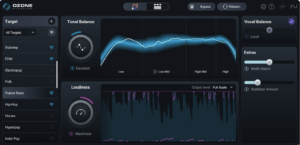
iZotope Ozone Imager is another useful option for exploring stereo width.
It provides stereo imaging controls and visual feedback that can help you understand how your audio is distributed.
Depending on the version and processing mode, Ozone imaging tools can use different approaches to widening.
The standalone Ozone Imager plugin is especially appealing because a free version is available.
For beginners, it’s a useful way to experiment with stereo processing without immediately investing in expensive plugins.
FabFilter Pro-Q
FabFilter Pro-Q isn’t a conventional stereo widening plugin.
However, its Mid/Side EQ capabilities make it useful for shaping the tonal balance of the center and sides.
For example, you could reduce unwanted low-mid buildup in the Side channel of a stereo instrument.
This may help the mix feel more open without relying on exaggerated stereo processing.
The important distinction is that EQ-based separation and stereo widening aren’t necessarily the same thing.
Use each tool according to the problem you’re trying to solve.
7. Keep Your Low Frequencies Focused
One of the most important considerations when creating a wide mix is maintaining a stable low-frequency foundation.
Kick drums and bass instruments often benefit from remaining near the center.
This doesn’t mean every bass sound must be completely mono.
However, excessive stereo differences in the lowest frequencies can create inconsistent playback and complicate phase relationships.
For Hip-Hop and Trap Soul, the relationship between the kick and 808 is particularly important.
If the kick and bass lose impact when the mix is collapsed to mono, the entire production may feel weaker.
Practical Low-End Mixing Tips
- Start with the kick and sub-bass centered.
- Avoid unnecessary stereo widening on deep sub-bass frequencies.
- Check the phase relationship between layered low-frequency instruments.
- Use stereo effects on upper harmonics when appropriate.
- Regularly compare stereo and mono playback.
A strong, focused low end provides a foundation that allows the rest of the mix to feel spacious.
8. Check Your Mix in Mono
Mono checking is one of the simplest ways to identify problems caused by stereo processing.
You don’t need to mix entirely in mono.
Instead, use it as a diagnostic tool.
How to Check Mono Compatibility in Reason
One approach is to use a monitoring utility or a properly configured mono-summing processor on your monitoring path.
The important distinction is that you’re summing the left and right channels, not merely listening through one speaker or muting one channel.
If you use a utility or routing setup for this purpose, verify that it performs true mono summing.
Then:
- Play your mix in stereo.
- Pay attention to the vocal, kick, bass, and main instruments.
- Switch to mono.
- Listen for instruments that become unusually quiet or change dramatically in tone.
- Identify any stereo processors that may be contributing to the problem.
- Bypass or reduce those effects and compare again.
- Return to stereo and confirm that the mix still sounds balanced.
You may notice some changes in perceived width and level when switching to mono.
That’s expected.
The concern is when important musical elements lose excessive energy, become hollow, or nearly disappear.
Should a Mix Sound Identical in Stereo and Mono?
No.
A stereo mix and its mono version will naturally sound different because stereo positioning information is reduced.
The goal isn’t identical playback.
The goal is for the essential musical elements to remain clear, balanced, and recognizable.
9. Use a Correlation Meter to Identify Potential Phase Problems
A stereo correlation meter measures the relationship between the left and right channels.
It’s a useful visual tool for identifying potentially problematic stereo material.
Correlation meters typically display values ranging from -1 to +1.
| Reading | General Meaning |
|---|---|
| +1 | Left and right channels are highly correlated |
| Near 0 | Significant differences between channels |
| Below 0 | Increasing anti-correlation and potential mono cancellation |
| -1 | Perfect anti-correlation |
A reading near +1 doesn’t automatically mean your mix is too narrow.
Likewise, a reading near zero doesn’t automatically indicate a problem.
The meter provides information, but your ears should remain the final judge.
If the correlation meter frequently moves into negative territory, investigate the stereo processing and check the mix in mono.
Brief negative readings don’t necessarily mean the entire mix is unusable.
What matters is how the audio translates.
10. Create Width Through Arrangement and Sound Selection
Sometimes, the best stereo widening technique doesn’t involve processing at all.
Instead, it involves making better arrangement decisions.
Imagine a production containing three synthesizers playing similar chords in the same register.
Even with stereo widening, those instruments may compete for attention.
Now imagine changing the arrangement.
The piano plays the main chords.
A soft pad provides sustained harmony.
A guitar plays short melodic responses.
Each instrument has a distinct role.
Suddenly, the mix feels more spacious because the arrangement itself creates separation.
Try These Arrangement Techniques
- Use different octaves for overlapping instruments.
- Avoid unnecessary layers playing identical parts.
- Introduce contrasting rhythmic patterns.
- Choose sounds with complementary frequency characteristics.
- Leave intentional space between melodic phrases.
- Reserve the widest elements for important song sections.
For example, a verse might feature a relatively narrow piano and centered vocal.
When the chorus arrives, additional background vocals and a wide synthesizer pad can create a noticeable expansion.
This contrast can make the chorus feel bigger without requiring aggressive processing on the master bus.
Common Stereo Widening Mistakes to Avoid
Widening Every Instrument
If everything is wide, nothing feels especially wide.
Maintain a balance between centered elements and supporting instruments positioned toward the sides.
Ignoring Mono Compatibility
A plugin may sound impressive in headphones but introduce problems when the mix is summed to mono.
Check both playback formats regularly.
Using Too Much Stereo Reverb
Excessive reverb can blur transients, reduce clarity, and push important elements too far into the background.
Use reverb intentionally.
Widening the Master Bus Too Early
Applying aggressive widening to the entire mix can exaggerate existing stereo differences and create translation problems.
Establish a balanced stereo image at the track and bus level before considering master-bus widening.
Confusing Loudness With Width
Some widening processors change the perceived level of a sound.
When comparing processed and unprocessed audio, try to match their loudness.
Otherwise, you may prefer the louder version simply because it sounds more exciting.
A Practical Stereo Widening Exercise in Reason
Let’s put everything together with a simple exercise.
Open an existing Reason project containing drums, bass, piano, a pad, and at least one supporting instrument.
Step 1: Establish the Center
Keep your kick, snare, bass, and primary melody or lead vocal near the center.
Listen to how the arrangement feels before introducing additional stereo effects.
Step 2: Pan Supporting Instruments
Move a secondary instrument slightly left.
Move another supporting element slightly right.
Experiment until the mix feels balanced.
Step 3: Add Stereo Reverb
Create an RV7000 MkII send effect.
Apply a modest amount of reverb to a selected instrument.
Adjust the decay and pre-delay to create space without washing out the original sound.
Step 4: Experiment With Stereo Movement
If you own a compatible stereo movement plugin, try applying it to a pad or percussion layer.
Use conservative settings.
Compare the result with the plugin bypassed.
Step 5: Check the Mix in Mono
Use a proper mono-summing monitor setup.
Listen for important instruments becoming noticeably weaker or changing dramatically in tone.
If necessary, reduce the stereo effect.
Step 6: Compare the Verse and Chorus
If your arrangement includes both sections, consider making the chorus slightly wider.
You might introduce additional background vocals, a wider pad, or a second instrument layer.
The goal is to create contrast between sections rather than maximizing width throughout the entire song.
Step 7: Level-Match and Compare
Bypass your additional processing and compare the original mix with the updated version.
Try to keep the perceived loudness similar.
Ask yourself:
Does the new mix feel more spacious?
Are the important instruments still clear?
Does the low end remain powerful?
Does the mix maintain its balance in mono?
If the answer is yes, you’re moving in the right direction.
Frequently Asked Questions
How can I make my mix sound wider without plugins?
Use panning, natural double tracking, complementary sound selection, and thoughtful arrangement. Your DAW’s built-in reverb and delay effects can also help create spaciousness.
Does stereo widening cause phase issues?
Some stereo widening techniques can introduce phase-related problems, particularly those involving timing differences or polarity manipulation. However, not every widening technique causes significant mono compatibility issues.
Should bass always be mono?
Not necessarily. However, keeping the deepest bass frequencies focused near the center is a useful starting point, especially in bass-heavy genres such as Hip-Hop and Trap Soul.
Can I widen vocals without ruining the mix?
Yes. Try keeping the lead vocal centered while using double tracking, panned harmonies, stereo reverb, or carefully controlled effects on supporting vocal layers.
Is Mid/Side EQ better than a stereo widening plugin?
Neither is inherently better. Mid/Side EQ is useful for shaping the frequency balance of the center and sides, while dedicated widening plugins may provide additional spatial processing options.
How do I know if my mix is too wide?
Check the mix in mono, listen for disappearing instruments or major tonal changes, and use a correlation meter for additional information. Also compare your mix with professionally produced reference tracks in a similar genre.
Final Thoughts
Learning how to make your mix sound wider is about much more than turning up a stereo imaging plugin.
Professional-sounding width comes from a combination of arrangement, panning, frequency balance, depth, and intentional processing.
A strong center provides stability.
Thoughtful panning creates separation.
Reverb and delay introduce space.
Double tracking adds natural differences between the left and right channels.
And careful mono checking helps ensure your production translates across playback systems.
Stereo widening plugins can certainly help, but they’re most effective when they complement an already balanced mix.
The goal isn’t to make every instrument as wide as possible. It’s to create a stereo image that supports the music.
Start with the tools already included in your DAW, develop your listening skills, and introduce additional processors when they solve a specific problem or provide a creative effect you want.
That’s how you build wider, clearer, and more professional-sounding mixes.
Related Reading
Continue developing your mixing skills with these Pluginera articles:
- Energy Panner 2 Review: Is It Worth It? — Explore a creative plugin that uses audio intensity to control stereo movement.
- How to Mix Vocals in Reason: A Beginner’s Guide — Learn to create clear, balanced vocals that sit properly in your mix.
- How to Build a Vocal Chain in Reason (Step-by-Step) — Discover how to combine EQ, compression, and effects in Reason.
- How to EQ a Mix for Streaming — Understand how frequency balance affects clarity and translation.
- Mix With Stock Plugins for Beginners — Learn to achieve professional results without relying on expensive third-party tools.
- Do You Really Need Expensive Plugins to Get a Professional Mix? — Explore when premium audio plugins are actually worth the investment.