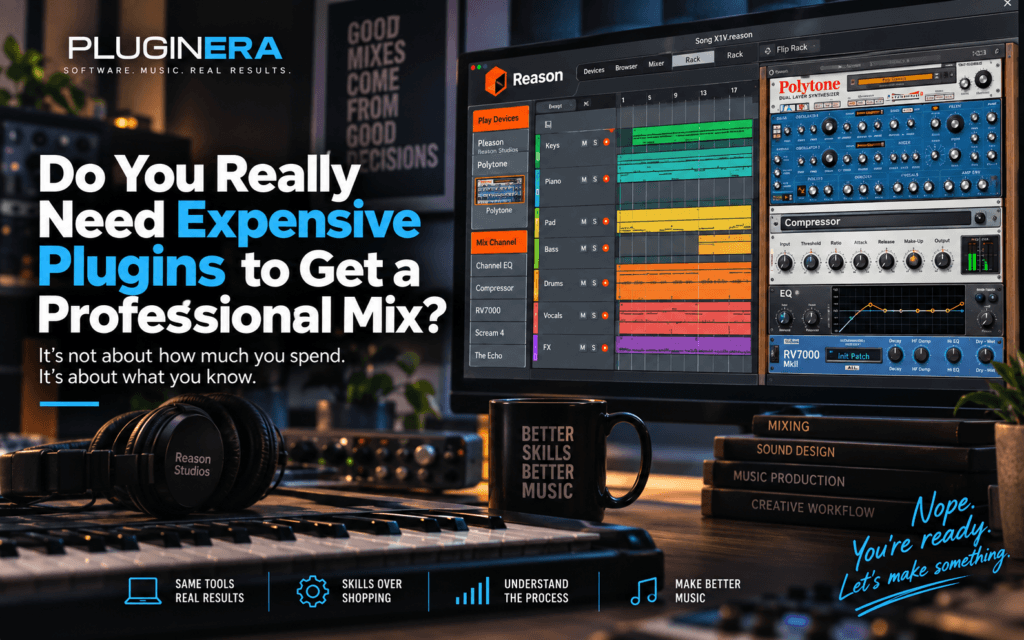
 Do You Really Need Expensive Plugins to Get a Professional Mix?
If you’ve spent any amount of time watching music production videos, browsing plugin stores, or scrolling through producer content online, it can start to feel like getting a professional mix requires an endless collection of expensive plugins.
You need this compressor.
That EQ.
This vintage console emulation.
That $200 reverb.
And apparently, your vocals will never sound professional unless you own the exact signal chain somebody used on a hit record.
But do you really need expensive plugins to get a professional mix?
No.
Modern DAWs already include tools capable of producing excellent mixes. What matters far more is whether you understand what you’re hearing, what needs to change, and which tool can accomplish it.
Expensive plugins can absolutely be useful. Some sound fantastic. Some provide workflows, features, or character that stock plugins don’t offer.
But buying better tools isn’t the same thing as developing better engineering skills.
And I was recently reminded of that while doing something surprisingly simple: compressing a piano.
The Piano That Reminded Me What Actually Matters
I was working with a piano sample that intentionally had a pretty wide dynamic range.
The chord hits were loud.
The melodic sections between those chords were considerably softer.
Instead of immediately searching through my collection for some premium compressor, I opened one of Reason’s native compressors.
Nothing particularly glamorous.
I simply listened to the problem and started adjusting the compressor accordingly.
The louder chord hits needed control, but I didn’t want to destroy the attack of the piano. So I used a moderate ratio, allowed enough attack through to preserve the articulation, adjusted the release to follow the performance naturally, and set the threshold according to the amount of the performance I wanted to control.
The result surprised me.
The compressed piano sounded significantly smoother and more balanced than the original.
The loud chords stopped jumping out.
The softer melodic sections felt more connected to the rest of the performance.
And the entire piano suddenly felt more like one cohesive musical performance.
That’s when something became extremely obvious:
The plugin wasn’t doing the thinking.
I was.
Your DAW Probably Already Has What You Need
Most modern DAWs include some version of the fundamental tools used in mixing:
- EQ
- Compression
- Reverb
- Delay
- Gates and expanders
- Saturation or distortion
- Modulation effects
- Automation
- Panning
- Sends and buses
- Routing tools
- Utility and metering tools
Those are not watered-down versions of mixing concepts.
A compressor is still controlling dynamic range.
An EQ is still manipulating frequency balance.
A reverb is still creating a sense of space and depth.
The interface, algorithms, character and features can differ dramatically between plugins, but the underlying engineering principles don’t suddenly change because a plugin costs $200.
If you understand compression, you can sit in front of an unfamiliar compressor and begin figuring it out.
If you understand EQ, you don’t need somebody else’s preset to tell you where to boost.
That’s the difference between learning plugins and learning audio engineering.
Expensive Plugins Aren’t Magic
This is where the conversation needs some nuance.
I love plugins.
Pluginera is literally a website where we talk about plugins.
There are third-party plugins that provide incredible analog modeling, intelligent processing, unusual effects, advanced routing, specialized workflows, and sounds that would be difficult to recreate with stock tools.
I’m not arguing that every plugin is identical.
They’re not.
I’m arguing against something different:
The belief that purchasing a particular plugin is what makes your music sound professional.
Imagine putting a $300 compressor in front of somebody who doesn’t understand threshold, ratio, attack, or release.
Now put a stock compressor in front of an engineer who understands exactly how those controls affect a performance.
Who would you rather have mixing your record?
The expensive plugin doesn’t make the decision.
The engineer does.
Learn the Problem Before You Buy the Solution
This might be the most important lesson I’ve learned about plugins.
Before buying another one, ask yourself:
What problem am I trying to solve?
That’s a very different question from:
What plugin should I buy?
Maybe your vocal is disappearing when the chorus becomes busy.
That doesn’t automatically mean you need another vocal plugin.
Maybe the vocal needs automation.
Maybe another instrument is masking it.
Maybe there’s too much reverb.
Maybe the arrangement is crowded.
Maybe the compression isn’t appropriate.
Maybe it simply needs to come up 1.5 dB.
If you don’t understand the problem, purchasing another processor just gives you another tool you don’t know when to use.
Mixing Is Problem Solving
This is the mindset I’m increasingly using when learning audio engineering:
Hear the problem → diagnose the cause → choose the tool → make the adjustment → listen again.
That process sounds simple, but it changes everything.
Instead of opening an EQ because you’re “supposed to EQ the piano,” ask:
Does this piano actually have a frequency problem?
Instead of compressing every vocal because vocals are supposed to be compressed, ask:
What am I trying to control?
Instead of adding reverb because a mix sounds dry, ask:
Where do I want this instrument to exist in the perceived space of the record?
The processor should have a job before you touch it.
That’s engineering.
The Compressor Doesn’t Know What You’re Mixing
This became particularly obvious during my piano experiment.
When I deliberately made the compressor’s attack too fast, the chord hits became squashed and almost suffocated.
The compressor wasn’t broken.
It was doing exactly what I told it to do.
Then I deliberately made the release far too slow.
Suddenly the melody following each chord felt like it was being held back.
My immediate reaction was:
“It’s like a leash. Get back here, melody!”
That silly description actually explains the problem surprisingly well.
The compressor was still applying gain reduction from the previous chord when the melody arrived.
Again, the plugin wasn’t wrong.
My settings told it to behave that way.
Returning the attack and release to settings appropriate for the performance brought the piano back to life.
That’s why learning what your processors actually do is more valuable than memorizing settings.
Stock Plugins Can Teach You More Than Presets
There’s another reason I think producers should spend time with their DAW’s native tools.
They force you to understand fundamentals.
Suppose you load a preset called:
“Perfect R&B Piano.”
Maybe it sounds great.
But what did you learn?
Compare that with listening to an inconsistent piano and deciding:
The louder chords need controlling.
I want to preserve the transient.
I want the compressor to recover naturally before the next musical phrase.
I don’t want audible pumping.
I want enough gain reduction to create consistency without flattening the performance.
Now you’re learning compression.
And once you understand compression, you’re no longer dependent on one particular compressor.
That’s a skill you can take anywhere.
Reason’s Native Devices Are a Perfect Example
Reason has been part of my production workflow for years, and its native devices are a good example of why producers shouldn’t automatically overlook stock tools.
Between Reason’s mixer, channel EQ and dynamics, MClass processors, RV7000 reverb, Scream 4, The Echo, Pulveriser, Alligator and the routing possibilities inside the Rack, there’s an enormous amount of mixing and sound-design capability already available.
You could spend years learning those tools.
And that’s before loading a single third-party Rack Extension or VST.
That doesn’t mean I’ll stop using third-party plugins.
Far from it.
But I’m becoming increasingly convinced that the question shouldn’t be:
“Do I have professional plugins?”
It should be:
“Can I get professional results from the tools I already have?”
If the answer is no, another plugin may not be the solution.
So Why Buy Third-Party Plugins?
Because sometimes they genuinely improve your workflow.
That’s the distinction.
A third-party plugin might give you:
A particular sonic character.
Analog-modeled compressors, EQs, tape machines and consoles can introduce harmonic characteristics you specifically want.
A faster workflow.
Sometimes another plugin lets you reach the result you want more quickly.
Capabilities your DAW doesn’t provide.
Dynamic EQ, spectral processing, sophisticated modulation or specialized restoration tools are good examples depending on your DAW.
Creative possibilities.
Some plugins aren’t solving traditional mixing problems at all. They’re instruments for experimentation.
Better visualization.
A different interface can sometimes make a concept easier to understand.
Those are legitimate reasons to buy software.
But notice what’s missing:
“Because professional producers use it.”
That’s not enough.
Buy Plugins Because You Understand Why You Need Them
Ironically, learning to mix with stock plugins can actually make you better at buying plugins.
Once you understand compression, you can evaluate what another compressor gives you.
Once you understand EQ, you can appreciate why one EQ might improve your workflow.
Once you understand reverb, you can hear meaningful differences between spaces instead of simply scrolling through presets.
Your purchasing decisions become intentional.
Instead of:
“Everybody says I need this.”
You start thinking:
“I already know how to accomplish X, but this plugin gives me Y, which would improve my workflow.”
That’s a completely different relationship with music-production software.
And probably a much cheaper one.
Can You Really Get a Professional Mix With Stock Plugins?
Absolutely.
But there’s an important caveat.
Owning stock plugins doesn’t automatically produce professional mixes either.
You still need to develop your ears.
You need to understand balance.
You need to understand frequency relationships.
You need to understand dynamics.
You need to understand stereo placement, depth, automation, arrangement and how all those decisions interact.
And perhaps most importantly, you need practice.
There isn’t a plugin that replaces that.
The exciting part is that learning those skills doesn’t require a studio full of expensive equipment.
You Probably Already Have Enough
This is one of the ideas behind Pluginera that has become increasingly important to me.
Music production is more accessible than it has ever been.
You don’t necessarily need a room full of hardware.
You don’t need the most expensive computer.
And you certainly don’t need every plugin that appears in your YouTube feed.
A laptop, a capable DAW, headphones or monitors, and a willingness to learn can take you incredibly far.
Start with what you have.
Learn why things sound the way they do.
Train your ears.
Finish records.
And when you eventually buy another plugin, buy it because you understand what it adds to your workflow, not because somebody convinced you that your music couldn’t sound professional without it.
Plugins are tools.
The knowledge is what makes them powerful.
Nope. You’re ready. Let’s make something.