 RC-20 Retro Color v2 Review: Is the Upgrade Worth It?
Sometimes a sound has all the right notes but still needs something.
Your chords work. The melody fits. The instrument sounds good. Yet you keep searching for the character that makes the track feel like yours.
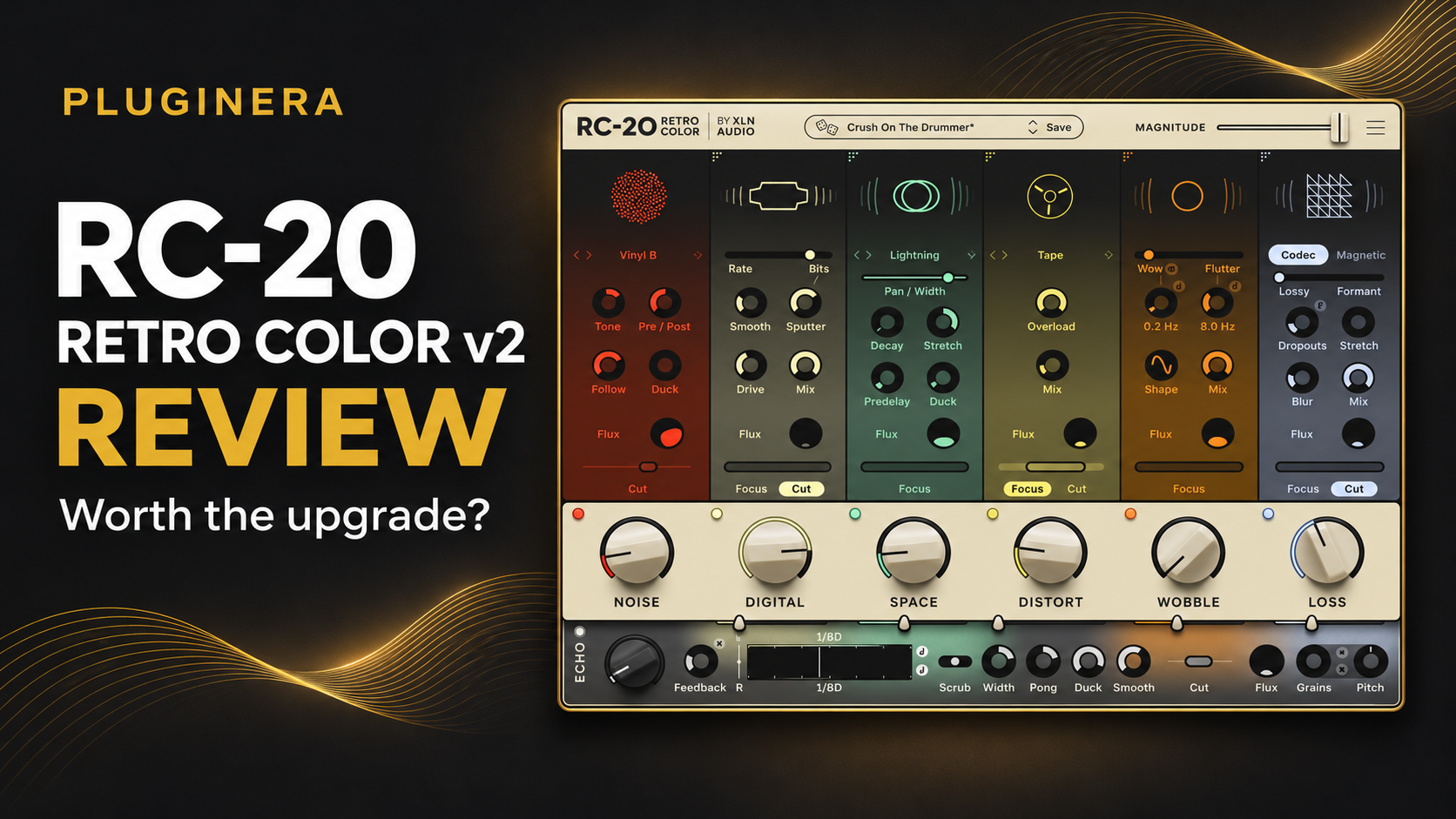
RC-20 Retro Color v2 gives you plenty of ways to explore that character. XLN Audio’s updated effects plugin brings new creative possibilities to its familiar texture-processing approach, including Echo, expanded degradation effects, and more flexible processing.
For Hip Hop, R&B, and Trap Soul producers, the appeal goes beyond adding a little vinyl noise. This is a tool for reconsidering what a sound can become.
My early impression has been extremely positive. I am still exploring the update, so this review combines those initial impressions with the documented features rather than presenting an exhaustive long-term verdict.
Affiliate disclosure: Pluginera may earn a commission from purchases made through affiliate links, at no additional cost to you.
What Is RC-20 Retro Color v2?
RC-20 Retro Color is a creative effects plugin from XLN Audio built around six main modules: Noise, Wobble, Distort, Digital, Space, and Loss. Its Magnitude control adjusts the overall processing intensity, making it possible to move between restrained coloration and more dramatic effects.
That combination makes it appealing when you want to explore several aspects of a sound’s character without building a long chain of separate plugins.
For producers, the important question is what the processing contributes to the music. A little texture might help a supporting instrument settle into the arrangement. More aggressive treatment might give a lead the identity it was missing.
RC-20’s appeal is the room it gives you to explore both directions.
What’s New in RC-20 Retro Color v2?
Echo With Evolving Repeats
The new Echo section places RC-20’s processing inside a feedback loop, allowing successive repeats to change in character. Grains add pitched or reversed textures to the delay.
For atmospheric production, that is an interesting creative direction. I would consider evolving echoes where a track needs a response between phrases or a transition that carries some of the previous section’s character into the next.
The musical value depends on placement. A spacious effect can support an arrangement beautifully, but it still needs room to be heard.
A Broader Texture Palette
Version 2 adds Codec degradation, three new distortion types—Tape, Classic Pre, and Porta—and 32 new Space types.
What interests me here is the range of creative intentions those options suggest.
A warm, restrained instrumental bed serves a different purpose from an abrasive lead. A distant background texture has a different job from a prominent melodic hook. I would choose the processing based on those roles rather than applying the same treatment across every part.
Having more options is useful when they help you make those distinctions.
Flexible Module Order
Wobble, Distort, Digital, Space, and Loss can be rearranged in v2. Supported modulation, Magnetic flutter, and Echo settings also gain tempo synchronization.
The ability to reconsider processing order is a meaningful addition. It lets producers explore how the effects interact instead of accepting one fixed sequence as the starting and ending point.
My recommendation is to treat that flexibility as another creative decision. Once the sound serves its role, there is no obligation to keep experimenting simply because more combinations are available.
Improved Browsing and Comparison Tools
The update includes more than 250 new presets, module locking, snapshots, undo history, oversampling, and master compression. Loudness Match helps compare the processed and dry signals without a straightforward volume increase dominating the decision.
These workflow additions deserve attention alongside the more dramatic effects.
When producing, I want to explore quickly and still be able to reconsider a choice. A sound that catches my attention during browsing has to earn its place once the arrangement becomes fuller.
Comparison tools make that decision easier to approach deliberately.
Why RC-20 v2 Is Interesting for Hip Hop and R&B
Getting More From Sounds You Already Own
One of the most appealing reasons to use a creative processor is the possibility of finding another direction within an instrument already in your session.
That matters when you have plenty of instruments but still find yourself searching for inspiration. Sometimes the next useful idea comes from changing the character of an existing part.
My preference is to begin with the role that part needs to fill. Does it need to lead the track? Support the vocal? Add movement behind the chords? Create tension before the hook?
Those questions give experimentation a purpose.
Building Contrast Between Parts
In Hip Hop and R&B, I want the different elements to feel like they belong together while retaining their own identities.
A prominent melody can have a stronger personality. Supporting chords may need a more restrained treatment. An atmospheric layer might work best when it is felt around the edges of the arrangement.
I see RC-20 as an appealing place to explore those relationships. The goal is to create useful contrast while keeping the song cohesive.
Making Texture Part of the Arrangement
I also like thinking of dramatic processing as an arrangement choice.
A distinctive texture might be most effective during the introduction, at the end of a phrase, or in a section where the instrumentation pulls back. It does not have to run through the entire beat to make an impression.
That approach keeps the effect connected to the structure of the music. Sometimes a brief moment does more for the track than another continuous layer.
RC-20 Retro Color v2 vs. the Original
The upgrade decision comes down to whether the expanded creative options matter to your workflow.
XLN Audio says v2 installs as a separate plugin, preserving existing v1 projects. The original factory and artist presets are included, and users can import their own v1 presets.
That gives existing owners room to explore the update without having to rebuild finished work.
If the original already meets your needs, there is no reason to stop using it. An upgrade becomes more compelling when you can identify something you expect to use regularly.
For me, the strongest reasons to consider v2 are the wider creative range and the added freedom to explore how its processing interacts.
Is the $19 RC-20 v2 Upgrade Worth It?
For existing owners who actively enjoy RC-20’s approach, my early verdict is yes at the $19 introductory upgrade price.
At the time of writing, the advertised US introductory prices are $19 for eligible v1 owners and $99 for the full version, compared with regular prices of $39 and $129. The introductory promotion is listed through January 12, 2027. Check eligibility, regional pricing, and the final checkout total before purchasing. pluginboutique.com
The upgrade price makes the decision easier, but an inexpensive purchase still needs a purpose.
I would prioritize it if you already reach for RC-20 and want more creative possibilities from that workflow. If the original rarely leaves your plugin folder, I would first consider why you are not using it.
For a new buyer, the larger purchase deserves more thought. Consider whether texture processing is a recurring part of your music and whether this approach appeals to you more than the tools you already have.
Check RC-20 Retro Color v2 at Plugin Boutique
What Should You Consider Before Buying?
I have not found a specific complaint during my early exploration. That is an initial impression, rather than a long-term reliability or CPU-performance assessment.
There are still practical questions worth considering.
Does It Add Something You Need?
If you already have a texture-processing workflow you love, think about what RC-20 would contribute.
Convenience, inspiration, and an enjoyable workflow can be valid reasons to choose a plugin. The important thing is knowing which of those benefits matters to you.
Will the Processing Support Your Music?
A dramatic sound can be exciting by itself and distracting in a finished arrangement.
My recommendation is to judge creative effects against the drums, bass, and space intended for the vocal. Keep the treatment because it helps the track communicate, rather than because it makes the soloed instrument more impressive.
Does It Fit Your Setup and Budget?
XLN lists 64-bit VST3, AU, and AAX formats and offers a 10-day trial. Confirm the requirements for your particular system and DAW version before purchasing.
For an undecided buyer, I would use the trial to answer one question: does this help you make musical decisions you want to keep?
Final Verdict: A Promising Creative Upgrade
RC-20 Retro Color v2 has made a strong first impression on me.
What excites me most is the possibility it suggests for sounds already in a session. I want creative tools that encourage another musical idea and help me stay interested in building the track.
My recommendation is strongest for existing owners who use RC-20 regularly and want to explore beyond their usual treatments. At the introductory upgrade price, that is a persuasive proposition.
For new buyers, I would be more deliberate. Choose it because the workflow fits your music and helps you create parts you want to keep.
For Pluginera’s Hip Hop and R&B focus, this is an update I am excited to continue exploring.
Related Reading
Get More From Your Next Beat
Join Pluginera Weekly for practical production tips, plugin guidance, and the free R&B Mixing Playbook.
Better Music. Smarter Plugins. More Creativity.