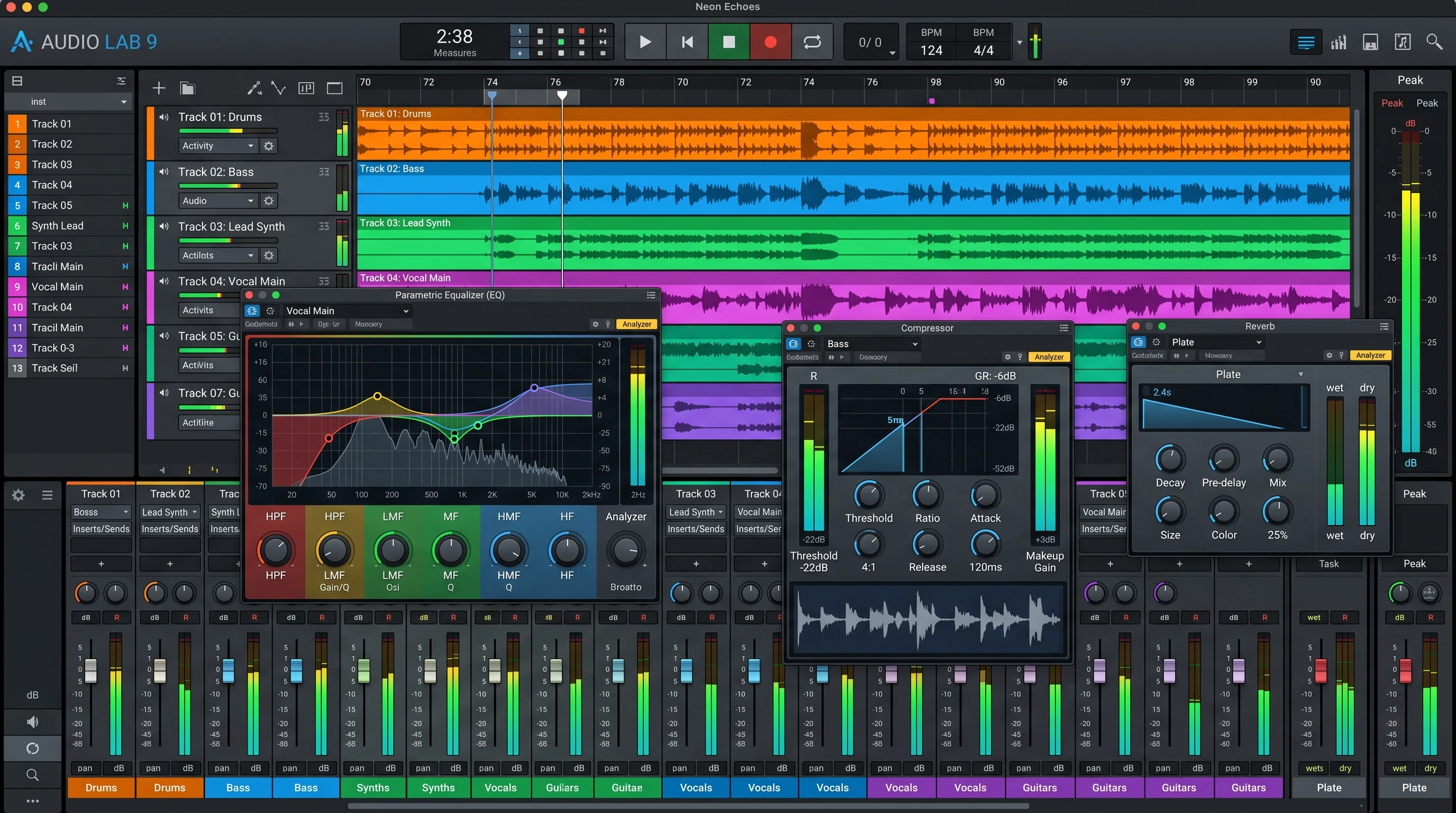
 Mixing plugins are essential tools in today’s music production world. The right plugin can turn a raw recording into a polished track that sounds professional in any environment. With so many options available, finding the best mixing plugins can sometimes feel overwhelming. Every plugin brings its own unique features, and some are especially well-suited to certain mixing approaches or genres.
If you’re struggling with muddy mixes, harsh frequencies, or tracks that don’t quite sound as good as you’d like, you’re definitely not alone. Every producer starts somewhere, and the right plugins can truly give a boost to your workflow and final sound.
With many options at your fingertips, let’s jump into the mix plugins I’ve found most helpful based on real-world studio use. These choices go beyond hype or flashy reviews—they’re plugins that consistently help craft songs with clarity and vibe no matter the genre.
1. FabFilter Pro-Q 3: Flexible Equalization with Visual Precision
When shaping the sound of any track, an equalizer (EQ) is my first stop. FabFilter Pro-Q 3 is my go-to EQ because it gives me everything I need in one streamlined interface. The visual layout lets me see changes in real time, so it’s easy to find and fix problem frequencies.
Reasons I Depend on Pro-Q 3:
- Simple but powerful spectrum analyzer to spot issues visually.
- Dynamic EQ bands to tame resonances or boost details only when necessary.
- Mid/side processing for precise control of stereo width.
- Clean sound and minimal CPU load for using multiple instances without slowing down sessions.
This plugin’s workflow is extremely userfriendly, so dialing in settings by ear and by eye comes naturally.
2. Universal Audio Teletronix LA-2A: Smooth and Musical Compression
Compression controls the dynamics of a mix, and sometimes a compressor that just sounds musical and easy is a must. The UAD Teletronix LA-2A plugin is based on a classic hardware unit known for its smooth optical compression. This plugin consistently helps vocals, bass, and even pads to sit perfectly in the mix.
Why I Pick the LA-2A Plugin for My Tracks:
- Simple controls: Peak Reduction and Gain set the sound quickly without guesswork.
- Natural, warm character tones down harsh or peaky sources.
- Easy to use for gentle leveling or cranking up for more dramatic effects.
Though some producers may stack compressor plugins, the LA-2A often serves as the final touch on lead elements for a smooth, glued feel.
3. Soundtoys Decapitator: Creative Saturation and Harmonic Color
Mixes can sound lifeless if every sound is too clean. To bring warmth, grit, or extra attitude, I reach for Soundtoys Decapitator. Whether it’s subtle saturation or full-on distortion, Decapitator provides controlled results that still sound musical and never harsh.
Ways I Use Decapitator Effectively:
- Add lowlevel harmonics to drums, vocals, and synths for added presence.
- Turn up the ‘Punish’ mode to give bland loops or samples new life.
- Blend the wet/dry mix for parallel processing and keep things clear.
This plugin is flexible for all sorts of genres. Rock, electronic, pop—no matter the style, it adds energy and excitement to any mix.
4. iZotope Neutron: Intelligent Mixing Assistance
Handling multiple tracks gets complicated fast in busy sessions. iZotope Neutron helps speed things up with clever features like Mix Assistant and Track Assistant. After listening to your tracks, these tools suggest a starting point for EQ, compression, and panning, making setup much less daunting.
How Neutron Streamlines My Workflow:
- Automatic suggestions give a solid baseline, saving precious time on repetitive setup tasks.
- Tonal Balance Control helps keep the mix balanced across the spectrum.
- Visual Mixer allows quick panning and leveling without needing to juggle faders constantly.
I don’t accept every suggestion Neutron offers, but it often spots things my ears might miss, helping me make stronger decisions for a clean, polished mix.
5. Valhalla VintageVerb: Lush, Versatile Reverb for Depth
Getting the right sense of space in a mix can be tricky, and Valhalla VintageVerb keeps coming through for me. It creates everything from tight rooms to dreamy, massive halls. A simple tweak of the right preset can make vocals, drums, or instruments fall perfectly into place.
Why VintageVerb is My Reverb of Choice:
- Extensive library of presets for vocals, snares, synths, and more.
- Fast and tweakable interface makes dialing in the right setting enjoyable.
- Extremely CPU friendly, making it practical to use on several sources at once.
This reverb shines, whether used on individual tracks or main busses, offering a flexible solution for most mixing tasks.
6. Waves SSL G-Master Buss Compressor: The Mix Glue
When it’s time to bring tracks together, I reach for the Waves SSL GMaster Buss Compressor. Modeled after legendary SSL hardware in top studios, this plugin makes the whole mix come alive as a single, punchy unit.
What I Like About the SSL Buss Compressor:
- The classic “glue” effect makes tracks sound unified and smooth.
- Easy to dial in settings for either subtle or more distinct compression flavor.
- Famous among producers for giving drums and mixes that radio-ready snap.
Using it gently on the mix bus, this plugin has become one of my staples—no matter the genre, it always delivers coherence and punch.
Diving Deeper: What Makes a Plugin Truly Great?
Finding the best mixing plugins really depends on your workflow, genres, and personal preferences. Over time, I’ve realized that while excellent tools matter, knowing exactly when and how to use them can make even more impact on your sound.
Key Points When Choosing Plugins:
- Interface: Plugins that are easy to use help me stay creative and finish mixes faster.
- CPU Load: For big projects, plugins shouldn’t bog down my session or cause sluggishness.
- Sound Quality: I always judge plugins on what they add or take away—looks aren’t everything.
- Versatility: Multiuse plugins are more practical for most situations, while one-trick options get less use in my mixes.
I recommend checking out free demos whenever possible. Spending hands-on time before buying is the best way to see if a plugin really fits your workflow and delivers what you need.
Wrapping Up
The right mixing plugins expand creative choices and help you achieve mixes that sound great on any system. I return to these plugins consistently because they genuinely help me get professional results more quickly. Giving a few of them a test run can freshen up your approach and help you get that next-level cool, polished sound you’re after.
Whether you’re just starting or leveling up your mix skills, quality plugins and good listening habits can set your mixes apart. Track down plugins that match your style, and don’t be afraid to experiment to really make them your own. Time to roll—happy mixing!