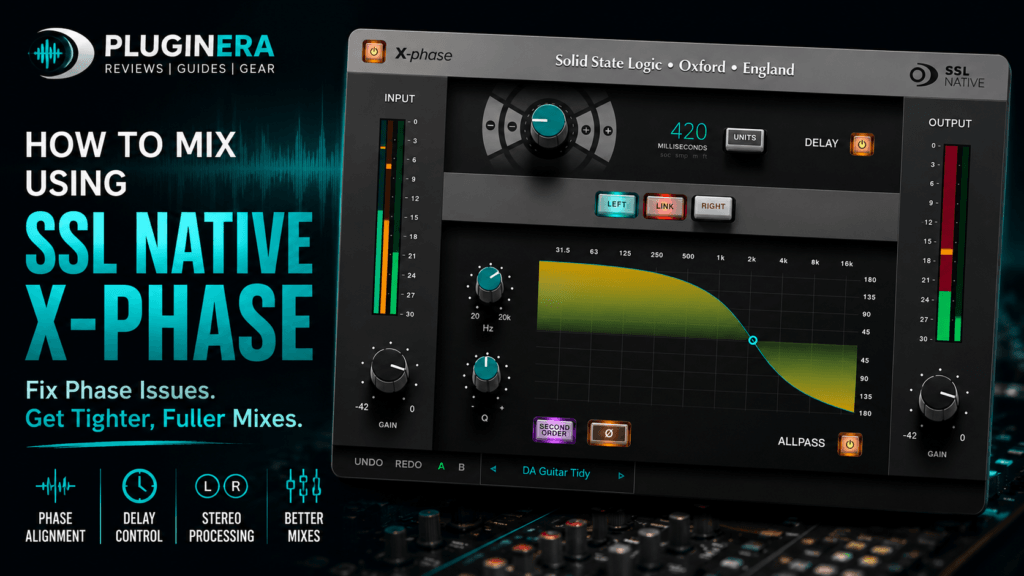
 How to Mix Like a Pro Using SSL Native X-Phase
If you’ve ever spent hours EQing a kick drum, compressing a bass, or boosting your drum bus only to find your mix still lacks punch, the problem may not be your processing—it may be your phase alignment.
Phase issues are one of the most overlooked causes of weak, muddy, and lifeless mixes. Fortunately, SSL Native X-Phase gives producers and mix engineers a powerful way to correct these problems before they snowball into bigger mixing headaches.
In this guide, you’ll learn how to use SSL Native X-Phase to tighten your drums, strengthen your low end, improve stereo imaging, and create cleaner, more professional mixes.
What Is SSL Native X-Phase?
SSL Native X-Phase is a phase correction and alignment plugin from Solid State Logic. Instead of boosting or cutting frequencies like an EQ, X-Phase changes the phase relationship of your audio while preserving its frequency balance.
This makes it ideal for fixing problems that traditional EQ and compression simply can’t solve.
Common problems include:
- Thin kick drums
- Weak bass
- Hollow snares
- Muddy layered instruments
- Stereo phase issues
- Multi-microphone recordings
Think of X-Phase as a precision alignment tool that helps every layer in your mix work together instead of against each other.
Why Phase Matters
Imagine two people pushing a car.
If they push together, the car moves easily.
If one pushes forward while the other pushes backward, they cancel each other out.
Audio behaves the same way.
When two waveforms are out of phase, they begin canceling portions of one another.
The result?
- Less punch
- Less bass
- Less clarity
- Smaller stereo image
No amount of EQ can completely fix audio that’s fighting itself.
Step 1: Start With Your Drums
The first place most producers should check is the drum bus.
Layered Kick Drums
Many hip-hop and trap producers combine:
- Punch kick
- Sub kick
- Click layer
Individually they sound amazing.
Together they sometimes lose power.
Insert X-Phase on one of the kick layers.
Slowly adjust the phase rotation while the full mix plays.
Listen for:
- Stronger attack
- Fuller low end
- Increased punch
- Better definition
Stop when the kick suddenly feels bigger without increasing the volume.
That’s phase working in your favor.
Step 2: Tighten Your 808
808s often compete with:
- Bass synths
- Reese basses
- Live bass guitars
- Saturation layers
Instead of reaching for EQ first:
Insert X-Phase.
Adjust the phase until both bass layers reinforce each other.
You’ll often notice:
- More consistent sub frequencies
- Cleaner low end
- Better translation on speakers
- Less muddiness
Step 3: Improve Layered Snares
Modern productions often layer:
- Acoustic snare
- Clap
- Rim shot
- Snap
- White noise
If the transient sounds soft instead of aggressive, phase could be the problem.
Rotate the phase until the transient becomes more focused.
The difference can be surprisingly dramatic.
Step 4: Fix Guitar and Vocal Layers
Stacked vocals can suffer from phase cancellation.
The same goes for:
- Double-tracked guitars
- Chorus guitars
- Stereo synth pads
Instead of adding more EQ, use X-Phase to align the layers.
You’ll often hear:
- Better center image
- Improved clarity
- More natural width
Step 5: Align Multi-Microphone Recordings
This is where X-Phase truly shines.
If you record:
- Drum kits
- Guitar cabinets
- Piano
- Acoustic guitar
- Choirs
Multiple microphones almost always introduce phase differences.
Use X-Phase to align:
- Kick In vs Kick Out
- Snare Top vs Bottom
- Overheads
- Room microphones
- Guitar cabinet microphones
Small adjustments can dramatically improve the depth and punch of the recording.
Step 6: Use Delay Alignment
Not every phase issue is solved with phase rotation.
Sometimes tracks simply arrive at different times.
The built-in delay section lets you align tracks using:
- Samples
- Milliseconds
- Seconds
- Feet
- Meters
This feature is especially useful for:
- Drum recordings
- Re-amping
- Multi-room microphones
- Live sessions
Step 7: Check Stereo Imaging
Some stereo recordings sound wide but unfocused.
Using Left/Right processing inside X-Phase lets you independently correct each side.
After adjustment you’ll often notice:
- Better stereo balance
- More stable center image
- Cleaner reverb tails
- Improved mono compatibility
A Typical Workflow
A professional mixing session might look something like this:
1. Balance Levels
Don’t worry about EQ yet.
2. Fix Phase
Correct obvious alignment issues before processing.
3. EQ
Now shape the tone.
4. Compression
Control dynamics.
5. Saturation
Add character.
6. Effects
Reverb and delay.
By correcting phase early, every plugin that follows performs more effectively.
Tips for Better Results
Use Your Ears
Meters help.
Listening matters more.
The best phase position is usually the one that sounds fuller—not necessarily the one that looks perfect.
Make Small Adjustments
Tiny phase movements often produce huge improvements.
Don’t overdo it.
Compare Often
Frequently bypass X-Phase.
Ask yourself:
- Is the kick bigger?
- Does the bass feel stronger?
- Is the stereo image clearer?
If the answer is yes, you’re moving in the right direction.
Check the Mix in Mono
Mono quickly exposes phase problems.
If your mix loses lots of low-end in mono, phase alignment deserves another look.
Who Should Use SSL Native X-Phase?
This plugin is especially valuable for:
- Music producers
- Mixing engineers
- Recording engineers
- Hip-hop producers
- Trap producers
- Rock engineers
- Live recording engineers
- Home studio owners
If you frequently layer drums or record with multiple microphones, X-Phase can quickly become an indispensable utility.
Final Thoughts
SSL Native X-Phase isn’t the most exciting plugin in your collection—but it may become one of the most important.
By correcting phase issues before they become mixing problems, you can create tighter drums, fuller bass, clearer stereo imaging, and mixes that translate better across headphones, speakers, and streaming platforms.
Many producers spend hours trying to fix weak mixes with EQ, compression, or saturation. Often, the real solution is simply getting your tracks working together instead of canceling each other out.
Whether you’re producing hip-hop, R&B, EDM, rock, or recording live instruments, learning to use SSL Native X-Phase is an investment in better mixes and a more efficient workflow.