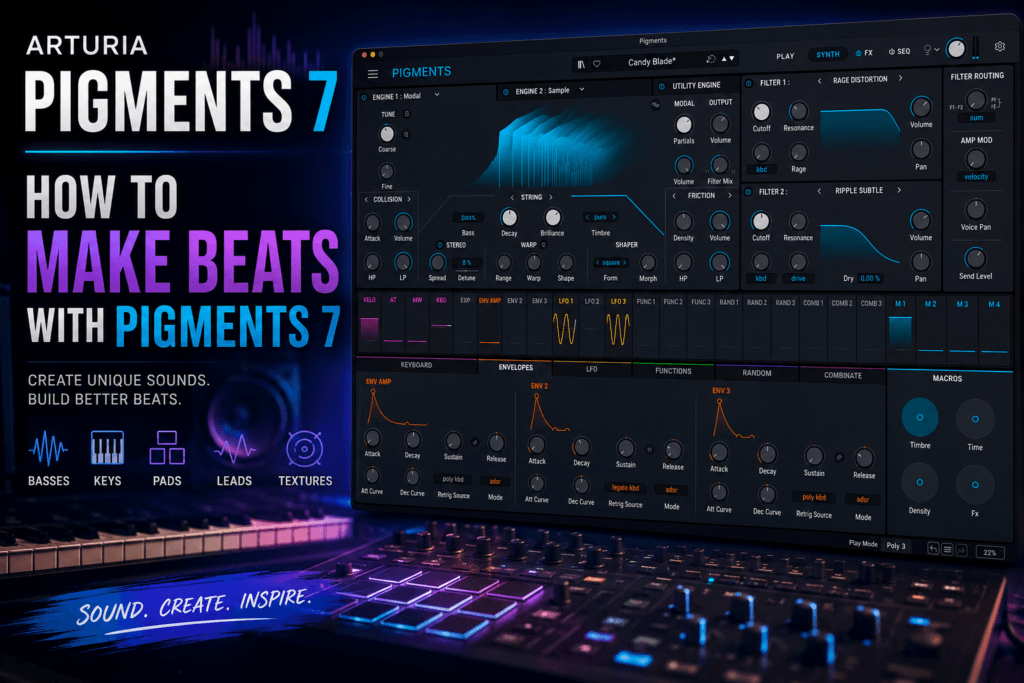
 How to Make Beats with Arturia Pigments 7
Introduction
When it comes to software synthesizers, few instruments are as versatile as Arturia Pigments 7. With six synthesis engines, a massive factory preset library, advanced modulation, and studio-quality effects, Pigments can handle nearly every melodic element in a beat.
Whether you’re producing hip-hop, trap, R&B, pop, or electronic music, Pigments gives you everything you need to build a professional track from the ground up. Instead of switching between multiple plugins, you can create basses, chords, leads, pads, textures, and effects inside a single instrument.
In this guide, you’ll learn how to use Pigments 7 throughout the beat-making process, from choosing sounds to building a polished arrangement.
Step 1: Start with the Right Preset
Pigments includes over 1,700 factory presets, making it easy to get started without designing every sound from scratch.
Browse categories such as:
- Bass
- Keys
- Pads
- Leads
- Plucks
- Bells
- Textures
- Arpeggios
- Sequences
For hip-hop and R&B, warm keys, bells, plucks, and analog pads are great starting points. Trap producers may gravitate toward aggressive basses, dark synth leads, or evolving textures.
Once you find a preset that inspires you, customize it to make it your own.
Step 2: Build Your Chord Progression
Every memorable beat starts with strong harmony.
Use Pigments to create:
- Warm electric pianos
- Analog polysynths
- Dreamy pads
- Lo-fi keys
- Vintage synth chords
Experiment with seventh, ninth, and suspended chords to add emotion and depth. Pigments responds well to expressive playing, so adjusting velocity and dynamics can make your progressions feel more natural.
Step 3: Design a Custom Bass
Pigments excels at bass design.
Instead of relying on stock 808 samples, create your own by combining the Virtual Analog and Wavetable engines.
For a clean sub bass:
- Start with a sine wave.
- Add a subtle second oscillator for harmonic richness.
- Apply a low-pass filter.
- Use a short amp envelope for punch.
- Add light saturation.
For more aggressive trap or electronic basses, layer wavetable content with distortion and filter modulation.
Step 4: Create a Lead Melody
Once your chords and bass are in place, it’s time to add a memorable lead.
Pigments offers a wide range of lead sounds, from vintage analog tones to modern digital textures.
To help your melody stand out:
- Keep the rhythm simple.
- Leave space between phrases.
- Use pitch bend and modulation for expression.
- Add delay and reverb sparingly.
A catchy lead often becomes the defining element of the beat.
Step 5: Add Atmosphere
Professional productions feel immersive because they include subtle background layers.
Pigments is ideal for creating:
- Ambient pads
- Textures
- Risers
- Reverse effects
- Drones
- Noise layers
Keep these elements low in the mix so they support the main instruments without distracting from them.
Step 6: Use Modulation for Movement
One of Pigments’ biggest strengths is its drag-and-drop modulation system.
Instead of creating static sounds, introduce movement with:
- LFOs
- Envelopes
- Random generators
- Macros
- Keyboard tracking
Try assigning an LFO to the filter cutoff or wavetable position to create subtle motion. Even small changes can make a sound feel more alive.
Step 7: Shape Your Sound with the Built-In Effects
Pigments includes a powerful effects section that can save you from reaching for additional plugins.
Experiment with:
- Reverb for depth
- Delay for width
- Chorus for thickness
- Distortion for edge
- Compressor for consistency
- EQ for tonal balance
Because these effects are integrated into the synth, they’re optimized to work seamlessly with the patch.
Step 8: Layer Sounds for a Bigger Mix
Layering is one of the easiest ways to make a beat sound more professional.
For example:
- Pair a warm analog pad with a bright digital key.
- Layer a clean sub bass beneath a gritty mid-bass.
- Blend a bell with a soft pluck for a unique lead.
Pigments makes layering simple because each engine can contribute different sonic characteristics within the same patch.
Step 9: Automate Key Parameters
Automation brings a beat to life.
Use your DAW to automate:
- Filter cutoff
- Reverb mix
- Delay feedback
- Macro controls
- Oscillator blend
- Effect intensity
Opening the filter during a chorus or increasing reverb before a transition can add excitement without introducing new instruments.
Step 10: Finish the Arrangement
A great sound won’t carry a beat if the arrangement lacks variety.
Use Pigments to create contrast by:
- Muting layers during verses.
- Introducing new textures in the hook.
- Automating macros during transitions.
- Switching presets for bridges.
- Gradually building energy into the final chorus.
These small changes help keep listeners engaged from start to finish.
Tips for Hip-Hop and R&B Producers
If you’re producing modern hip-hop or R&B, Pigments can become one of your primary instruments.
Some of our favorite uses include:
- Dreamy keys inspired by Bryson Tiller and PARTYNEXTDOOR
- Analog synth basses with subtle saturation
- Bell melodies for trap beats
- Wide atmospheric pads
- Vintage synth leads
- Cinematic intros and transitions
Instead of relying solely on presets, tweak filters, envelopes, and macros to develop a sound that’s uniquely yours.
Final Thoughts
Arturia Pigments 7 is much more than a synthesizer—it’s a complete sound design environment that can handle nearly every melodic element in a modern production. From lush chord progressions and hard-hitting basses to expressive leads and cinematic textures, it gives producers the flexibility to shape a signature sound without leaving a single plugin.
Whether you’re making hip-hop, trap, R&B, pop, or electronic music, Pigments rewards experimentation. Start with a preset that inspires you, customize it using the modulation system, layer complementary sounds, and use automation to add movement throughout your arrangement.
The more time you spend exploring Pigments, the more you’ll discover why it’s considered one of the best software synthesizers available for beat makers today.