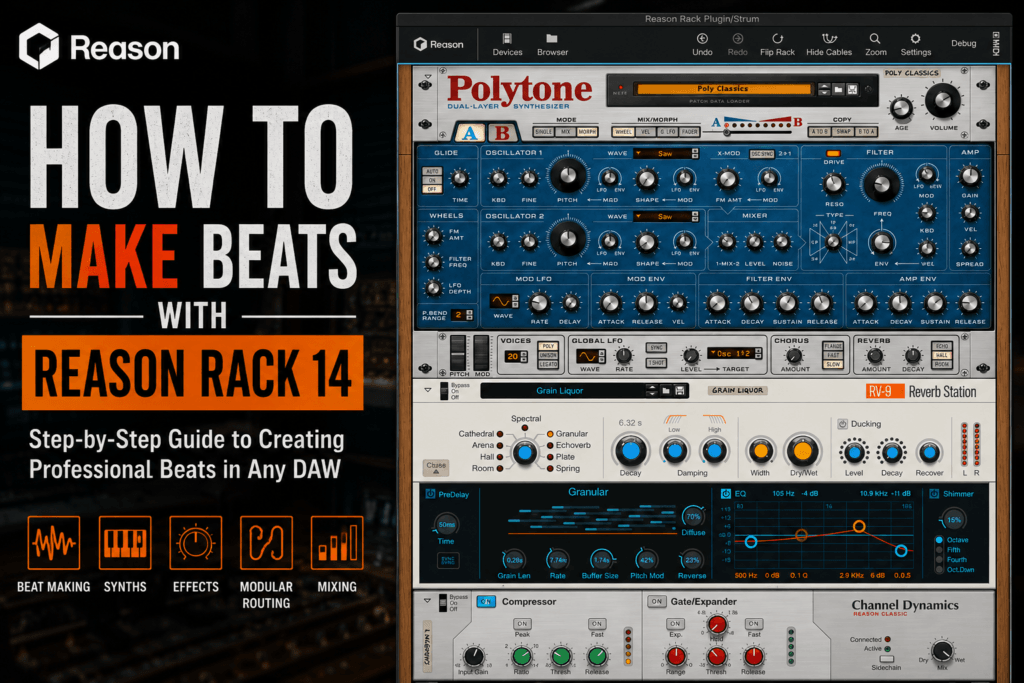
 How to Make Beats with Reason Rack 14: A Complete Guide for Modern Producers
Introduction
Reason Rack 14 gives producers access to one of the most creative collections of virtual instruments and effects available today—all without leaving their favorite DAW. Whether you’re using Ableton Live, FL Studio, Logic Pro, Cubase, Studio One, or Pro Tools, Reason Rack brings the legendary Reason ecosystem directly into your workflow.
From hard-hitting hip-hop drums and lush R&B chords to cinematic textures and electronic leads, Reason Rack 14 has everything you need to produce professional-quality beats.
In this guide, I’ll show you how to build an entire beat using Reason Rack 14, from selecting sounds to adding the finishing touches.
Why Produce Beats with Reason Rack 14?
Instead of relying on dozens of third-party plugins, Reason Rack gives you an all-in-one production environment packed with professional instruments and effects.
Some of its biggest advantages include:
- Over 68 built-in devices
- More than 30,000 presets
- Modular routing with CV control
- World-class synthesizers
- Professional mixing effects
- Creative sound design possibilities
- Compatibility with nearly every major DAW
No matter your genre, Reason Rack provides enough flexibility to create unique productions.
Step 1: Start with the Drums
Every great beat begins with a strong rhythm.
One of the best devices for drum production is Kong Drum Designer.
Kong allows you to combine:
- Samples
- Drum synthesis
- Layered percussion
- Built-in effects
Build a Drum Pattern
Start with:
- Kick
- Snare
- Closed Hi-Hat
- Open Hi-Hat
- Percussion
Program a simple four-bar groove before adding variations.
For trap beats, experiment with:
- Rolling hi-hats
- Triplets
- Ghost snares
- Percussion fills
Keep the groove simple first.
Complexity comes later.
Step 2: Design Your Main Melody
Reason Rack includes several excellent synthesizers.
Some favorites include:
Europa
Europa excels at:
- Modern trap leads
- Ambient pads
- Plucks
- Electronic textures
Browse presets until one inspires you, then begin writing your melody.
Thor
Thor remains one of Reason’s secret weapons.
Use it for:
- Analog basses
- Vintage synths
- Leads
- Atmospheric sounds
Its modulation system allows for incredibly expressive patches.
Polytone
Polytone delivers rich, vintage-inspired analog tones with modern flexibility. It’s perfect for warm chords, dreamy pads, soulful keys, and expressive leads—making it an excellent choice for R&B, hip-hop, lo-fi, and synthwave productions.
Try using Polytone to create a four-chord progression before layering additional instruments.
Step 3: Create Chord Progressions
Great beats are built around memorable harmony.
For modern R&B or melodic trap, try using:
- Minor 7th chords
- Major 7th chords
- Ninth chords
- Suspended chords
Reason Rack’s keyboard instruments make experimenting with chord voicings enjoyable.
Don’t be afraid to invert your chords to create smoother transitions.
Step 4: Add Bass
A beat isn’t complete without a solid low end.
Reason Rack offers several excellent bass options.
For modern trap:
- Europa
- Thor
- Monotone
For vintage hip-hop:
- Subtractor
- Polytone
Write a bassline that supports your kick drum rather than competing with it.
Sometimes fewer notes create a stronger groove.
Step 5: Layer Additional Sounds
Professional productions rarely rely on one instrument.
Layer your beat with:
- Pads
- Bells
- Counter melodies
- Vocal chops
- Arpeggios
- Textures
- FX sweeps
Reason Rack makes layering incredibly easy because multiple devices can be combined inside a single Combinator patch.
This helps create wide, expensive-sounding productions.
Step 6: Use Mimic for Creative Sampling
One of the standout instruments in Reason Rack is Mimic Creative Sampler.
Mimic allows you to:
- Chop samples
- Time-stretch audio
- Reverse sounds
- Pitch vocals
- Build custom instruments
You can quickly transform ordinary samples into completely original musical ideas.
For hip-hop producers, Mimic is one of the most powerful tools included with Reason Rack.
Step 7: Shape Your Sound with Effects
Reason Rack includes an outstanding collection of professional effects.
Some favorites include:
RV-9 Reverb
Use RV-9 to create:
- Spacious pads
- Dreamy keys
- Wide vocals
- Ambient effects
Avoid overusing reverb on drums to preserve punch and clarity.
The Echo
Delay can make simple melodies feel much larger.
Use subtle repeats on:
- Plucks
- Leads
- Guitars
- Synths
Sync the delay to your project’s tempo for a polished sound.
Scream 4
Need more character?
Scream 4 can add:
- Analog warmth
- Saturation
- Distortion
- Aggression
- Texture
It’s especially useful on drums, basses, and synths.
Step 8: Create Movement with Automation
One of Reason Rack’s biggest strengths is modulation.
Automate:
- Filter cutoff
- Reverb mix
- Delay feedback
- Stereo width
- Synth macros
Even subtle automation can make your beat feel more dynamic and engaging.
Step 9: Mix Your Beat
Reason Rack includes excellent mixing tools.
Start with:
EQ
Remove frequencies that conflict with other instruments.
Compression
Control dynamics while preserving punch.
Saturation
Use light saturation to add warmth and perceived loudness.
Stereo Width
Keep:
- Kick
- Bass
- 808
centered.
Allow pads, effects, and melodies to fill the stereo field.
Step 10: Experiment with Modular Routing
This is where Reason Rack truly shines.
Use virtual patch cables to:
- Build parallel effects
- Split signals
- Create custom modulation
- Layer processing
- Design completely unique sounds
Few plugins encourage experimentation like Reason Rack.
The more time you spend exploring its modular environment, the more unique your productions become.
Tips for Better Beats
To get the most from Reason Rack 14:
- Start with quality presets, then customize them.
- Layer instruments for a fuller sound.
- Keep your arrangements simple before adding complexity.
- Use automation to create movement.
- Explore Combinator patches for instant inspiration.
- Save your favorite custom racks for future projects.
Final Thoughts
Reason Rack 14 is much more than a plugin—it’s a complete production environment that brings the creativity of Reason into virtually any DAW. With powerful instruments like Polytone, Europa, Thor, Mimic, and Kong, plus an extensive suite of professional effects, you have everything needed to create polished, release-ready beats.
Whether you’re making trap, hip-hop, R&B, pop, lo-fi, or electronic music, Reason Rack 14 offers the flexibility to match your style while encouraging experimentation through its unique modular workflow.
If you’re looking for a plugin that can handle sound design, beat production, mixing, and creative routing in one place, Reason Rack 14 is an outstanding addition to your setup. Once you start building custom racks and discovering its deeper features, it’s easy to see why so many producers consider it one of the most inspiring production tools available.
Next Read: If you’re still deciding whether it’s right for your workflow, check out our Reason Rack 14 Review (2026): Is It Worth Buying Without the Full DAW? for a complete breakdown of its features, performance, pros, and cons.