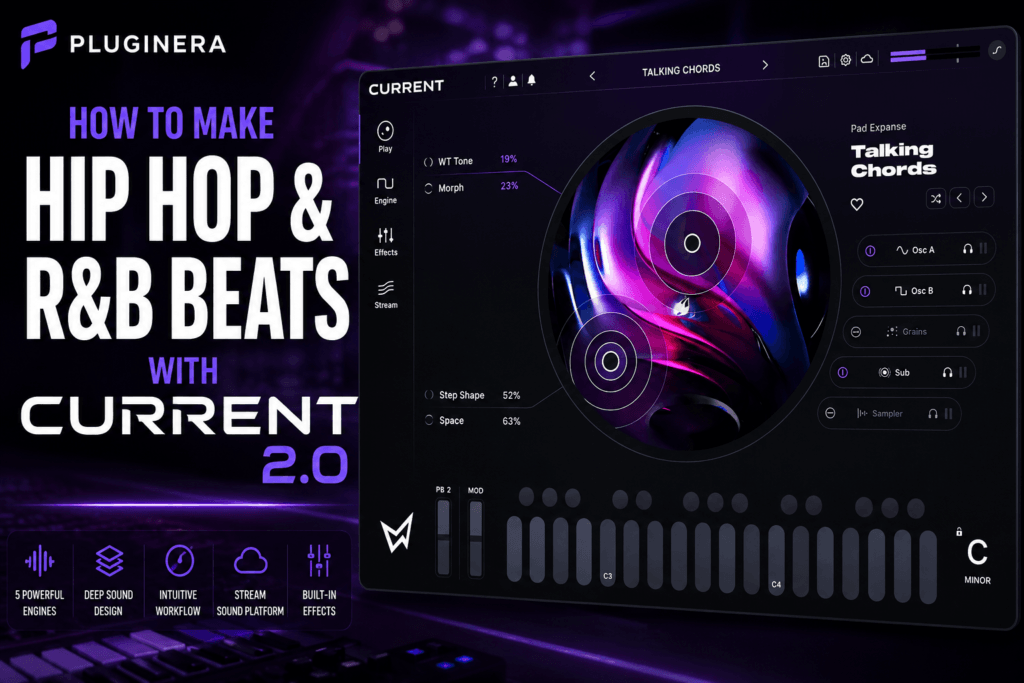
 How to Make Hip Hop & R&B Beats with Minimal Audio Current 2.0
Minimal Audio Current 2.0 may look like a synthesizer built primarily for electronic sound design, but there’s a lot here for Hip Hop and R&B producers.
Its combination of wavetable synthesis, granular processing, sampling, an additive sub engine, modulation, MIDI effects, and built-in processing makes Current capable of producing everything from dreamy R&B chords to dark Trap melodies and massive bass sounds.
More importantly, you don’t need to become an expert sound designer before you can make music with it.
You can start with Current’s presets, customize them using the Play View and macros, and gradually explore the deeper synthesis engine as you become more comfortable with the instrument.
In this guide, we’ll walk through how to make Hip Hop and R&B beats with Minimal Audio Current 2.0, including sound selection, chords, melodies, bass, textures, effects, arrangement, and mixing.
Why Current 2.0 Works for Hip Hop & R&B
Modern Hip Hop and R&B production is often less about using dozens of instruments and more about finding a few sounds with the right character, atmosphere, and movement.
That’s an area where Current excels.
Its five sound engines give you several ways to build sounds:
- Two wavetable oscillators
- Granular synthesis
- Additive sub synthesis
- Time-stretching sample playback
You can use these individually or layer them together.
For example, an R&B patch could combine a soft wavetable tone with a granular texture underneath it. A Trap melody could use a bright digital pluck layered with a subtle sample. A bass patch could combine a more complex oscillator with Current’s dedicated sub engine.
The goal isn’t necessarily to use every engine.
It’s to use just enough complexity to make a simple musical idea sound interesting.
And that philosophy works extremely well for Hip Hop and R&B.
Step 1: Choose Your Tempo and Key
Before browsing presets, establish the general direction of the beat.
For contemporary R&B and Trap Soul, try tempos around:
65–95 BPM
For Trap and melodic Hip Hop, you might work around:
120–160 BPM
Remember that faster Trap tempos are often effectively felt in half-time.
Your key also influences the mood.
Minor keys are a natural starting point for darker production.
Try:
- C minor
- D minor
- E minor
- F minor
- G minor
- B minor
But don’t feel restricted to minor keys. Major keys and modes can create brighter Neo-Soul, Pop-R&B, and melodic Hip Hop records.
Once you’ve established the key and tempo, start looking for your main musical sound.
Step 2: Start With the Main Chord Sound
For an R&B beat, chords will often establish the emotional identity of the production.
Open Current and begin browsing sounds that could function as:
- Keys
- Pads
- Soft synths
- Bells
- Plucks
- Atmospheric chord sounds
Don’t immediately choose the biggest or most impressive preset.
You need a sound that leaves room for drums, bass, vocals, and additional melodies.
A huge cinematic pad might sound incredible by itself but completely overwhelm the beat.
Instead, look for something with character that still leaves space.
Try an R&B Chord Progression
Let’s say you’re working in E minor.
Try:
Em9 – Cmaj7 – Am9 – Bm7
Play each chord for roughly one or two bars.
You don’t necessarily need complicated rhythms yet.
Get the harmony working first.
Once the progression feels good, experiment with the chord voicings.
Instead of playing every chord in root position, move some notes into different octaves.
For example, spread the notes across both hands or move the third, seventh, or ninth upward.
That immediately makes simple chords feel more sophisticated.
Step 3: Use Current’s Play View to Customize the Sound
This is where Current 2.0 becomes especially useful for producers who don’t want to design every patch from scratch.
Once you’ve found a preset you like, move into Play View.
Current’s macro controls and XY interface let you manipulate several aspects of the patch without digging through the entire synth engine.
Experiment while your chord progression loops.
Listen for changes in:
- Brightness
- Texture
- Movement
- Space
- Timbre
- Intensity
The key is making small adjustments.
If you find a preset that’s 80% right, don’t keep browsing for another 30 minutes.
Modify it.
That can dramatically speed up your production workflow.
Step 4: Make the Chords Move
Static sounds can make an otherwise good chord progression feel lifeless.
Current’s modulation system gives you plenty of ways to introduce movement.
Try subtly modulating things like:
- Filter cutoff
- Wavetable position
- Volume
- Stereo movement
- Effects
- Granular parameters
The important word is subtly.
For R&B, you often don’t want listeners consciously noticing modulation.
You simply want the sound to feel alive.
A slowly moving filter or evolving wavetable position can transform a four-bar chord loop without changing a single MIDI note.
Step 5: Add a Counter Melody
Once your chords are established, create a second instance of Current.
This time, look for something thinner and more melodic.
Good choices include:
- Plucks
- Bells
- Soft leads
- Digital keys
- Mallet-style sounds
- Short synth tones
Your counter melody shouldn’t compete with the chords.
If the chords are busy, make the melody simple.
You might only need three or four notes.
For example, if you’re working in E minor, experiment with notes from:
E – F# – G – A – B – C – D
Try leaving space between phrases.
That silence is important.
Hip Hop and R&B melodies often become more effective when you resist the urge to fill every beat.
Step 6: Turn the Melody Into a Hook
Once you’ve found a short melodic phrase, repeat it.
Then change one small element.
You could:
- Change the final note
- Move one note up an octave
- Reverse the rhythm
- Remove a note
- Add a pickup note
- Change the sound during the second half
This creates familiarity without making the loop completely repetitive.
Current’s modulation and macro controls can help here as well.
Instead of changing the MIDI notes, automate one of the macros during the second half of the phrase.
Now the melody evolves while remaining recognizable.
Step 7: Use Granular Synthesis for Atmosphere
Current’s granular engine can be particularly useful for Trap Soul and atmospheric R&B.
Instead of treating it as another main instrument, use granular sounds as background texture.
Look for or create sounds resembling:
- Washed-out vocals
- Distant pads
- Reversed textures
- Airy ambience
- Strange organic sounds
- Glitchy fragments
Then place them quietly underneath the primary instruments.
You shouldn’t necessarily notice the texture when it’s playing.
But you should notice when it’s muted.
That’s usually a sign that an atmospheric layer is doing its job.
Try Filtering the Texture
Background textures rarely need their entire frequency range.
Use filtering to remove unnecessary frequencies.
If the texture is fighting the bass and kick, remove low frequencies.
If it’s distracting from the melody, darken it by reducing some high-frequency content.
This pushes the texture backward in the mix.
The main instruments remain upfront while the granular layer creates depth.
Step 8: Create a Bass Sound
Now let’s establish the low end.
Current’s additive sub oscillator makes it useful for creating bass patches with a strong low-frequency foundation.
For R&B, try something relatively smooth.
You want a bass that supports the chords rather than constantly demanding attention.
Start by following the root notes of your chord progression.
Using our E minor example:
E – C – A – B
Once that works, add occasional passing notes.
Keep the rhythm simple initially.
The relationship between the bass and kick is more important than playing complicated bass lines.
Step 9: Make an 808-Style Bass
For Trap or melodic Hip Hop, you can take the bass concept further.
Start with a strong sub foundation and shape the amplitude envelope so the sound behaves more like an 808.
Then experiment with saturation or distortion to introduce harmonics.
Those harmonics help the bass remain audible on smaller speakers.
But be careful.
You don’t need to destroy the sound with distortion.
The goal is usually to retain the deep fundamental while adding enough upper-frequency information for the bass to translate.
Step 10: Add the Drums
Current can handle plenty of sound-design duties, but you don’t need to force it to do everything.
Use your preferred drum samples or drum instrument for the rhythm section.
For a modern R&B or Trap Soul beat, start with:
Kick
Keep it relatively sparse and let it interact with the bass.
Snare or clap
Build the primary backbeat first.
Hi-hats
Start with a straightforward pattern before adding rolls and velocity changes.
Percussion
Use percussion selectively to create groove.
The drums should complement the musical atmosphere you’ve created with Current rather than overpowering it.
Step 11: Create Groove With Velocity
One of the easiest ways to make programmed music feel less robotic is adjusting velocity.
Don’t make every hi-hat identical.
Don’t make every chord hit equally hard.
Try lowering the velocity of certain notes.
You can also slightly change the timing of selected notes.
These small variations create movement without dramatically changing the pattern.
This is especially useful for R&B, where groove is often more important than complexity.
Step 12: Use Current’s Effects to Build Space
Effects play an enormous role in modern R&B production.
Current includes an integrated effects environment that allows you to shape sounds without immediately reaching for external plugins.
For melodic instruments, experiment with:
- Reverb
- Delay
- Chorus
- Saturation
- Modulation
- Filtering
But don’t automatically make everything huge and wet.
Too much reverb can quickly turn a clean production into a blurry one.
Use effects intentionally.
Try This R&B Space Technique
Take your main chord sound.
Add enough reverb to create atmosphere.
Then reduce it slightly.
Next, add a subtle delay.
The reverb creates depth while the delay adds movement.
Now automate one of Current’s macro controls so the patch becomes slightly more spacious during transitions.
That gives the production movement without requiring another instrument.
Step 13: Resample Current for New Ideas
Here’s where you can push things further.
Record one of your Current melodies or chord progressions to audio.
Then manipulate that audio inside your DAW.
Try:
- Reversing it
- Pitching it down
- Pitching it up
- Chopping it
- Stretching it
- Filtering it
- Reordering sections
You can even load processed audio back into Current and use its sample or granular capabilities to transform it again.
This can produce sounds that are difficult to achieve by simply browsing presets.
It’s also an excellent way to develop a more recognizable production style.
Step 14: Build an Arrangement Instead of Another Loop
Once the eight-bar loop sounds good, resist the temptation to keep adding instruments.
Start arranging.
A simple structure might look like:
Intro – 8 bars
Chords and atmosphere only.
Verse – 16 bars
Introduce drums and bass while keeping the melody sparse.
Pre-Chorus – 8 bars
Remove or simplify certain drums and automate Current’s macros.
Chorus – 8 bars
Bring in the full drums, bass, primary chords, and hook melody.
Verse 2 – 16 bars
Return to the verse but introduce a subtle variation.
Chorus – 8 bars
Bring the main hook back.
Outro – 8 bars
Gradually strip away elements.
You can change the structure depending on the style of track you’re making.
The important part is creating contrast between sections.
Step 15: Use Automation for Transitions
Current’s macros are perfect for transitions.
Instead of constantly relying on risers and impacts, automate the synth itself.
Before the chorus, try gradually changing:
- Filter cutoff
- Reverb amount
- Delay amount
- Texture
- Wavetable position
- Granular characteristics
You could make the chord sound progressively darker during the final bar of the verse and then open it completely when the chorus hits.
These small changes make sections feel connected.
Step 16: Make Space for Vocals
This is especially important when producing R&B.
Your instrumental isn’t finished just because it sounds full by itself.
A vocalist still needs somewhere to exist.
If your beat contains:
- Huge chords
- Multiple melodies
- Wide pads
- Vocal textures
- Constant leads
- Busy percussion
there may be nowhere for an actual singer or rapper to sit.
Try muting your secondary melody.
Does the beat suddenly feel like it has room for a vocalist?
If so, consider using that melody only during the intro, chorus, or transitions.
Think of your beat as the environment surrounding the vocalist—not the entire record.
Step 17: Mix Current 2.0 Sounds in Context
Current can create very large sounds.
That’s great during preset browsing.
It’s not always great during mixing.
Judge every sound in the context of the beat.
EQ
Remove frequencies you don’t need.
A pad probably doesn’t need deep sub frequencies if your bass already occupies that area.
Compression
Don’t automatically compress every synth.
Many presets already have controlled dynamics.
Compress when you have a specific reason.
Stereo Width
Wide sounds can create an impressive mix, but your center still needs definition.
Keep important low-frequency elements relatively focused.
Reverb
Watch the accumulation of reverb across multiple patches.
Three atmospheric presets with huge reverbs can quickly create mud.
Volume
Before reaching for another processor, simply turn the sound down.
Often that’s all it needs.
Example Current 2.0 Hip Hop & R&B Beat Formula
If you want a simple starting point, try this:
Tempo: 78 BPM
Key: E minor
Current Instance 1: Atmospheric chord patch
Current Instance 2: Short digital pluck
Current Instance 3: Granular background texture
Current Instance 4: Sub bass
Drums: Kick, clap/snare, hats, percussion
Start with:
Em9 – Cmaj7 – Am9 – Bm7
Build a four-bar chord progression.
Then create a three-to-five-note counter melody.
Add a very quiet granular texture underneath everything.
Follow the chord roots with the bass.
Finally, build a simple drum groove around the musical elements.
You now have the foundation for a modern R&B or Trap Soul production.
Don’t Use Every Feature at Once
Current 2.0 gives you an enormous number of sound-design possibilities.
That doesn’t mean you need to use all of them.
One of the easiest mistakes with a powerful synth is designing sounds that are too complicated for the music.
A patch with several oscillators, granular textures, aggressive modulation, huge effects, and constant movement might sound incredible by itself.
But your song might only need a soft pad.
Let the music determine the complexity.
Not the plugin.
Final Thoughts
Minimal Audio Current 2.0 can be an excellent instrument for Hip Hop, R&B, Trap, and Trap Soul production because its strengths align closely with what these genres often need: texture, atmosphere, movement, and distinctive melodic sounds.
You can keep things simple by browsing presets and customizing them through Play View, or dive into Current’s wavetable, granular, sampling, additive, modulation, and effects capabilities to build completely original patches.
For Hip Hop and R&B producers, the biggest opportunity may be combining those approaches.
Start with an inspiring preset.
Customize it.
Add subtle modulation.
Layer textures where necessary.
Then stop designing and start making the record.
The best Current 2.0 patch isn’t necessarily the most complicated one.
It’s the one that makes the beat feel finished.
Should Hip Hop & R&B Producers Get Current 2.0?
If you regularly make atmospheric Hip Hop, contemporary R&B, Trap Soul, melodic Trap, or experimental production, Current 2.0 is definitely worth considering.
Its biggest advantage is versatility.
You can use it for your chords, melodies, textures, basses, pads, leads, and experimental sound design without every patch sounding like it came from exactly the same synthesizer.
If you want a deeper breakdown of the instrument itself, read our Minimal Audio Current 2.0 Review (2026), where we cover its features, workflow, strengths, weaknesses, and whether it’s worth adding to your plugin collection.
Check the latest price and availability for Minimal Audio Current 2.0 at Plugin Boutique.