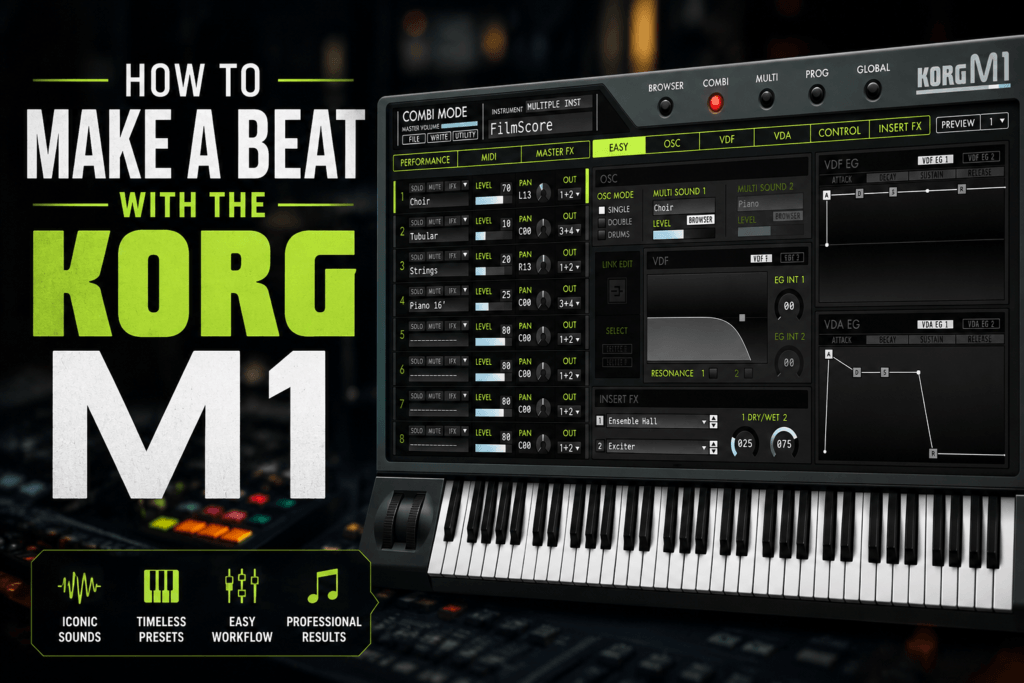
 The KORG M1 is one of the most influential synthesizers ever created, and its iconic sounds have appeared on countless pop, R&B, hip-hop, house, and gospel records. While many producers think of the M1 as a vintage keyboard, it’s still an incredibly useful tool for creating modern beats.
With its famous piano, lush pads, expressive organs, warm strings, and unique bells, the M1 can quickly become the foundation of an entire production. Whether you’re making trap soul, boom bap, pop, or melodic hip-hop, the M1 offers timeless sounds that fit surprisingly well in today’s music.
In this guide, we’ll walk through the process of building a beat from scratch using the KORG M1 plugin.
Why Use the KORG M1 for Beat Making?
Many modern synths are designed around deep sound design. The M1 takes a different approach by giving you thousands of ready-to-use presets that sound great immediately.
Some of its biggest strengths include:
- Massive preset library
- Iconic piano sounds
- Warm electric pianos
- Lush strings and pads
- Vintage bells
- Choir textures
- Classic organs
- Fast workflow
Instead of spending an hour designing a patch, you can spend that hour making music.
Step 1: Choose the Right Preset
Start by browsing the M1’s presets and look for a sound that inspires you.
Some excellent choices include:
Piano
Perfect for emotional trap and R&B melodies.
Warm Pad
Creates atmosphere behind your chords.
Bell
Excellent for melodic hip-hop.
Choir
Adds cinematic depth.
Organ
Great for gospel-inspired chord progressions.
Don’t overthink it—pick one sound and start playing.
Step 2: Build a Chord Progression
The M1 excels at rich harmonic textures.
Try beginning with a four-chord progression.
For example, in E Minor:
Em7 → Cmaj7 → Gmaj7 → Dsus2
Play each chord slowly and leave space between changes.
The M1’s sounds naturally fill the mix without becoming overwhelming.
Step 3: Create a Simple Melody
Once your chords are established, create a melody using another M1 preset.
Some great combinations include:
- Piano + Bell
- Choir + Strings
- Organ + Piano
- Pad + Lead
Keep your melody simple.
The best hooks are often the easiest to remember.
Step 4: Add Drums
Now bring your beat to life.
A basic trap pattern might include:
Kick
Follow the rhythm of your melody rather than placing kicks randomly.
Snare
Place on beats 3 and 7 in a halftime groove.
Hi-Hats
Start with eighth notes before adding rolls and velocity changes.
Percussion
Small percussion elements help create movement without cluttering the arrangement.
Because the M1 already fills the harmonic space, your drums don’t need to be overly complicated.
Step 5: Add an 808
Choose an 808 that matches your chord progression.
The M1’s warm sounds pair beautifully with clean sub basses.
Keep the bass simple by following the root notes of your progression before experimenting with slides and passing tones.
Step 6: Layer Additional Sounds
Although the M1 sounds fantastic on its own, layering can make your beat feel much larger.
Consider combining the M1 with:
- Analog synth pads
- Modern plucks
- Ambient textures
- Reverse effects
- Guitar samples
- Vocal chops
The contrast between vintage and modern sounds often creates the most interesting productions.
Step 7: Create an Arrangement
Turn your loop into a complete beat.
A simple structure might look like this:
Intro (8 Bars)
- Pad only
- Filtered piano
- Atmospheric effects
Hook (8 Bars)
- Full drums
- Piano
- Strings
- Bass
Verse (16 Bars)
- Remove a few instruments
- Simplify the melody
- Leave room for vocals
Hook
Bring everything back for maximum impact.
Outro
Strip the arrangement down to your original piano or pad.
Step 8: Mix the Beat
The M1 generally sits well in a mix, but a few adjustments can help it sound even better.
Try:
- High-pass pads around 150–200 Hz
- Add gentle compression to piano
- Apply plate reverb to bells and choir
- Use stereo widening on pads
- Add subtle saturation to the mix bus
- Keep your kick and 808 centered
These small improvements help your production sound polished without losing the M1’s natural character.
Tips for Modern KORG M1 Beats
To avoid sounding dated, blend the M1 with contemporary production techniques.
Some ideas include:
- Layer the M1 Piano with a modern felt piano.
- Add halftime effects to pads.
- Chop M1 chords into rhythmic samples.
- Process organs with delay and chorus.
- Pitch bells up an octave for unique textures.
- Sidechain pads to the kick for extra movement.
The goal isn’t to recreate the past—it’s to combine classic sounds with modern production styles.
Final Thoughts
The KORG M1 remains one of the best instruments for producers who value musicality over endless sound design. Its iconic presets, inspiring workflow, and timeless character make it an excellent choice for everything from trap soul and R&B to hip-hop, pop, and cinematic music.
If you’ve never produced a beat using the M1, you’re missing out on one of the most inspiring virtual instruments available. Start with a simple chord progression, layer a few classic sounds, and let the M1’s legendary tone do the rest.
Conclusion
The KORG M1 has stood the test of time because great sounds never go out of style. While modern synths offer incredible flexibility, the M1’s strength lies in its instantly recognizable presets and effortless workflow. Whether you’re creating soulful R&B, melodic hip-hop, house, or cinematic instrumentals, it provides a solid foundation for professional-sounding beats.
Experiment with its iconic pianos, lush pads, expressive organs, and vintage bells, then combine them with modern drums and 808s to create a sound that’s both nostalgic and fresh. Once you start building beats with the KORG M1, you’ll quickly understand why it remains a staple in producers’ studios decades after its original release.