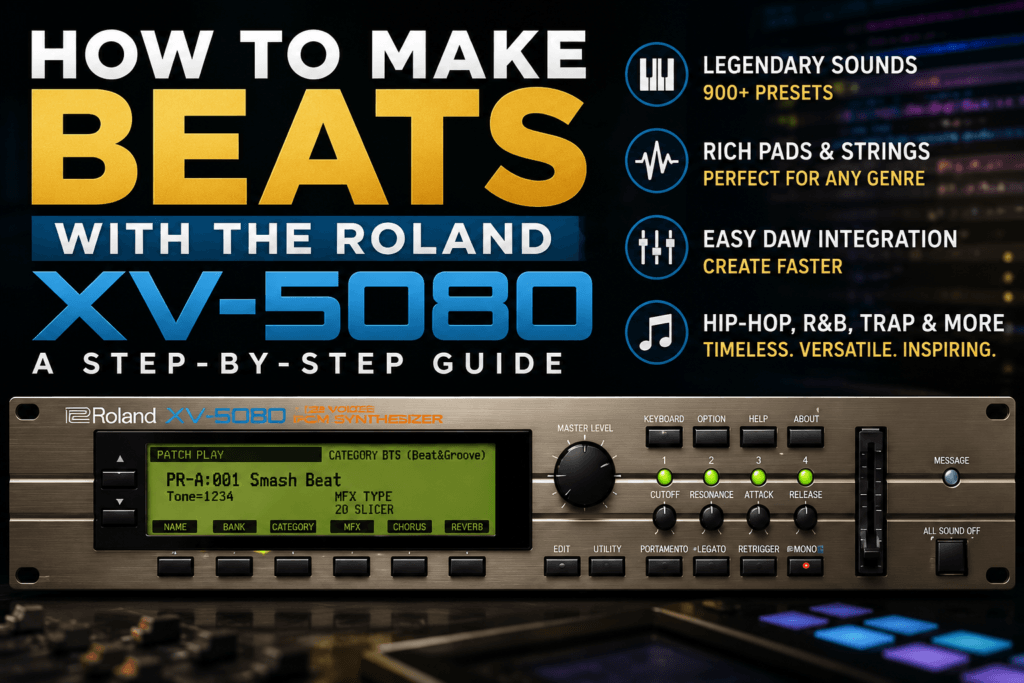
 How to Make Beats with the Roland XV-5080: Unlock a Legendary Sound in Modern Music Production
The Roland XV-5080 has earned legendary status among producers, composers, and keyboardists for one simple reason—it sounds incredible. Packed with thousands of expressive instruments, lush pads, iconic synths, orchestral sounds, and realistic acoustic instruments, the XV-5080 remains one of the most versatile workstation plugins available today.
While many producers think of it as a soundtrack or orchestral instrument, the truth is that the XV-5080 is also an outstanding tool for creating hip-hop, R&B, trap, pop, and neo-soul beats.
In this guide, you’ll learn how to make a professional beat using the Roland XV-5080 from start to finish.
Why Use the Roland XV-5080 for Beat Making?
Modern producers often chase the newest synthesizers, but there’s a reason the XV-5080 continues appearing in professional studios.
It offers:
- Over 900 professional presets
- Warm, polished Roland sound quality
- Outstanding keyboards and pianos
- Rich strings and orchestral instruments
- Beautiful atmospheric pads
- Classic synth leads
- Excellent CPU performance
Most importantly…
The sounds already sound “finished.”
Instead of spending hours designing patches, you can start making music immediately.
Step 1: Choose the Right Preset
The XV-5080 contains sounds for nearly every genre imaginable.
Before writing anything, decide what type of beat you’re making.
For Hip-Hop
Look for:
- Vintage electric pianos
- Soulful strings
- Brass sections
- Choirs
- Warm synth pads
For Trap
Choose:
- Bells
- Ambient pads
- Digital plucks
- Cinematic strings
- Atmospheric textures
For R&B
Perfect choices include:
- Rhodes
- Warm electric pianos
- Soft pads
- Jazz guitars
- Smooth synth leads
Don’t get stuck scrolling forever.
Find one inspiring sound and start creating.
Step 2: Build Your Chord Progression
The XV-5080 shines when playing chords.
Begin with a simple four-chord progression.
For example, in E Minor:
- Em7
- Cmaj7
- Gmaj7
- Dsus2
Play each chord slowly.
Listen to how naturally the XV-5080 fills the stereo field.
Many presets require very little processing because Roland’s effects already add depth and polish.
Step 3: Create a Memorable Melody
Once your chords are finished, duplicate the instrument or load a complementary preset.
Good choices include:
- Soft bells
- Synth leads
- Flutes
- Plucked sounds
- Vocal textures
Your melody doesn’t need to be complicated.
In fact, many hit records are built around melodies using only four or five notes.
Focus on emotion rather than complexity.
Step 4: Add Drums
Every great beat needs a strong groove.
Use your favorite drum plugin or drum machine to build the rhythm.
A simple pattern works best:
Kick
Create a groove that complements your bass line.
Snare
Place the snare on beats two and four, or experiment with alternative placements for modern trap rhythms.
Hi-Hats
Start with straight sixteenth notes before adding rolls, velocity changes, and rhythmic variations.
Percussion
Small percussion elements help create movement without overcrowding the mix.
Step 5: Write Your Bass Line
Although the XV-5080 contains excellent bass sounds, many hip-hop and trap producers prefer using dedicated 808s.
The key is making the bass support the chord progression.
Keep it simple.
Follow the root notes first.
Then experiment with passing notes and octave jumps.
If you’re making boom bap or neo-soul, don’t overlook the XV-5080’s electric bass presets—they sit beautifully in a mix.
Step 6: Layer Sounds for a Bigger Mix
One of the XV-5080’s biggest strengths is layering.
Instead of relying on one instrument, combine two or three complementary sounds.
For example:
Piano + Pad
Creates emotional intros.
Strings + Choir
Perfect for cinematic hooks.
Bell + Synth Lead
Adds clarity to melodies.
Rhodes + Soft Pad
Ideal for modern R&B.
Layering creates width, depth, and a more expensive sound.
Step 7: Automate for Movement
Professional beats evolve over time.
Automate parameters like:
- Filter cutoff
- Volume
- Reverb
- Delay
- Stereo width
Even subtle automation can make a static loop feel like a finished production.
Step 8: Arrange Your Beat
Don’t stop after creating an eight-bar loop.
Expand it into a complete song.
A simple arrangement could look like this:
- Intro (8 bars)
- Verse (16 bars)
- Hook (8 bars)
- Verse (16 bars)
- Hook (8 bars)
- Bridge (8 bars)
- Final Hook (16 bars)
- Outro (8 bars)
Mute instruments strategically to create energy and contrast.
Sometimes removing sounds is more powerful than adding new ones.
Mixing Tips for the XV-5080
One reason producers still love Roland instruments is that they require very little processing.
Still, a few adjustments can help your mix sound even better.
EQ
Remove unnecessary low frequencies from pads and pianos to leave room for the bass.
Compression
Use light compression to control dynamics without removing the instrument’s natural feel.
Reverb
The XV-5080 already includes excellent ambience.
Only add more reverb if your mix truly needs it.
Stereo Imaging
Many presets are naturally wide.
Be careful not to over-process them with additional stereo enhancers.
Best XV-5080 Sounds for Beat Makers
Some categories consistently stand out.
Electric Pianos
Perfect for:
- Neo-soul
- R&B
- Lo-fi
- Gospel
Strings
Excellent for:
- Trap
- Cinematic intros
- Emotional hooks
Pads
Ideal for:
- Ambient music
- Pop
- R&B
- Film scoring
Bells
Great for:
- Trap melodies
- Drill
- Emotional beats
Choirs
Fantastic for:
- Dramatic intros
- Gospel-inspired productions
- Layering beneath pads
Common Mistakes to Avoid
Browsing Presets Too Long
The XV-5080 contains hundreds of inspiring sounds.
Choose one and start creating.
You can always come back later.
Using Too Many Layers
Layer with intention.
Three great sounds often outperform ten average ones.
Ignoring Automation
Movement keeps listeners engaged.
Static loops become repetitive.
Overprocessing the Sounds
Roland’s presets are already polished.
Try mixing with less EQ and fewer effects than you normally would.
Forgetting the Arrangement
A great eight-bar loop isn’t a finished song.
Build tension, create transitions, and let your beat evolve.
Final Thoughts
The Roland XV-5080 proves that timeless sounds never go out of style. Its expansive library of pianos, strings, pads, choirs, bells, and synths gives producers everything they need to build professional-quality beats across hip-hop, R&B, trap, pop, and cinematic genres.
Whether you’re crafting soulful chord progressions, atmospheric melodies, or lush layered textures, the XV-5080 delivers a polished sound with very little effort. It’s one of those rare instruments that inspires creativity from the moment you load your first preset.
If you’re looking for a workstation plugin that blends classic Roland character with modern workflow, the XV-5080 remains an exceptional choice.
Frequently Asked Questions
Is the Roland XV-5080 good for hip-hop?
Yes. Its electric pianos, strings, choirs, and pads are excellent for creating soulful hip-hop beats.
Can I make trap beats with the XV-5080?
Absolutely. The plugin includes bells, orchestral sounds, atmospheric pads, and synths that fit modern trap production perfectly.
Is the XV-5080 beginner-friendly?
Yes. While deep editing takes time to learn, beginners can produce great music immediately by exploring the extensive preset library.
Does the XV-5080 work well with modern DAWs?
Yes. The Roland Cloud version integrates seamlessly with today’s DAWs, offering automation, preset recall, and a smooth production workflow.