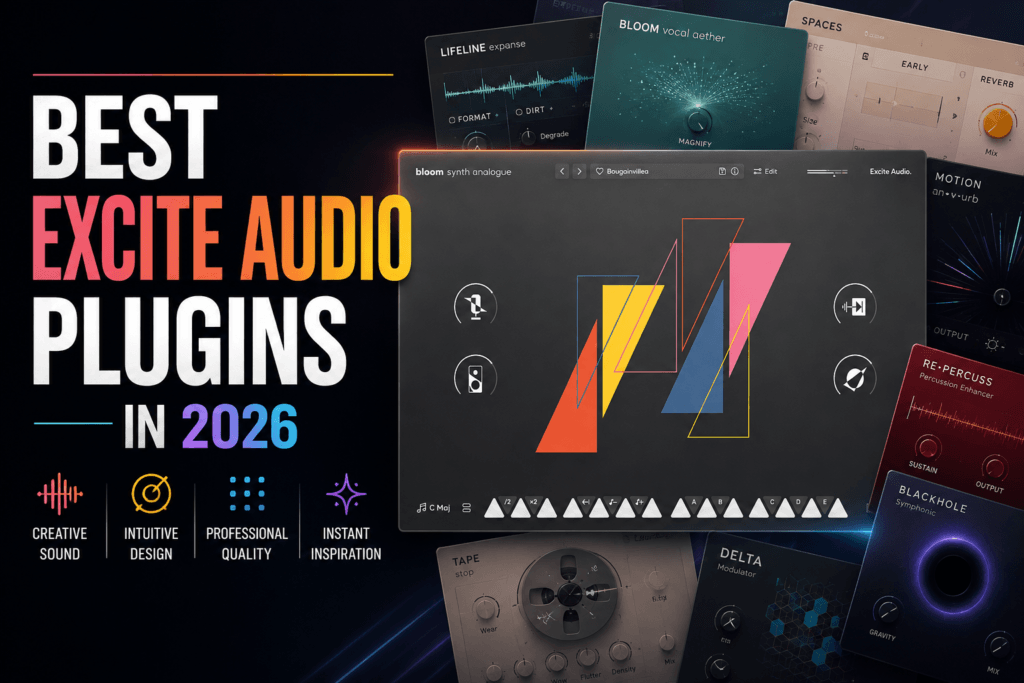
 Best Excite Audio Plugins in 2026: Which Ones Are Worth Using?
Excite Audio has become one of the more interesting plugin developers for modern music producers.
Instead of simply releasing another collection of traditional EQs, compressors, and synthesizers, Excite Audio has put a lot of emphasis on creative workflow, sound design, movement, texture, and fast idea generation.
That approach makes many of its plugins especially useful for producers working in Hip Hop, R&B, Trap, Trap Soul, electronic music, and other modern genres where sound selection can completely change the direction of a track.
From the Bloom instrument series to Lifeline processing tools and workflow plugins, there’s now a pretty substantial Excite Audio ecosystem.
But which Excite Audio plugins are actually worth using?
In this guide, we’ll look at some of the best Excite Audio plugins in 2026, what each one brings to your production workflow, and which plugins make the most sense for different types of producers.
What Is Excite Audio?
Excite Audio is a music software developer focused on virtual instruments, creative effects, mixing processors, sound-design tools, and production workflow plugins.
What makes the company interesting is that many of its products aren’t simply trying to recreate traditional studio hardware.
Instead, Excite Audio often builds plugins around helping producers:
- Generate musical ideas quickly
- Manipulate samples and loops
- Create movement
- Add analog-style character
- Experiment with sound design
- Build unusual textures
- Speed up repetitive production tasks
That makes Excite Audio particularly interesting if you already own plenty of conventional plugins and want tools that encourage you to approach your music differently.
Here are some of the Excite Audio plugins I’d look at first.
1. Bloom Synth Analogue
Best For: Hip Hop, R&B, Trap Soul, Synthwave & Melodic Production
Bloom Synth Analogue is one of my favorite places for beatmakers to start with Excite Audio.
Instead of forcing you to design every patch completely from scratch, Bloom Synth Analogue gives you an immediate collection of synth-based sounds that can be played, sequenced, manipulated, and transformed.
That’s especially useful when you’re trying to get an idea moving quickly.
Why Bloom Synth Analogue Is Worth Using
Sometimes you don’t want to spend 20 minutes programming a synthesizer before you’ve even figured out whether the beat is good.
You want to:
Load a sound → play some chords → find a vibe → build the beat.
Bloom Synth Analogue works extremely well for that workflow.
I could see it being particularly useful for:
- Atmospheric R&B chords
- Vintage synth basses
- Trap Soul melodies
- Synthwave textures
- Arpeggios
- Pads
- Leads
- Background layers
Its macro-style controls also make it possible to change the personality of a sound without constantly diving into complicated synthesis parameters.
How I’d Use It
Start with a relatively simple chord progression.
Find a warm synth or pad inside Bloom Synth Analogue and build the main harmonic idea.
Then duplicate the MIDI and use another patch to create a subtle layer.
You could even bounce the result to audio and process it further to create something that sounds less like the original preset.
Pluginera Verdict: Bloom Synth Analogue is one of the best Excite Audio plugins for Hip Hop and R&B producers who value speed, inspiration, and melodic sound selection.
2. Lifeline Console
Best For: Mixing, Saturation, Warmth & Analog-Style Processing
If Bloom Synth Analogue helps you create sounds, Lifeline Console is more about helping you shape them.
Lifeline Console combines several different types of processing into a modular environment designed to add character to audio.
That’s particularly useful when working with virtual instruments.
Why Lifeline Console Is Useful
Modern virtual instruments can sound incredibly clean.
That’s not necessarily a bad thing.
But sometimes that pristine digital sound doesn’t fit the character of the beat.
A piano might need more grit.
A Rhodes might need warmth.
A drum loop might need saturation.
A synth might need to feel less perfect.
That’s where Lifeline Console becomes useful.
You could try chains such as:
Rhodes → Lifeline Console
Synth Pad → Lifeline Console
Drum Bus → Lifeline Console
Bass → Lifeline Console
Sample → Lifeline Console
Instead of loading several separate processors, Lifeline Console gives you a central environment for shaping the character of the sound.
Where I’d Use Lifeline Console in Hip Hop & R&B
I’d experiment with it particularly heavily on:
- Electric pianos
- Synths
- Samples
- Drum buses
- Bass
- Loops
- Background textures
Don’t assume you need to make the processing obvious, either.
Sometimes a little saturation and tonal shaping is enough to make a sound sit better in the production.
Pluginera Verdict: Lifeline Console is one of Excite Audio’s strongest options for producers who want to give clean digital sounds more character and personality.
3. Bloom Drum Machine
Best For: Beatmakers & Creative Drum Programming
Bloom Drum Machine makes a lot of sense for the Pluginera audience.
It combines drum sounds with the sequencing and performance-oriented approach of the Bloom ecosystem.
But I wouldn’t necessarily look at Bloom Drum Machine as a replacement for your existing drum workflow.
I’d use it as an idea generator.
Use Bloom Drum Machine When You’re Stuck
One of the problems you eventually encounter after making enough beats is repetition.
You start programming:
- The same hi-hat rhythms
- The same kick patterns
- The same snare placements
- The same percussion
- The same fills
You aren’t intentionally copying yourself.
You’ve simply developed habits.
That’s when a tool like Bloom Drum Machine becomes interesting.
You can experiment with patterns, manipulate sounds, reverse elements, alter playback, and create variations that might not have occurred to you while programming drums manually.
My Preferred Workflow
Try this:
- Build the melodic foundation of your beat.
- Open Bloom Drum Machine.
- Experiment until you find an interesting rhythmic idea.
- Modify the pattern to fit your track.
- Replace or layer sounds if necessary.
- Continue arranging inside your DAW.
You don’t have to let the plugin write the entire drum section.
Sometimes you only need one unexpected rhythmic idea to push the beat somewhere new.
Pluginera Verdict: Bloom Drum Machine is a strong creative tool for beatmakers who want to break out of repetitive drum-programming habits.
4. Lifeline Expanse
Best For: Texture, Lo-Fi Processing, Sound Design, Depth & Width
Lifeline Expanse is another creative processor, but it approaches sound differently from Lifeline Console.
Where Console feels more like a character-focused channel-processing environment, Expanse is especially interesting when you want to transform the space, texture, and personality of a sound.
That makes it particularly useful for sound design.
Try Lifeline Expanse on Pianos
A pristine virtual piano can sometimes sound too perfect for atmospheric Hip Hop or R&B.
Use Lifeline Expanse to introduce character and texture.
Try It on Synths
Pads and leads can become wider, dirtier, more atmospheric, or more unusual.
Try It on Drums
Clean drums can be transformed into gritty textures that can sit underneath your primary drum sounds.
Try It on Samples
This might be one of my favorite applications.
Take a relatively ordinary sample and process it until it develops an entirely different personality.
Bounce the result.
Chop it.
Pitch it.
Reverse it.
Now you’ve effectively created new source material.
Pluginera Verdict: Lifeline Expanse is one of the best Excite Audio plugins for producers interested in creative processing, texture, and sound design.
5. Bloom KSHMR
Best For: Unique Instrumentation, Melodies & Percussion
Bloom KSHMR is one of the more distinctive instruments in the Excite Audio catalog.
Created in collaboration with KSHMR, the instrument provides a palette influenced by Indian and South Asian instrumentation.
That’s interesting because many Hip Hop and R&B producers repeatedly reach for the same types of sounds.
Piano.
Rhodes.
Guitar.
Bell.
Pad.
Synth.
There’s nothing wrong with those sounds—but eventually your palette can become predictable.
Why Different Sounds Matter
Bloom KSHMR gives you another source of inspiration.
You could use unusual instrumentation for:
- R&B melodies
- Hip Hop samples
- Trap percussion
- Vocal textures
- Atmospheric layers
- Intros
- Transitions
- Background melodies
And you don’t necessarily have to make a track centered around traditional instrumentation.
That’s the fun part.
You could take a flute phrase and build an atmospheric R&B melody around it.
You could layer percussion underneath Trap drums.
You could chop a vocal into something completely different.
Or you could heavily process an instrument until the source becomes almost unrecognizable.
Pluginera Verdict: Bloom KSHMR is one of the most interesting Excite Audio plugins for producers who want to expand their normal sound-selection habits.
6. KSHMR Chain
Best For: Large Sessions, Vocal Stacks & Faster Workflow
KSHMR Chain solves a completely different problem.
Instead of generating or transforming sounds, it’s primarily designed to make complicated production and mixing sessions easier to manage.
Think about a large vocal production.
You might have:
- Lead Vocal
- Vocal Double
- Harmony 1
- Harmony 2
- Harmony 3
- Ad-Libs
- Background Vocals
Several of those tracks might require similar processing.
Making the same changes repeatedly across multiple channels can become tedious.
That’s where KSHMR Chain becomes interesting.
Who Needs KSHMR Chain?
If your beats typically contain 10 tracks and you’re working entirely by yourself, this probably wouldn’t be my first Excite Audio purchase.
But if you’re:
Producing complete songs
Recording artists
Mixing large sessions
Building complicated vocal arrangements
Using repeated plugin chains
then a workflow utility like KSHMR Chain becomes much more valuable.
The bigger your sessions become, the more important workflow efficiency becomes.
Pluginera Verdict: KSHMR Chain isn’t necessarily essential for beginners, but it can be extremely useful for producers and engineers working with complex sessions and repeated processing chains.
7. Lifeline Modules
Best For: Focused Creative Mixing & Processing
Not every producer wants to load a massive multi-effect whenever a sound needs processing.
Sometimes you just need one thing.
Maybe it’s:
Saturation.
Compression.
EQ.
Modulation.
Texture.
Space.
That’s where the individual Lifeline Modules become useful.
Instead of requiring you to work inside the complete Lifeline environment, the modules give you more focused processing options.
Why Individual Modules Can Be Better
During mixing, simplicity can be valuable.
If your piano only needs some character, there’s no reason to create an unnecessarily complicated chain.
If your drum loop only needs saturation, use the appropriate processor.
If your synth only needs movement, address that specific problem.
This approach can also help beginners understand why they’re adding a plugin rather than simply loading enormous preset chains onto everything.
Pluginera Verdict: Lifeline Modules are a good option for producers who like Excite Audio’s processing approach but prefer working with focused individual effects.
Which Excite Audio Plugin Should You Buy First?
The best Excite Audio plugin depends on what you’re trying to accomplish.
| If You Want… | Start With… |
|---|---|
| Fast melodic inspiration | Bloom Synth Analogue |
| Analog-style character and mixing | Lifeline Console |
| Creative drum programming | Bloom Drum Machine |
| Texture and sound design | Lifeline Expanse |
| Unique instrumentation | Bloom KSHMR |
| Faster large-session workflows | KSHMR Chain |
| Focused individual processing | Lifeline Modules |
For the average Hip Hop or R&B producer, my starting order would be:
- Bloom Synth Analogue
- Lifeline Console
- Bloom Drum Machine
- Lifeline Expanse
- Bloom KSHMR
Those first three alone cover three major parts of beatmaking:
Sounds → Processing → Drums
Are Excite Audio Plugins Good for Hip Hop and R&B?
Absolutely.
In fact, I think Hip Hop and R&B producers are particularly well suited to Excite Audio’s approach.
These genres rely heavily on sound selection and texture.
A simple four-chord progression can sound completely different depending on the instrument playing it.
A basic drum pattern can become interesting because of the textures surrounding it.
A vocal chop can become the centerpiece of an entire beat.
And an ordinary synthesizer can become something completely different after creative processing.
That’s where Excite Audio’s catalog starts making sense.
You can use these plugins for:
- Trap Soul atmospheres
- R&B chord textures
- Hip Hop samples
- Experimental drums
- Vocal textures
- Lo-fi processing
- Synth layers
- Percussion
- Sound design
- Song starters
For producers who frequently struggle with starting ideas or making sounds feel unique, those capabilities can be extremely valuable.
Should You Buy an Excite Audio Bundle?
If you’re interested in several Excite Audio plugins, a bundle may make more sense than purchasing everything individually.
This becomes especially relevant if you want multiple Bloom instruments or several creative processing tools.
Before buying individual plugins, compare the combined cost against the Excite Audio bundles available at the time.
A larger bundle can potentially cover multiple areas of your production workflow:
Virtual instruments + drums + creative effects + mixing tools + workflow utilities
That can make considerably more sense than accumulating the plugins individually.
Related: [INTERNAL LINK: Excite Audio Bundle Review – Is It Worth It?]
If you’re considering buying several Excite Audio plugins, I’d read that review before making the final decision.
Best Excite Audio Plugins: Final Verdict
Excite Audio has built an interesting plugin catalog because its strongest products aren’t necessarily trying to replace tools you already own.
Instead, many of them encourage you to approach production differently.
Bloom Synth Analogue is an excellent choice for melodic inspiration.
Bloom Drum Machine can help generate new rhythmic ideas.
Lifeline Console can add character to clean digital sounds.
Lifeline Expanse gives you another way to create texture and atmosphere.
Bloom KSHMR expands your available sound palette.
KSHMR Chain tackles workflow problems that become increasingly important as your sessions grow.
For Hip Hop, R&B, Trap, and electronic producers who value experimentation, speed, texture, and sound design, Excite Audio has plenty worth exploring.
You certainly don’t need every plugin the company makes.
But choosing the right Excite Audio plugin for the way you produce could give you something more valuable than another folder full of presets:
A new way to create.