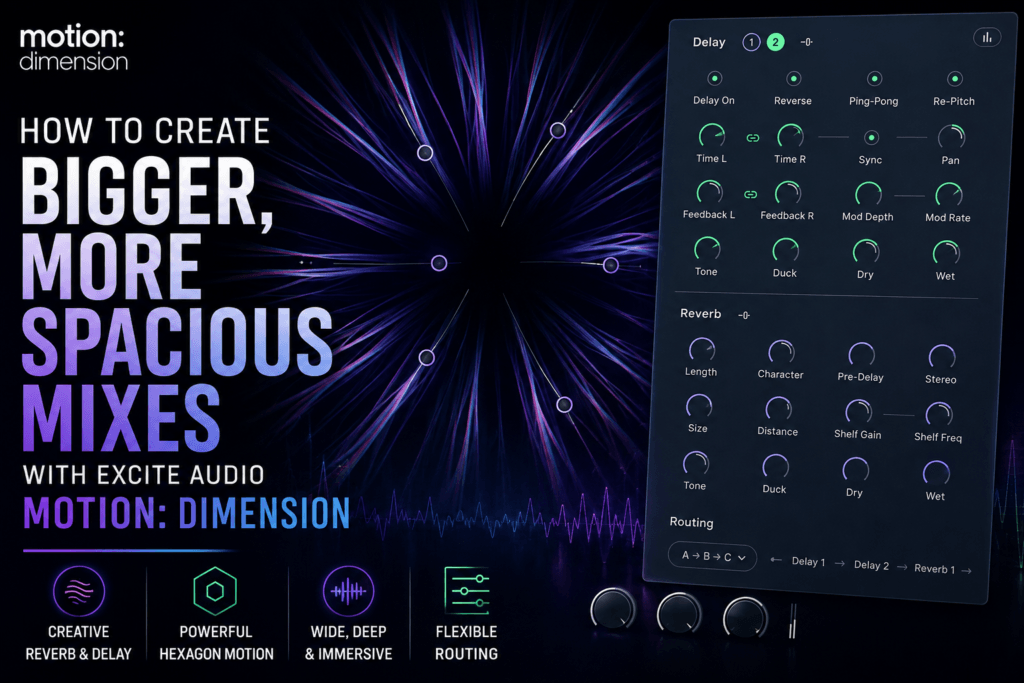
 How to Create Bigger, More Spacious Mixes with Excite Audio Motion: Dimension
Creating a professional mix isn’t just about balance and EQ—it’s also about depth. The best mixes feel wide, immersive, and three-dimensional, giving every instrument its own space while maintaining clarity. That’s where Excite Audio Motion: Dimension shines.
Rather than relying on a basic reverb or delay, Motion: Dimension combines both effects with intelligent modulation, making it easy to create movement, width, and atmosphere from a single plugin.
In this guide, you’ll learn practical ways to use Motion: Dimension to create larger, more spacious mixes without muddying your production.
Why Spacious Mixes Matter
One of the biggest differences between amateur and professional productions is depth.
Professional mixes create the illusion that sounds exist at different distances from the listener.
Some elements feel close.
Others sit behind the lead.
Some stretch wide across the stereo field.
Motion: Dimension helps create this sense of space by combining:
- High-quality reverb
- Stereo delay
- Modulation
- Flexible routing
- Dynamic movement
Instead of simply making sounds louder, it makes them feel larger.
Start With Your Lead Elements
The biggest mistake producers make is putting heavy reverb on everything.
Instead, identify your lead instrument.
For example:
- Main vocal
- Lead synth
- Piano
- Guitar
- Melody sample
Apply Motion: Dimension subtly.
A short reverb combined with a small amount of stereo delay often provides enough depth without washing out the sound.
The Dry/Wet control is your best friend here. Start around 15–25% and increase only if the effect complements the mix.
Build Width Using Delay
Many producers think width comes only from stereo imaging plugins.
In reality, delay plays a huge role.
Try using:
- Ping-pong delay
- Stereo delay
- Slightly different left/right delay times
These settings create movement that naturally widens your mix.
Because Motion: Dimension combines delay and reverb together, you can create enormous stereo spaces while keeping everything cohesive.
Add Movement With the Hexagon Engine
One of Motion: Dimension’s standout features is its animated Hexagon modulation system.
Instead of static effects, the Hexagon gradually changes multiple parameters over time.
This creates:
- Evolving pads
- Moving synth textures
- Dynamic vocal effects
- Organic ambience
- Living soundscapes
Rather than sounding repetitive, your effects continue evolving throughout the song.
This works especially well for Trap Soul and ambient R&B productions.
Create Bigger Vocal Effects
Vocals often benefit from depth rather than excessive volume.
Try this workflow:
- Add Motion: Dimension to a vocal send.
- Choose a medium hall or plate reverb.
- Add a tempo-synced delay.
- Increase stereo width.
- Blend the effect underneath the dry vocal.
The result is a vocal that feels much larger while remaining clear and intelligible.
For even more excitement, automate the Wet control during choruses and ad-libs.
Design Wide Pads and Atmospheres
Pads are the perfect source for Motion: Dimension.
Instead of sounding static, they can slowly evolve throughout your arrangement.
Experiment with:
- Longer decay times
- Gentle modulation
- Reverse delay
- Wide stereo settings
- Slow movement within the Hexagon controller
These subtle changes help your background elements feel alive without distracting from the lead instruments.
Add Depth to Drum Effects
Most drum sounds should remain relatively dry.
However, percussion and transitions benefit greatly from creative ambience.
Try Motion: Dimension on:
- Rimshots
- Percussion loops
- Reverse cymbals
- FX impacts
- Risers
- Snare fills
Using short delays combined with subtle modulation creates movement while preserving punch.
Automate for Bigger Choruses
One technique used by professional mixers is increasing ambience only during key moments.
Instead of leaving Motion: Dimension static throughout the song, automate parameters like:
- Wet/Dry Mix
- Reverb Size
- Delay Feedback
- Stereo Width
- Modulation Depth
As the chorus arrives, increase these settings slightly to make the mix feel like it suddenly opens up.
The transition feels natural while adding excitement and energy.
Keep Your Mix Clean
Adding space doesn’t mean adding mud.
Here are a few tips:
- Use shorter reverbs on busy arrangements.
- Reduce the wet signal if vocals lose clarity.
- Avoid applying large reverbs to every track.
- Use delay to create width instead of relying solely on long reverbs.
- Let dry instruments provide definition while Motion: Dimension enhances select elements.
The goal is to create contrast. Dry sounds feel more impactful when they’re surrounded by spacious effects.
Best Instruments for Motion: Dimension
Motion: Dimension works especially well on:
- Vocals
- Pads
- Synth leads
- Electric piano
- Guitar
- String layers
- Vocal chops
- FX transitions
- Ambient textures
- Atmospheric samples
Because of its flexible routing and modulation capabilities, you’ll likely find new uses for it in every session.
Final Thoughts
Creating bigger mixes isn’t about adding more plugins—it’s about using space intentionally.
Excite Audio Motion: Dimension gives producers an intuitive way to combine reverb, delay, modulation, and stereo movement into one creative workflow. Whether you’re producing Hip Hop, R&B, Trap Soul, electronic music, or cinematic scores, it makes it easy to add depth and atmosphere while keeping your mixes clean and engaging.
If you’ve been searching for a plugin that helps your productions sound wider, deeper, and more immersive, Motion: Dimension is a powerful tool that rewards experimentation. Start with subtle settings, automate key moments, and let its evolving effects bring your mixes to life.