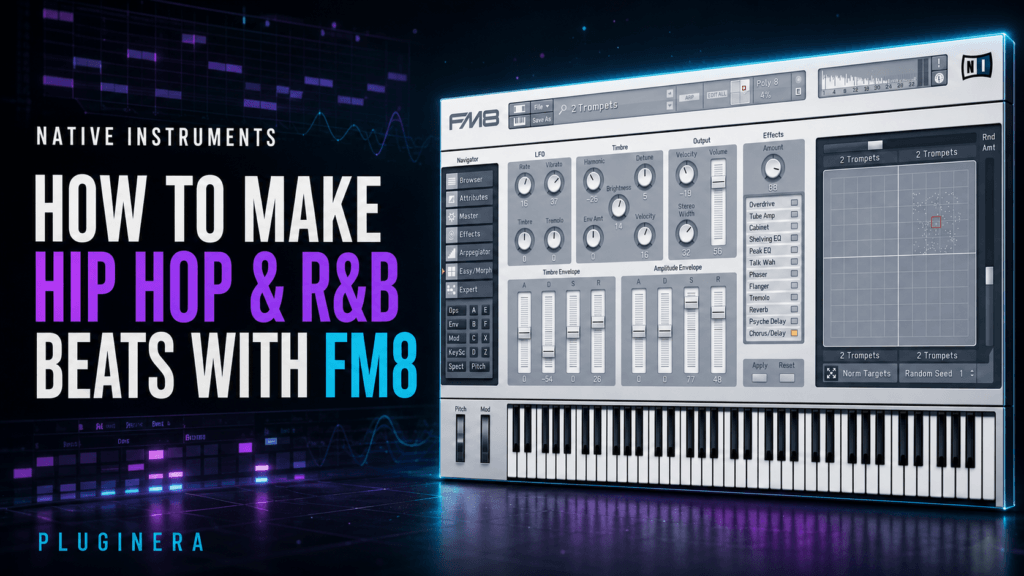
How to Make Hip Hop & R&B Beats with Native Instruments FM8
This article may contain affiliate links. If you make a purchase through one of these links, Pluginera may earn a commission at no additional cost to you.
Native Instruments FM8 may be best known as a deep frequency modulation synthesizer, but you do not need to become an FM synthesis expert before using it in your beats.
Its library is filled with the kinds of sounds that work naturally in hip hop and R&B: expressive electric pianos, glassy bells, digital plucks, dreamy pads, synthetic brass, evolving textures, and aggressive basses.
Those sounds can cover everything from dark trap soul and melodic hip hop to polished contemporary R&B and nostalgic ’80s- or ’90s-inspired production.
The biggest challenge is not finding sounds. It is choosing the right combination and shaping FM8’s clean digital character so that every layer has its own role.
In this guide, we will build a complete hip hop and R&B production workflow with FM8—from the first chord to the final arrangement and mix.
Check the current price of Native Instruments FM8 at Plugin Boutique
Why FM8 Works So Well for Hip Hop and R&B
Hip hop and R&B often depend on sounds that are simple enough to leave room for vocals but distinctive enough to establish a mood. FM8 is well suited to that balance.
Its electric pianos can carry sophisticated seventh and ninth chords without sounding heavy. Its bells and plucks can produce memorable melodies with only a few notes. Its pads add atmosphere, while its basses can range from smooth and rounded to sharp and aggressive.
FM8 is especially useful for:
- Contemporary R&B chord progressions
- Dark trap-soul melodies
- Melodic hip hop and trap
- ’80s- and ’90s-inspired digital R&B
- Dreamy, atmospheric production
- Experimental textures and transitions
- Clean basses and layered 808 sounds
The synth’s Easy Edit page also lets you reshape presets without opening every operator and envelope page.
You can work quickly when inspiration hits, then explore the deeper FM Matrix when you want to create something more original.
Choose the Direction of the Beat First
Before opening FM8, decide what kind of beat you want to make. A clear direction will prevent you from auditioning presets for an hour without committing to anything.
Here are four useful starting points:
Dark Trap Soul
- Tempo: 65–82 BPM
- Sounds: Dark electric piano, filtered bell, atmospheric pad, deep 808
- Mood: Intimate, tense, emotional, spacious
Contemporary R&B
- Tempo: 75–105 BPM
- Sounds: Expressive electric piano, soft pluck, warm pad, smooth bass
- Mood: Polished, soulful, romantic, modern
Melodic Hip Hop
- Tempo: 120–155 BPM with a half-time feel
- Sounds: Bell or mallet lead, short pluck, airy texture, sliding 808
- Mood: Catchy, moody, energetic, cinematic
’80s- or ’90s-Inspired R&B
- Tempo: 85–115 BPM
- Sounds: Bright FM piano, digital brass, glossy pad, synthetic bass
- Mood: Nostalgic, upbeat, sophisticated, colorful
You can break these ranges whenever the music calls for it. The point is to choose a lane before choosing presets.
Step 1: Start with an FM8 Electric Piano or Digital Key
The chord progression usually establishes the emotional center of an R&B or trap-soul beat.
Open FM8’s browser and begin with categories related to:
- Piano and electric piano
- Keys
- Mallets
- Soft pads
- Digital or acoustic-style timbres
Do not search for the perfect preset immediately. Find a sound with the right basic attack, sustain, and emotional character, then shape it around the beat.
Try a Minor Seventh or Ninth Chord Progression
For a dark R&B idea in E minor, try:
Em9 – Cmaj7 – Am9 – B7sus4 to B7
One possible set of voicings is:
- Em9: E and B in the left hand; G, B, D, and F# in the right
- Cmaj7: C and G in the left hand; B, E, and G in the right
- Am9: A and E in the left hand; G, B, C, and E in the right
- B7sus4: B and F# in the left hand; A, E, and F# in the right
- Resolve the E in B7sus4 down to D# to create B7 before returning to Em9
The seventh and ninth tones give FM8’s electric pianos more emotional color than basic triads. You can also remove notes from the middle of each voicing if the chords sound too dense.
Shape the Preset for R&B
FM8 presets can sound extremely bright on their own. That clarity is useful, but it may need to be softened before the sound feels at home in an R&B mix.
Try the following adjustments:
- Lower the brightness or harmonic intensity slightly
- Increase the release for a smoother transition between chords
- Use velocity variation to make the performance more expressive
- Add a small amount of chorus for width
- Use a dark reverb rather than a bright, metallic reverb
- Apply gentle saturation after FM8 if the sound feels too clean
The goal is not to remove FM8’s digital identity. You simply want to round off the sharpest edges.
Step 2: Create a Simple Bell, Pluck, or Mallet Melody
Once the chords establish the mood, use a second FM8 instance for the main melodic idea.
Bells, plucks, and mallets are some of FM8’s strongest sounds because FM synthesis can create detailed attacks and complex overtones.
The danger is making the melody too bright, busy, or repetitive.
Build the Melody from Chord Tones
Start with notes already present in the chord progression. For the E minor progression above, useful melody notes include:
E, F#, G, A, B, C, and D
D# can be introduced over the B7 chord to create a stronger pull back toward E minor.
Begin with a two- or three-note phrase. Leave empty space after it, then answer it with a slightly different phrase.
This call-and-response approach usually feels more musical than filling every step of the piano roll.
For example:
- Phrase one ends on B
- Phrase two begins on G and resolves to F#
- A higher E appears only at the end of every fourth or eighth bar
That final high note becomes more effective because it is not repeated constantly.
Use Rhythm Before Adding More Notes
A basic three-note melody can become memorable when the rhythm is strong.
Try:
- Placing the first note slightly before or after the main kick
- Repeating one note with different velocities
- Leaving the first beat of a bar empty
- Extending one note across a chord change
- Moving the final phrase up an octave
If the pattern still feels static, experiment with FM8’s arpeggiator. Use it to discover a rhythmic variation, then record or recreate the best part as MIDI so you can edit it more deliberately.
Darken Bright Bells
If a bell sounds too sharp:
- Reduce FM8’s brightness or harmonic controls
- Shorten an excessively long release
- Lower the sound by one octave
- Use a low-pass filter after FM8
- Reduce harshness around the upper-midrange frequencies with EQ
- Send the bell to a darker reverb or filtered delay
Avoid washing the entire melody in reverb. The dry attack should remain clear enough to define the rhythm.
Step 3: Add an Atmospheric Pad Without Crowding the Chords
A pad can make an R&B beat feel larger and more emotional, but it should support the electric piano rather than duplicate it.
Load a soft or evolving FM8 pad and play simplified versions of the chord progression.
You may only need roots, fifths, and one color tone instead of every note in the original voicing.
If the electric piano plays Em9, the pad could hold only:
E, B, and F#
This preserves the root, fifth, and ninth while leaving space for the piano’s G and D.
Use Slow Movement
Increase the pad’s attack so that it fades in behind the main chords. Lengthen the release enough to connect sections without creating a blurry wash.
Even a subtle change can make the pad feel alive.
You can also automate:
- Brightness
- Reverb send level
- Stereo width
- Filter cutoff in your DAW
- Overall volume between song sections
Keep the pad quieter than you initially think. If muting it makes the beat feel smaller but leaving it on does not draw attention to itself, the level is probably close.
Step 4: Decide Whether FM8 or an 808 Will Handle the Bass
FM8 can create powerful bass sounds, but it does not have to replace your favorite 808 sample in every beat.
There are three useful approaches.
Use FM8 as the Main Bass
Choose a simple FM bass with a strong fundamental and controlled harmonics.
Keep the part mostly monophonic and follow the chord roots before adding passing notes.
For the E minor progression, begin with:
E – C – A – B
Shorten notes where the kick needs more room and use velocity or envelope changes to create movement.
Use a Traditional 808 as the Main Bass
Let the 808 handle the sub frequencies while FM8 provides the chords, melody, and atmosphere.
This is often the fastest approach for trap soul and melodic hip hop.
Tune the 808 correctly, follow the chord movement, and avoid unnecessary slides until the basic bass line works.
Layer FM8 with an 808
Use the 808 for the sub and a quieter FM8 bass for upper harmonics. The FM8 layer can help the bass line remain audible on phones and smaller speakers.
When layering:
- High-pass or reduce the deepest frequencies from the FM8 layer
- Keep both layers rhythmically tight
- Check their phase relationship
- Avoid giving both sounds long, overlapping releases
- Process them together only after the balance works
The listener should perceive one complete bass sound rather than two competing instruments.
Step 5: Build Drums That Leave Space for FM8
FM8 can provide a detailed musical foundation, so the drums do not need to be overly complicated.
For a trap-soul beat at 70–80 BPM, start with:
- A strong snare or clap on beat three
- A kick pattern that responds to the chord rhythm
- Closed hi-hats playing eighth or sixteenth notes
- One or two carefully placed hat rolls
- A rim, snap, or percussion sound for syncopation
For contemporary R&B, introduce more groove by shifting selected percussion hits slightly off the grid.
Vary hi-hat velocities and leave occasional gaps so the pattern breathes.
The kick and bass should function as a conversation. If the 808 sustains through most of the bar, the kick pattern can remain sparse. If the bass uses short notes, the kick can become more active.
Do not let the drums overpower FM8’s chord transients. If the electric piano has an important attack, avoid placing the loudest kick, percussion hit, and melody note at the exact same moment every time.
Step 6: Make FM8 Presets Sound More Original
FM8’s factory library can get you into the right musical territory quickly, but a few focused changes will stop the beat from sounding like a preset demonstration.
Start with Easy Edit
Use the Easy Edit page to make broad adjustments while the entire beat plays. Listen for what the mix needs instead of editing the sound in isolation.
Ask:
- Is the sound too bright for the vocal space?
- Does the release overlap the next chord?
- Does the attack need to be softer or more immediate?
- Is the sound too wide or too centered?
- Does it need more or less velocity response?
Small adjustments are often enough.
Change One Matrix Connection
When you are ready to go deeper, open the FM Matrix and adjust one modulation amount at a time.
Increasing a connection can introduce brighter or more metallic harmonics. Reducing it can simplify and soften the tone.
Make small changes and compare them in the context of the beat. FM synthesis can shift dramatically with a minor adjustment.
Edit the Envelopes
Envelope changes can transform how a preset functions without completely changing its tone.
- Shorten the decay to turn a sustained key into a pluck
- Increase the attack to turn a bright sound into a pad
- Shorten the release to create more rhythmic space
- Lengthen the release for transitions or atmospheric endings
Use the Morph Square
Move between the four timbres and stop at a blend that fits the song. You do not have to use one of the corners exactly as designed.
You can also automate a small Morph Square movement during the hook, making the sound feel more intense without adding a new instrument.
Process FM8 Outside the Plugin
Try adding:
- Tape or tube-style saturation for warmth
- Chorus for wider R&B keys
- A low-pass filter for darker trap-soul textures
- A short delay for melodic depth
- Reverb with the high frequencies filtered
- Subtle pitch movement for a more worn or nostalgic character
The best processing choices reinforce the emotion of the beat rather than covering the sound in effects.
Step 7: Turn the Loop into a Full Arrangement
A strong eight-bar FM8 loop is only the starting point. The arrangement needs contrast so the artist has space to deliver verses, hooks, and transitions.
Here is a practical structure for a two-and-a-half- to three-minute hip hop or R&B track:
Intro: 4 or 8 Bars
- Begin with the FM8 electric piano
- Filter the high or low frequencies
- Remove the bass and full drums
- Introduce a reversed bell, pad swell, or automated Morph Square movement
Verse 1: 16 Bars
- Bring in the main drums and bass
- Keep the melody sparse or remove it for the first eight bars
- Use the electric piano as the primary harmonic element
- Add a small percussion change halfway through
Pre-Hook: 4 or 8 Bars
- Remove the kick or 808
- Increase the pad or reverb send
- Introduce a higher FM8 texture
- Shorten the final bar to create anticipation
Hook: 8 or 16 Bars
- Bring in the full bell or pluck melody
- Open the pad or increase its brightness
- Use stronger hi-hats, percussion, or an additional clap layer
- Add a supporting FM8 counter-melody only if space remains
Verse 2: 16 Bars
- Return to the verse foundation
- Change the bass ending or drum pocket
- Use a different melody response in the second half
- Automate the electric piano’s tone slightly darker or brighter
Bridge or Breakdown: 8 Bars
- Remove the main drums
- Let the FM8 pad, keys, or arpeggiator create a new atmosphere
- Change the chord inversion or hold one chord longer
- Use sound morphing to build toward the final hook
Final Hook and Outro
- Return to the full arrangement
- Add one new high texture or octave melody
- Remove layers gradually during the outro
- End with the electric piano, pad, or a long FM8 effect tail
The listener should feel the beat evolving even when the main chord progression never changes.
Step 8: Mix FM8 in a Hip Hop or R&B Beat
Give each layer a defined frequency, stereo, and depth role.
Electric Piano or Main Keys
- High-pass only as much as necessary, often somewhere around 70–120 Hz
- Reduce muddy buildup in the low mids if it conflicts with the bass
- Control excessive bite in the upper mids
- Use light saturation or compression only when the sound needs it
- Keep the keys wide enough to feel spacious but stable enough to support the vocal
Bell, Pluck, or Mallet
- Remove unnecessary low frequencies
- Check the 2–5 kHz area if the attack feels harsh
- Use delay to create space without relying entirely on reverb
- Automate the effect level so the melody can move forward in the hook and backward in the verse
Pad
- High-pass the pad more aggressively than the main keys
- Reduce frequencies that mask the vocal or snare
- Keep it wide, but check the mix in mono
- Use a slow attack and controlled release to prevent buildup
Bass or 808 Layer
- Keep the deepest frequencies centered
- Make space between the kick and bass through arrangement, envelope control, EQ, or sidechain compression
- Add harmonics if the bass disappears on small speakers
- Remove sub frequencies from any supporting FM8 bass layer
Use Reverb with a Plan
Instead of putting a different large reverb on every sound, create one or two shared spaces.
For example:
- A short room or plate for keys and percussion
- A longer, darker reverb for pads and selected melody notes
Filter low frequencies from the reverb return and reduce excessive high-frequency brightness.
This keeps the mix atmospheric without becoming cloudy.
Leave Room for Vocals
Instrumental beats can sound exciting when every frequency is full, but vocal-ready beats need space.
Keep the central midrange relatively open. Avoid stacking several FM8 patches that all have bright attacks and long releases.
If the melody is the focus, simplify the keys. If the chord voicing is complex, use a smaller melody.
Complete FM8 Trap-Soul Beat Recipe
Here is a full starting recipe you can use in any DAW.
Session Setup
- Tempo: 78 BPM
- Key: E minor
- Mood: Dark, emotional, polished
FM8 Track 1: Electric Piano
Play:
Em9 – Cmaj7 – Am9 – B7sus4 to B7
Use expressive velocities, slightly darken the preset, and add a short chorus followed by a dark plate reverb.
FM8 Track 2: Bell Melody
Build a two-bar phrase from E, G, B, D, and F#. Leave the first beat open and place the highest note near the end of the second bar.
Repeat the phrase with one rhythmic change during bars three and four.
FM8 Track 3: Pad
Hold simplified chord tones beneath the electric piano. Use a slow attack and automate a subtle Morph Square movement over eight bars.
Bass or 808
Begin with root notes:
E – C – A – B
Add one short passing note into B at the end of every fourth or eighth bar. Keep the first version simple before experimenting with slides.
Drums
- Place the snare or clap on beat three
- Use a sparse kick pattern that follows the bass rhythm
- Start with steady eighth-note hats
- Add one brief roll before the snare or section change
- Use a soft rim or percussion hit for swing
Arrangement
- Intro: Filtered electric piano and pad
- Verse: Keys, drums, and 808 with minimal bell
- Pre-hook: Remove the kick and raise the pad
- Hook: Full bell melody, open pad, complete drums
- Verse 2: Return to the verse and change the bass ending
- Bridge: Keys and evolving FM8 texture without full drums
- Final hook: Full arrangement with one octave-up melody variation
This framework gives an artist enough repetition to write comfortably while creating enough change to keep the track moving.
Common FM8 Beat-Making Mistakes
Choosing Too Many Bright Presets
Combine one detailed lead sound with darker, simpler supporting layers.
Leaving Every Preset Unchanged
You do not need to redesign every patch, but adjust at least the brightness, envelope, velocity response, effects, or Morph Square position to fit the song.
Using Too Much Reverb
Long reverb can make FM8 sound beautiful in isolation and blurry in a full mix.
Shorten the decay, filter the return, and automate larger effects only where they add impact.
Making the Chords and Melody Equally Complex
Complex chords usually need a simpler melody. A busy melody usually works better over simpler voicings.
Decide which element should command the listener’s attention.
Ignoring Velocity
Electric pianos, bells, and plucks become much more expressive when note velocities change. Avoid drawing every MIDI note at the same level.
Adding Layers Instead of Creating Movement
Before loading another instrument, try muting a part, changing an octave, automating the Morph Square, filtering a sound, or altering the drum pattern.
Arrangement changes are often more effective than extra layers.
Final FM8 Beat Checklist
Before exporting the beat, ask:
- Does the electric piano or main key establish a clear mood?
- Is the melody memorable without being overcrowded?
- Does the pad add width without duplicating the chords?
- Are the kick and bass working together?
- Have the FM8 presets been customized for the track?
- Do the verse, hook, and bridge feel different?
- Is there enough open midrange for vocals?
- Are the brightest sounds controlled?
- Does the beat still feel balanced at low volume and in mono?
- Does every layer have a clear purpose?
If a sound does not strengthen the rhythm, harmony, emotion, or arrangement, mute it and listen again.
Final Thoughts
Native Instruments FM8 remains a powerful instrument for hip hop and R&B because its digital character gives producers sounds that are both familiar and distinctive.
Its electric pianos can establish soulful harmony. Its bells and plucks can carry a memorable trap melody. Its pads and Morph Square can create movement, while its basses and textures can push a beat into more experimental territory.
You do not need to master every part of FM synthesis before making music with FM8.
Start with a strong preset, shape it with Easy Edit, change the envelope or Morph Square position, and make decisions while the full beat is playing.
Most importantly, resist the urge to use every impressive sound at once.
One expressive key, one memorable melody, one supporting atmosphere, and a strong drum-and-bass pocket are often enough to build a complete record.
See Native Instruments FM8 at Plugin Boutique
Frequently Asked Questions
Is Native Instruments FM8 good for hip hop?
Yes. FM8 is excellent for melodic bells, plucks, digital keys, pads, basses, and unusual textures used in hip hop, trap, and melodic rap production.
Is FM8 good for R&B and trap soul?
Yes. Its electric pianos, soft digital keys, atmospheric pads, and expressive velocity response make it particularly useful for contemporary R&B and trap soul.
Do I need to understand FM synthesis before using FM8?
No. You can begin with the factory presets and Easy Edit page. The FM Matrix and detailed operator controls are available when you are ready to explore deeper sound design.
What are the best FM8 sounds for hip hop and R&B?
Electric pianos, bells, mallets, short plucks, evolving pads, synthetic basses, and digital brass are some of the most useful starting points.
Can FM8 make 808 bass sounds?
FM8 can create deep and harmonically rich basses, including sounds that can function like an 808.
However, many producers may prefer using a dedicated 808 sample for the sub while layering FM8 quietly for extra upper harmonics.
How do you make FM8 sound warmer?
Reduce excessive brightness, soften the attack, use velocity variation, add gentle saturation or chorus, and choose darker reverb settings.
A small amount of processing is often enough to balance FM8’s clean digital character.