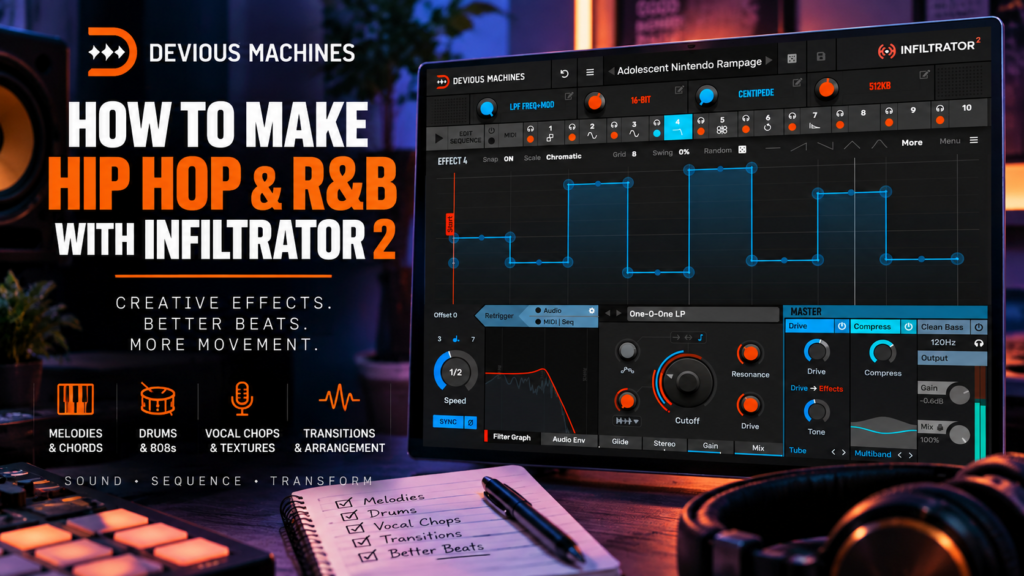
 One of the easiest ways to make a Hip Hop or R&B beat sound more professional isn’t necessarily adding another instrument.
Sometimes, you need to make the sounds you already have move.
A Rhodes progression can evolve. A melody can become darker during the verse. A vocal chop can turn into atmospheric ear candy. Drums can glitch for half a bar before the hook drops. A simple pad can slowly transform throughout an entire section.
That’s exactly where Devious Machines Infiltrator 2 becomes interesting.
With 54 effects, up to 10 simultaneous effect slots, a 32-step sequencer, modulation, envelopes, macros, and a massive preset library, Infiltrator 2 can transform relatively simple musical ideas into evolving textures.
And you don’t have to make experimental electronic music to take advantage of it.
In this guide, we’ll explore how to make Hip Hop and R&B with Infiltrator 2, including techniques for melodies, Rhodes, drums, 808s, vocal chops, transitions, and arrangement.
Why Infiltrator 2 Works So Well for Hip Hop & R&B
Creative effects play a major role in modern Hip Hop and R&B production.
The best productions aren’t necessarily packed with dozens of instruments.
Instead, producers often create variation through processing.
A melody might become filtered during the verse.
The chords might become wider during the hook.
A delay might appear on the final note before a transition.
Drums might suddenly sound degraded for half a bar.
A vocal chop might reverse, pitch down, and disappear into reverb.
These little moments keep listeners interested.
Infiltrator 2 gives you a single environment for creating many of them.
The key, however, is learning to use the plugin with restraint.
For Hip Hop and R&B, you often don’t want Infiltrator to completely destroy your sound.
You want it to make the production feel alive.
1. Add Movement to R&B Chords
Let’s start with one of the most useful applications: chords.
Suppose you’ve created a four-bar Rhodes progression.
It sounds good, but after listening to it repeatedly, the progression starts feeling static.
Instead of adding another instrument, load Infiltrator 2 onto the Rhodes.
Start with a filter.
Create Slow Filter Movement
Try a low-pass filter and use Infiltrator’s modulation capabilities to create gentle movement in the cutoff.
You don’t necessarily want an obvious EDM-style filter sweep.
Instead, think:
Dark → slightly brighter → dark → open
The movement should complement the chord progression.
Slower modulation generally works particularly well with R&B because it allows the effect to breathe.
Try synchronizing the movement across one or two bars rather than rapidly modulating every sixteenth note.
The result can make sustained chords feel much more expressive.
2. Make Rhodes Sound Wider
Stereo movement can also make electric piano chords feel more immersive.
Try combining:
Filter → Chorus/Modulation → Stereo Processing
Keep each effect relatively subtle.
You aren’t trying to make the listener say:
“That’s a crazy effect.”
You’re trying to make them feel:
“Those chords sound expensive.”
Experiment with blending the processed signal underneath the original using the Mix control.
Sometimes 10–30% processing is all you need.
That subtle approach is especially useful for Neo Soul, Trap Soul, and atmospheric R&B.
3. Transform Simple Melodies
Melodies are another perfect candidate for Infiltrator 2.
Let’s say you’ve created an eight-bar synth melody.
Instead of writing another melody for every section, use processing to create several versions of the original.
You could arrange the song like this:
Intro: Heavily filtered melody
Verse: Darker processed melody
Pre-Chorus: Modulated version
Chorus: Original full-frequency melody
Bridge: Heavily processed variation
You now have several different textures without changing the actual musical composition.
This is an extremely effective way to get more mileage from a strong melody.
4. Create Dark Trap Soul Textures
Infiltrator 2 works especially well for darker atmospheric production.
Start with something simple:
- Pad
- Bell
- Pluck
- Guitar
- Rhodes
- Synth
- Vocal sample
Then experiment with a chain such as:
Low-Pass Filter → Pitch Processing → Saturation → Delay → Reverb
Don’t immediately turn everything to extreme settings.
Start subtly.
Lower the filter cutoff.
Introduce a small amount of pitch movement.
Add saturation for character.
Use delay for space.
Finish with reverb.
The original sound can quickly become a darker atmospheric layer underneath your main melody.
5. Turn Vocal Chops Into Ear Candy
Vocal chops are one of my favorite sounds to process with creative effects.
Even a simple vocal phrase can become almost unrecognizable.
Try combining:
Pitch → Filter → Delay → Reverb
Then use Infiltrator’s sequencer to determine when those effects appear.
For example:
Beat 1: Mostly dry vocal
Beat 2: Filter
Beat 3: Pitch processing
Beat 4: Delay + reverb
The vocal now changes throughout the bar.
You can place these processed vocal moments between important musical phrases instead of having them play constantly.
That’s ear candy.
And ear candy can make relatively minimal R&B arrangements feel much more detailed.
6. Use Infiltrator 2 on Hip Hop Samples
Sample-based Hip Hop producers can also get a lot from Infiltrator.
Imagine you’ve chopped a soul sample into a four-bar loop.
The sample is great, but you need variation.
Instead of finding another sample, create several processed versions.
Intro
Use a low-pass filter to make the sample sound darker and more distant.
Verse
Return to a mostly clean version.
Pre-Hook
Introduce distortion or lo-fi processing.
Hook
Bring back the full-frequency sample.
Transition
Use delay, reverb, pitch, or glitch processing.
Now one sample supports multiple sections of the beat.
This approach can be especially effective when you want to maintain the musical identity of the sample while still creating arrangement changes.
7. Make Drum Transitions With Infiltrator 2
One of the best uses of Infiltrator 2 is creating drum transitions.
Let’s say your drum pattern repeats every eight bars.
Instead of letting bar eight sound identical to the other seven bars, automate Infiltrator onto the final portion.
Try:
Bars 1–7: Normal drums
Bar 8: Processed drums
Bar 9: Clean drums + new section
The processing could involve:
- Filtering
- Stuttering
- Bit reduction
- Distortion
- Delay
- Reverb
- Glitch effects
- Pitch processing
You don’t need the effect for an entire bar either.
Sometimes processing only the final beat is enough.
The contrast between the processed drums and the clean drums returning can make the next section hit much harder.
8. Create Hip Hop Drum Fills
You can take the previous idea further and use Infiltrator as a drum-fill generator.
Instead of manually programming another snare roll or hi-hat fill, process your existing drum pattern.
Try sequencing short bursts of:
Stutter → Filter → Distortion
on the final half-beat or beat before the next section.
You could also use delay to repeat the final snare.
The idea isn’t necessarily to replace traditional drum programming.
It’s another tool for creating rhythmic variation.
9. Process Hi-Hats and Percussion
You don’t always need to process the entire drum bus.
Sometimes Infiltrator works better on smaller percussion elements.
Try it on:
- Hi-hats
- Shakers
- Tambourines
- Percussion loops
- Rimshots
- Foley
Experiment with subtle filtering, panning, modulation, and delay.
This can create movement around the stereo field while your kick, snare, and 808 remain solid in the center.
For atmospheric R&B especially, small moving percussion elements can create a surprising amount of depth.
10. Be Careful Using Infiltrator 2 on 808s
Yes, you can use Infiltrator 2 on 808s.
But this is an area where restraint becomes particularly important.
Your 808 often provides the low-frequency foundation of the entire beat.
Extreme stereo, reverb, delay, or modulation can weaken that foundation.
Instead, experiment with processing that adds harmonics and character.
Distortion or saturation can help an 808 become more audible on smaller speakers.
Filtering can create transition effects.
You could also automate more aggressive processing onto the final 808 hit before a section change.
But always compare the processed version against the original.
If the 808 loses its weight, you’ve probably gone too far.
11. Use Parallel Processing for 808s
A safer approach is parallel processing.
Keep your main 808 relatively clean.
Then duplicate it or create an auxiliary/send channel containing Infiltrator.
Process that version more aggressively.
For example:
Clean 808 = low-end foundation
Infiltrator 808 = distortion + texture
Blend the processed layer underneath the clean signal.
This gives you some of Infiltrator’s character without sacrificing the fundamental weight of the bass.
12. Create Better R&B Transitions
Transitions are one area where Infiltrator can immediately improve your beats.
Instead of constantly downloading risers, impacts, and transition samples, create transitions from sounds already inside your production.
Take your main melody.
Process the final bar with:
Filter → Delay → Reverb
Then automate the processing to increase as the section approaches.
You could create:
Normal melody → darker → filtered → delay → reverb tail → DROP
Because the transition originates from your melody, it naturally belongs to the song.
13. Make Reverb Throws
You don’t necessarily need reverb running constantly.
Instead, use it as an effect.
Take the final note of a phrase and allow it to explode into a large reverb.
Then remove the effect.
This creates contrast between the dry and wet moments.
The same principle works with delay.
A single delay throw can often be more interesting than having delay running throughout the entire melody.
14. Use the 32-Step Sequencer for Rhythmic Effects
Infiltrator’s 32-step sequencer becomes particularly useful when creating rhythmic movement.
You can essentially sequence when effects occur.
Imagine processing a percussion loop.
Instead of leaving distortion active continuously, you could activate it only on certain steps.
Then introduce filtering on another step.
Then delay.
Then glitch processing.
The effect chain itself becomes part of the groove.
This can produce rhythms that would require considerably more automation using conventional plugins.
15. Create Movement With Modulation
Not every effect needs to switch on and off dramatically.
Sometimes subtle modulation is more effective.
Try slowly modulating:
- Filter cutoff
- Resonance
- Delay amount
- Stereo width
- Distortion
- Reverb
- Pitch parameters
This works beautifully on sustained sounds.
Pads are particularly good candidates.
A pad holding the same chord for several bars can still feel like it’s evolving because its tone is continuously changing.
16. Automate the Macros
Infiltrator 2’s macros are extremely useful for arrangement.
Instead of automating several parameters individually, assign multiple changes to one macro.
For example, create a macro called:
DARK
As you increase it:
- Filter cutoff decreases
- Distortion increases
- Reverb increases
- Delay becomes stronger
Now automate that single macro during your verse.
When the chorus arrives, pull it back.
Your verse becomes dark and atmospheric before the production suddenly opens up.
That’s a powerful arrangement technique.
17. Create Contrast Between the Verse and Hook
This is where Infiltrator becomes more than a sound-design plugin.
It can become an arrangement tool.
Imagine you’ve made an R&B beat around a beautiful Rhodes progression.
Instead of adding six more instruments, try this:
Intro
Filtered Rhodes.
Verse
Dark Rhodes with subtle movement.
Pre-Chorus
Increase modulation and delay.
Chorus
Remove most of the processing and let the original Rhodes open up.
Verse 2
Introduce a slightly different Infiltrator sequence.
Bridge
Use a heavily processed atmospheric version.
The same instrument now feels different across the song.
That’s arrangement through texture.
18. Use Infiltrator 2 to Escape the 8-Bar Loop
This might be the most important technique in this guide.
You have an eight-bar loop.
It contains:
- Drums
- 808
- Rhodes
- Pad
- Melody
And it sounds good.
Don’t immediately add another instrument.
Instead, duplicate the section.
Now ask:
What can disappear?
What can become filtered?
What can become wider?
What can become darker?
Where could I add a delay throw?
Where could I process the drums?
Where could the melody become atmospheric?
Use Infiltrator to create those differences.
Suddenly:
8 bars become 16.
Then:
16 becomes 32.
You’re arranging instead of endlessly adding sounds.
19. Don’t Process Everything
One of the easiest mistakes to make with Infiltrator is putting it everywhere.
Don’t.
If your Rhodes is moving, your pad is moving, your drums are glitching, your 808 is distorted, your vocals are reversing, and your percussion is bouncing around the stereo field simultaneously, the production can become exhausting.
Choose your moments.
A good rule is:
Stable foundation + moving details.
Your drums and bass might provide stability while your melody evolves.
Or your melody stays stable while percussion and vocal chops provide movement.
Contrast makes effects feel more powerful.
20. Blend Extreme Presets Instead of Avoiding Them
Infiltrator 2 includes more than 1,500 presets, and some can sound extremely aggressive.
Don’t immediately dismiss those presets.
Reduce the Mix control.
An effect that’s unusable at 100% might sound incredible at:
10%
15%
or
25%
This is especially useful in Hip Hop and R&B.
You can borrow the texture of an experimental effect without allowing it to dominate the production.
A Practical Infiltrator 2 R&B Chain
Here’s a simple starting chain for an electric piano or synth:
Effect 1 — Low-Pass Filter
Create gentle tonal movement.
Effect 2 — Chorus/Modulation
Add width and movement.
Effect 3 — Saturation
Introduce subtle harmonics.
Effect 4 — Delay
Sequence the delay so it appears toward the end of phrases.
Effect 5 — Reverb
Use reverb primarily for transitions and atmospheric moments.
Then reduce the overall Mix until the processing sits naturally underneath the original instrument.
The goal isn’t:
“Listen to Infiltrator.”
The goal is:
“Why does this sound keep evolving?”
A Practical Hip Hop Drum Chain
Try this on a drum loop:
Effect 1 — Filter
Remove frequencies briefly during transitions.
Effect 2 — Distortion
Add grit to selected moments.
Effect 3 — Stutter/Glitch
Use sparingly near the end of the phrase.
Effect 4 — Delay
Create rhythmic repeats.
Then automate Infiltrator so the effect only happens during the final beat or bar.
That gives you an instant transition without changing the original drum programming.
Where Should You Use Infiltrator 2?
For Hip Hop and R&B, I’d prioritize:
1. Melodies
Probably the best starting point.
2. Rhodes and keys
Excellent for subtle evolving movement.
3. Vocal chops
Perfect for ear candy.
4. Pads
Great for slow modulation.
5. Drum transitions
Extremely useful for arrangement.
6. Percussion
Good for rhythmic and stereo movement.
7. Samples
Excellent for creating alternate textures.
8. 808s
Useful, but proceed carefully.
Common Mistakes When Using Infiltrator 2 for Hip Hop & R&B
Using Too Much Processing
Just because Infiltrator can completely transform a sound doesn’t mean it should.
Subtle processing often works better.
Filling All 10 Effect Slots
You don’t need 10 effects.
Two or three well-chosen processors can be enough.
Using Effects Throughout the Entire Song
Save some effects for transitions and special moments.
Ignoring the Mix Control
Your processed signal doesn’t need to completely replace the original.
Forgetting About Arrangement
Don’t just ask:
“Does this effect sound cool?”
Ask:
“Does this effect make this section better?”
That’s a much more useful production question.
Final Thoughts: Making Hip Hop & R&B With Infiltrator 2
Devious Machines Infiltrator 2 might look like a plugin built primarily for extreme electronic sound design, but it can be an incredibly useful creative tool for Hip Hop, R&B, and Trap Soul producers.
The secret is not using everything it offers at once.
Use it strategically.
Make your Rhodes breathe.
Turn a simple melody into several arrangement variations.
Create vocal ear candy.
Process the final beat of your drum pattern.
Turn existing instruments into transitions.
Add subtle movement to pads.
Create texture around your 808 without destroying its low end.
And most importantly, use Infiltrator 2 to make sections feel different.
That’s where this plugin can become especially valuable.
A great beat doesn’t always need more sounds.
Sometimes it needs better movement, contrast, and transitions.
And Infiltrator 2 gives you an enormous toolkit for creating all three.
What To Learn Next
Once you’ve learned how to use Infiltrator 2 musically, the next step is digging deeper into its sound-design capabilities.
Next in our Infiltrator 2 series, we’ll explore Infiltrator 2 Sound Design: How To Transform Any Sound, including more advanced effect chains, modulation techniques, sequencing ideas, and ways to turn ordinary source material into completely new textures.