 Modern R&B is often less about how many instruments you use and more about choosing the right textures.
A great chord progression, warm pad, subtle bell, deep bass, and a few carefully placed melodic elements can create far more emotion than a production packed with sounds.
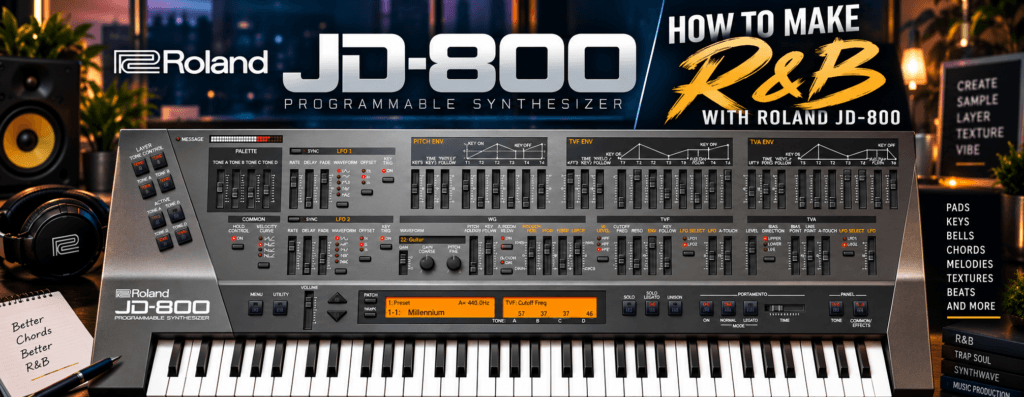
That’s exactly where the Roland JD-800 can shine.
The JD-800 has a distinctly digital character that works beautifully for atmospheric R&B. Its layered architecture makes it especially useful for lush pads, glassy keys, bells, evolving textures, and melodic sounds that can sit behind a vocalist without dominating the record.
In this guide, we’ll explore how to make R&B with the Roland JD-800, from choosing sounds and building extended chords to layering textures, programming melodies, adding effects, and arranging everything into a finished track.
Why the Roland JD-800 Works for R&B
The JD-800 traces its roots back to Roland’s original 1991 hardware synthesizer.
What makes it interesting for modern R&B isn’t simply its vintage status. It’s the combination of digital waveforms, four-Tone layering, filters, envelopes, modulation, and effects.
That gives us several sounds that fit naturally into R&B:
- Lush pads
- Digital keys
- Bells
- Plucks
- Atmospheric textures
- Soft leads
- Evolving backgrounds
- Experimental sample material
The JD-800 doesn’t have to sound retro, either.
Pair its unmistakably digital textures with modern drums, 808s, vocal production, and contemporary mixing techniques, and you can create something that feels completely current.
1. Start With the Chords
For this type of production, I like starting with harmony before worrying about drums.
And instead of basic major and minor triads, let’s use the JD-800 to explore the richer harmony associated with R&B.
Think:
Major 7ths
Minor 7ths
Major 9ths
Minor 9ths
Add9 chords
11ths
Suspended voicings
The synth patch doesn’t need to be complicated if the harmony already sounds interesting.
Example R&B Progression
Let’s work in E minor.
Try:
Em9 → Cmaj9 → Am9 → Bm7
The notes could be:
Em9: E – G – B – D – F#
Cmaj9: C – E – G – B – D
Am9: A – C – E – G – B
Bm7: B – D – F# – A
You don’t necessarily need to play every note.
In fact, spreading the voicing between both hands usually sounds better.
For example:
Left hand: root + fifth
Right hand: 7th + 9th + another chord tone
This leaves space in the middle while still giving you the sophisticated harmony we’re looking for.
2. Choose a JD-800 Pad
Now let’s find our main sound.
Start with one of the JD-800’s pad or atmospheric presets.
Don’t worry about finding the perfect preset.
Find something that’s approximately right.
We’re going to modify it.
Play the progression and listen.
Ask yourself:
Is the sound too bright?
Is it too aggressive?
Is the attack too fast?
Is there too much reverb?
Does it occupy too much low end?
Those questions tell you what needs changing.
3. Darken the Pad With the Filter
Modern R&B frequently benefits from sounds that feel slightly tucked behind the vocal.
One of the easiest ways to accomplish that is with the JD-800’s filter.
Lower the TVF cutoff.
You don’t need to completely remove the high frequencies.
Just soften them.
Compare the sound before and after.
The original patch might feel:
Bright → Forward → Digital
After filtering, it might become:
Dark → Warm → Atmospheric
That’s already pushing the JD-800 toward a more contemporary R&B aesthetic.
4. Slow Down the Attack
Next, adjust the amplitude envelope.
Increase the attack slightly.
Now your chords won’t immediately jump out every time you press a key.
They’ll fade into the production.
This works especially well when your drums have sharp transients.
The drums provide the attack.
The pad provides the atmosphere.
That’s an important production concept:
Not every instrument needs to occupy every role.
Let each sound do one job well.
5. Increase the Release
Now experiment with the release.
A slightly longer release lets one chord flow naturally into the next.
That can sound beautiful for slow R&B.
But don’t go crazy.
Too much release combined with reverb can cause consecutive chords to overlap until the harmony becomes muddy.
You’re looking for connection, not a giant wash of sound.
6. Understand the Four-Tone Advantage
This is where the JD-800 gets particularly interesting.
A Patch can contain up to four Tones.
Instead of thinking of these as four synths that all need to be huge, give each Tone a specific job.
For our R&B pad, we might create:
| Tone | Role |
|---|---|
| A | Warm foundation |
| B | High-frequency shimmer |
| C | Soft attack |
| D | Moving atmospheric texture |
Now the patch can change over time.
You hear the initial attack.
Then the main pad appears.
A subtle texture moves underneath.
And a quiet high-frequency layer provides air.
That’s much more interesting than simply making four identical layers louder.
7. Keep the Low End Under Control
This is extremely important.
Your JD-800 patch might sound amazing by itself.
Then you add an 808.
Suddenly everything sounds muddy.
That’s because both sounds are fighting for the same frequency range.
For most modern R&B productions, I’d let the JD-800 handle:
Harmony + width + texture
while the bass handles:
Low-end weight
You can reduce the low-frequency content of your synth patch using EQ or by changing the patch itself.
Don’t be afraid to make your synth sound slightly thinner in solo.
The listener hears the entire record, not your soloed pad.
8. Add a Second JD-800 Sound
Now let’s introduce another instrument.
Don’t add another huge pad.
Instead, find something that contrasts with it.
A bell or digital key works beautifully.
Try:
Pad = dark + wide + slow
and
Bell = bright + narrow + short
Now the sounds aren’t competing.
They’re complementing one another.
9. Create a Simple R&B Melody
This is where producers sometimes overcomplicate things.
Your melody doesn’t need 30 notes.
Take the notes from E natural minor:
E – F# – G – A – B – C – D
Now create a small phrase.
Maybe:
B → G → F# → E
Pause.
Then:
G → A → B
That’s enough.
Let the rhythm create the personality.
Try placing some notes slightly behind the beat.
Repeat the phrase but change the final note.
Leave empty space.
That space becomes extremely important once a vocalist enters the record.
10. Use Call and Response
Instead of having the melody play continuously, use call and response.
For example:
Bars 1–2: Bell melody
Bars 3–4: Silence
Bars 5–6: Variation
Bars 7–8: Different ending
You can also create the response using another JD-800 patch.
Perhaps:
Call: Bell
Response: Soft lead
Now your production feels conversational.
11. Add Subtle LFO Movement
Pads become much more interesting when they aren’t completely static.
This is where the JD-800’s LFOs become useful.
Try adding a very small amount of slow modulation.
You might modulate:
- Pitch
- Filter
- Amplitude
The key word is subtle.
You don’t necessarily want the listener thinking:
“That’s an LFO.”
You want them thinking:
“That pad feels alive.”
There’s a big difference.
12. Add Chorus for Width
The JD-800’s effects are a major part of its personality.
For R&B pads, chorus is an obvious starting point.
Add enough to create width and movement.
Then stop.
You don’t need every pad stretching infinitely across the stereo field.
Remember that vocals, background vocals, reverbs, delays, and other instruments will eventually occupy that space too.
13. Use Delay on the Melody
Instead of covering your bell or pluck with reverb, try delay.
A short melodic phrase followed by rhythmic repeats can create movement without requiring additional MIDI notes.
For example:
Play: B
Delay: repeat → repeat → repeat
Suddenly one note becomes part of the groove.
Experiment with delay timing until the repeats interact with your drums.
14. Be Careful With Reverb
The JD-800 practically begs you to add reverb.
And that’s dangerous.
Because it sounds fantastic.
You load an atmospheric patch, add a huge reverb and suddenly you’re floating through space.
Then you add everything else.
Now your mix sounds like it was recorded inside an aircraft hangar.
Use reverb intentionally.
Pads can usually tolerate more.
Bells and leads may need less.
Bass usually needs very little or none.
And sometimes the best thing you can do with a factory preset is turn the reverb down.
15. Add the Drums
Now that the harmonic foundation exists, let’s build the rhythm.
For modern R&B, you don’t necessarily need complicated drums.
Start with:
Kick
Snare or clap
Hi-hat
Percussion
808 or bass
Get the groove working before adding additional layers.
Depending on the style, something around 70–95 BPM can be a comfortable starting range, although R&B obviously extends far beyond that.
The important thing is the pocket.
16. Don’t Quantize Everything Perfectly
Perfect timing isn’t always better timing.
R&B often benefits from a slightly relaxed groove.
You might experiment with:
- Moving snares slightly
- Adjusting hi-hat timing
- Changing velocities
- Leaving some percussion unquantized
- Playing keyboard parts manually
You don’t need to make the timing sloppy.
You’re simply introducing enough variation that the production doesn’t feel mechanically rigid.
17. Add the Bass or 808
Now create the low-end foundation.
Start with the root notes:
E → C → A → B
That’s already enough to establish the harmony.
Then experiment with passing notes or rhythmic changes.
Don’t make the bass complicated just because the chords are sophisticated.
In many R&B productions, the contrast works beautifully:
Complex chords + simple bass
Your extensions provide harmonic color while the bass keeps the listener grounded.
18. Layer a Texture Behind Everything
Now let’s use the JD-800 for something less obvious.
Find an atmospheric or strange digital patch.
Play a sustained note or chord.
Bounce it to audio.
Then:
- Reverse it
- Filter it
- Pitch it
- Stretch it
- Add reverb
- Chop it
Turn it down until you can barely hear it.
Now mute it.
If the record suddenly feels smaller, you’ve found the right level.
These barely audible details can make a production feel much more expensive.
19. Create a JD-800 Sample
Another great approach is to stop treating the JD-800 like a synthesizer altogether.
Make your own sample.
Record eight bars containing:
Pad
Keys
Bell
Texture
Bounce everything into one audio file.
Now manipulate it like you found it on an old record.
Pitch it down.
Chop it.
Reverse a section.
Filter the highs.
Add saturation.
You can even load the resulting audio into your sampler and build an entirely new beat around it.
This allows you to capture the JD-800 character without making the finished production obviously sound like a synthesizer demo.
20. Arrange the Beat Around the Vocal
Even if you don’t have a vocalist yet, arrange as if you do.
This changes everything.
A useful structure might look like:
Intro – 8 bars
Pad + texture
Verse – 16 bars
Chords + drums + bass
Pre-Chorus – 8 bars
Add bell or additional texture
Chorus – 8 bars
Full pad + drums + bass + melodic response
Verse 2 – 16 bars
Strip elements away again
Bridge – 8 bars
New JD-800 texture or chord variation
Final Chorus – 8–16 bars
Full arrangement
Outro – 4–8 bars
Pad + effects
The exact structure isn’t important.
The movement is.
21. Don’t Let Every Instrument Play Constantly
This is one of the easiest ways to make an R&B arrangement sound more professional.
Remove things.
Maybe the bell only appears during the chorus.
Maybe the pad disappears for four bars during the verse.
Maybe the drums drop out before the hook.
Maybe the texture only appears during transitions.
The listener notices something returning when they’ve had time to miss it.
22. Automate the JD-800
Automation can turn a static loop into an arrangement.
Try automating:
Filter cutoff
Open it slightly during the chorus.
Reverb
Increase it during transitions.
Delay
Throw a delay onto the last note before a new section.
Volume
Fade atmospheric layers in and out.
Effects
Change processing between sections.
You don’t necessarily need a completely new chord progression for every section.
Sometimes changing the sound of the progression creates enough movement.
23. Make Room for Vocals
This might be the most important R&B production lesson in this entire guide.
Your instrumental doesn’t need to sound completely full by itself.
That’s because something important is missing:
The singer.
If every frequency range is already packed with synths, melodies, textures, and effects, the vocalist has nowhere to go.
Leave room.
That might mean simplifying your JD-800 patch.
Removing one Tone.
Reducing reverb.
Filtering the pad.
Deleting part of the melody.
Or muting an instrument entirely during the verse.
Sometimes the best production decision isn’t adding something.
It’s deleting something.
A Simple JD-800 R&B Recipe
If you want a repeatable starting workflow, try this:
- Choose a key and BPM.
- Create a 7th/9th chord progression.
- Find a JD-800 pad.
- Darken it with the filter.
- Adjust Attack and Release.
- Remove unnecessary Tone layers.
- Add a contrasting bell or key.
- Write a short melody.
- Add subtle chorus/delay/reverb.
- Program drums with a relaxed groove.
- Add a simple bass or 808.
- Create one atmospheric texture.
- Arrange the beat beyond the original eight-bar loop.
- Automate the JD-800 between sections.
- Remove anything that competes with the imaginary vocalist.
That’s enough to build an entire record.
Final Thoughts
The secret to making R&B with the Roland JD-800 isn’t trying to make the synth do everything.
It’s using what the JD-800 does particularly well.
Its pads, digital keys, bells, layered textures, modulation, filters, and effects give you an excellent palette for creating emotional production.
Combine that with extended chords, intentional voicings, simple melodies, modern drums, a controlled low end, and plenty of space for vocals, and the JD-800 can sound surprisingly at home in contemporary R&B.
And don’t be afraid to go beyond the presets.
Solo the Tones.
Change the waveforms.
Darken the filters.
Adjust the envelopes.
Reduce the effects.
Resample your own patches.
The original JD-800 may come from another era, but that doesn’t mean your music has to.
Use its character as raw material and build something modern around it.