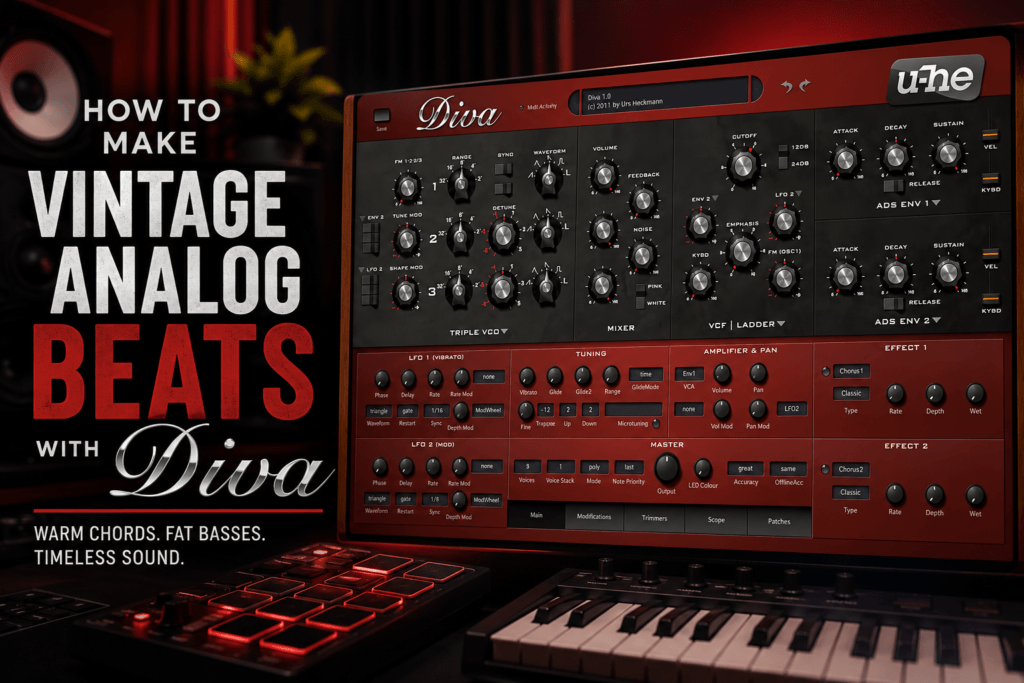
 Whether you’re producing hip-hop, R&B, synthwave, lo-fi, or pop, u-he Diva is one of the best software synthesizers for creating warm, analog-inspired sounds. Its detailed oscillator and filter models capture the character of classic hardware synths, making it easy to build rich chords, expressive leads, and thick basses that instantly elevate your productions.
In this guide, you’ll learn how to use Diva to create a professional beat from scratch—from selecting sounds to mixing them into a polished track.
Why Use Diva for Beat Making?
Unlike many modern synthesizers that focus on wavetable or granular synthesis, Diva specializes in authentic analog tone.
That makes it ideal for creating:
- Warm chord progressions
- Thick analog basses
- Dreamy pads
- Vintage leads
- Funk-inspired keyboards
- Retro synthwave textures
- Atmospheric intros
If you love the sounds of artists like The Weeknd, Bryson Tiller, Brent Faiyaz, Tyler, The Creator, or Childish Gambino, Diva fits right into that sonic palette.
Step 1: Choose Your Beat Tempo
Before opening Diva, establish the vibe of your production.
Here are a few tempo suggestions:
| Style | BPM |
|---|---|
| Trap Soul | 72–80 |
| R&B | 75–90 |
| Hip-Hop | 85–95 |
| Pop | 95–110 |
| Synthwave | 90–110 |
For this tutorial, we’ll use:
80 BPM in E Minor
This gives us plenty of room for warm melodies and emotional chord progressions.
Step 2: Build the Main Chords
Great beats usually start with memorable harmony.
Open Diva and browse the Poly Synth or Pad presets.
Look for sounds that have:
- Slow attack
- Warm filters
- Wide stereo image
- Gentle chorus
- Analog detuning
Try a progression like:
Em7 – Cmaj7 – Gmaj7 – Dadd9
These seventh chords immediately create a smooth, emotional atmosphere that’s perfect for modern R&B and melodic trap.
Don’t worry about making the progression too complicated. Diva’s rich tone does much of the work for you.
Step 3: Layer an Atmospheric Pad
Now duplicate your chord progression onto a second Diva instance.
Instead of another keyboard sound, choose a lush pad.
Lower the pad’s volume so it sits underneath your primary chords.
This creates:
- Width
- Depth
- Warmth
- Stereo movement
Pads help fill empty space without distracting from the main melody.
For even more movement, automate Diva’s filter cutoff to slowly open during transitions.
Step 4: Create an Analog Bass
Although 808s dominate modern hip-hop, layering them with an analog bass can produce a fuller, more expensive sound.
Choose a bass preset featuring:
- One or two oscillators
- Low-pass filter
- Slight saturation
- Minimal effects
Write a simple bassline that follows your root notes.
Example:
E → C → G → D
Keep the rhythm simple and let the tone carry the groove.
If you’re using an 808, roll off some sub frequencies in the Diva bass so the two instruments complement each other instead of competing.
Step 5: Add a Lead Melody
Now it’s time to create something memorable.
Browse Diva’s lead presets until you find one that feels expressive.
Good lead sounds usually include:
- Light vibrato
- Moderate glide
- Filter movement
- Slight chorus
Keep your melody simple.
Sometimes just five or six notes repeated creatively become the hook of the beat.
Experiment with call-and-response phrases between your lead and chord progression.
Step 6: Add Texture with Plucks
One of the easiest ways to make a beat feel more professional is adding subtle supporting melodies.
Create another Diva track and choose an analog pluck.
Play short notes that answer your lead melody.
Pan these slightly left or right.
Lower their volume.
These tiny details make your production feel bigger without becoming cluttered.
Step 7: Program Your Drums
Once your melodic foundation is complete, add drums.
A basic trap groove might include:
Kick
- Strong downbeats
- Syncopated accents
Snare
- Beats 3 and 7 (half-time feel)
Hi-Hats
- 1/16 notes
- Rolls
- Velocity changes
- Triplets
Percussion
- Rimshots
- Open hats
- Shakers
- Reverse effects
Because Diva already fills much of the harmonic space, your drum programming doesn’t need to be overly complex.
Focus on groove instead of quantity.
Step 8: Use Automation for Movement
One reason analog synthesizers feel alive is constant motion.
Automation can recreate that effect.
Try automating:
- Filter cutoff
- Resonance
- Chorus depth
- Delay send
- Reverb amount
- Pan
- LFO speed
Open the filter during your chorus.
Close it during the verse.
These subtle changes keep listeners engaged.
Step 9: Stack Diva Sounds
Professional productions rarely rely on one synth alone.
Try layering:
- Pad + Poly Synth
- Lead + Pluck
- Bass + 808
- Keys + Strings
Because Diva has such a consistent analog character, multiple instances blend together naturally.
Just be mindful of CPU usage.
Step 10: Mix Your Beat
A great sound still needs a balanced mix.
EQ
High-pass pads around 150–200 Hz.
Cut muddiness around 250–400 Hz if needed.
Boost air above 8 kHz only when necessary.
Compression
Most Diva sounds don’t require heavy compression.
Use gentle compression only to control peaks.
Stereo Width
Leave bass sounds centered.
Spread pads and atmospheric textures wider.
Reverb
Diva’s built-in effects sound excellent, but adding a bus reverb can help glue your instruments together.
Saturation
Light tape or analog saturation complements Diva beautifully and enhances its vintage character.
Managing Diva’s CPU Usage
Diva is famous for its incredible sound—but also for demanding more processing power than many other synthesizers.
To keep your sessions running smoothly:
- Use Draft mode while composing.
- Switch to Great or Divine quality before exporting.
- Freeze tracks after recording MIDI.
- Bounce completed parts to audio.
- Reduce unnecessary polyphony.
- Disable unused effects.
These small workflow changes make even large projects much easier to manage.
Final Thoughts
u-he Diva remains one of the best software synthesizers for producers who want authentic analog character in their beats. Its warm oscillators, expressive filters, and lush presets make it a powerful choice for creating everything from soulful R&B to hard-hitting hip-hop and cinematic synthwave.
Rather than relying on overly complex sound design, Diva encourages you to focus on musical ideas. Pair expressive chord progressions with tasteful layering, subtle automation, and a solid drum groove, and you’ll have beats that feel polished, timeless, and full of personality.
Whether you’re producing your next BeatStars release or crafting tracks for artists, Diva is a synth that can inspire ideas for years to come.