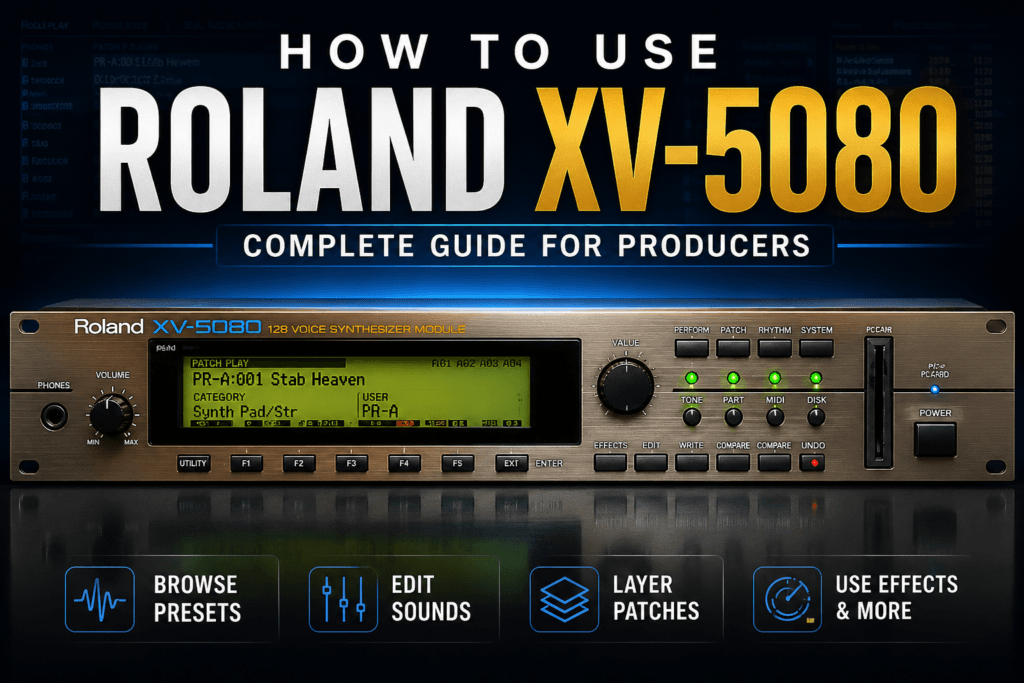
 How To Use Roland XV-5080 VST: A Complete Guide for Music Producers
The Roland XV-5080 is one of those instruments that can easily become a go-to sound source once you understand what it can do.
Originally released as a hardware sound module in 2000, the XV-5080 became popular for its huge collection of realistic instruments, synth sounds, pads, drums, orchestral textures, and classic Roland patches. Today, Roland has recreated the instrument in software, giving producers access to the XV-5080 sound without needing the original rack-mounted hardware.
If you’re wondering how to use Roland XV-5080, the good news is that you don’t need to understand every parameter before you start making music with it.
In this guide, we’ll walk through the XV-5080 workflow, choosing sounds, editing patches, using effects, creating layered sounds, and incorporating the plugin into Hip Hop, R&B, Trap Soul, Pop, and other styles of music.
What Is the Roland XV-5080?
The Roland XV-5080 is a software recreation of Roland’s classic XV-5080 128-Voice Synthesizer Module.
The original XV-5080 was essentially a massive workstation-style sound module designed to give musicians access to a wide range of sounds from one piece of hardware.
Instead of specializing in one type of synthesis, it offered a large collection of sounds including:
- Acoustic and electric pianos
- Electric pianos
- Strings
- Brass
- Guitars
- Bass
- Synth leads
- Synth pads
- Bells
- Plucks
- Choirs
- Orchestral instruments
- Percussion
- Drum kits
- Sound effects
- Atmospheric textures
That variety is still one of the biggest reasons to use the XV-5080 today.
For modern producers, you can think of it as a massive Roland sound library inside a single instrument.
How To Use Roland XV-5080
The easiest way to start using the Roland XV-5080 is to treat it like a sound module rather than immediately trying to build patches from scratch.
Load the plugin into your DAW, browse through the available patches, find something that fits your track, and start playing.
Once you find a sound you like, you can begin adjusting the patch to fit your production.
A basic workflow looks like this:
- Load XV-5080 into your DAW.
- Browse the available patches.
- Choose a sound category.
- Play the sound in the context of your beat.
- Adjust its tone and envelope if necessary.
- Add or modify effects.
- Layer it with other instruments when needed.
This approach keeps you focused on making music instead of getting lost in sound design.
Browsing Sounds in Roland XV-5080
One of the first things you’ll want to learn is the XV-5080’s browser.
Because the instrument contains so many sounds, browsing by category is usually much faster than randomly clicking through presets.
For example, if you’re making an R&B beat, you might start with categories containing:
Electric Pianos
These work extremely well for R&B, Neo Soul, Trap Soul, and laid-back Hip Hop.
Pads
Pads are useful for creating atmosphere behind your main chord progression.
Synths
The synth categories contain leads, keys, plucks, basses, and other electronic sounds.
Strings
Strings can add emotion and movement to Hip Hop and R&B arrangements.
Bells and Mallets
These can work especially well for melodic Trap and darker R&B productions.
The important thing is to browse with a purpose.
Instead of asking:
“Which preset sounds the coolest?”
Ask:
“What does my beat need right now?”
That small change can dramatically improve your sound selection.
Understanding XV-5080 Patches
A major concept to understand when learning how to use the Roland XV-5080 is the way patches are constructed.
XV-5080 patches can contain multiple Tones.
Each Tone can use its own waveform and various synthesis settings. Those Tones can then be combined to create a more complex patch.
For example, a pad might combine:
- A warm synth waveform
- A string-like waveform
- A bright digital texture
- A subtle atmospheric layer
Together, those elements create one complete preset.
This is why many XV-5080 sounds can feel much bigger than a basic single-oscillator synth patch.
You don’t necessarily need to edit every Tone individually, but understanding that multiple layers may be creating the sound makes editing much easier.
Editing Sounds in Roland XV-5080
Once you find a preset that’s close to what you want, you can customize it.
This is where the XV-5080 becomes much more powerful than a simple preset player.
Instead of searching endlessly for the “perfect” sound, find something close and shape it.
Some of the most useful parameters to experiment with include:
Filter
The filter lets you control the brightness of a sound.
Reducing the cutoff can make a patch darker and smoother.
This is particularly useful for R&B and Trap Soul.
If a pad sounds too bright, for example, lowering the filter cutoff can push it behind your vocals, drums, or main melody.
Increasing the cutoff can make the sound brighter and more aggressive.
Resonance
Resonance emphasizes frequencies around the filter cutoff point.
Small amounts can add character.
Higher settings can create more obvious electronic or synth-like sounds.
For natural instruments, you’ll usually want to use resonance carefully.
Attack
Attack determines how quickly the sound reaches its full volume.
Short attack times work well for:
- Plucks
- Pianos
- Bells
- Percussive sounds
Longer attack times work well for:
- Pads
- Strings
- Ambient textures
- Background layers
Increasing the attack of a pad can help it slowly fade underneath your chords.
Release
Release controls how long the sound continues after you release the keys.
Increasing the release can create a smoother, more atmospheric sound.
Shortening it can make the instrument feel tighter and more rhythmic.
This is particularly useful when you’re trying to fit a patch around busy drums.
Use the XV-5080 Like a Rompler
One of the best ways to approach the XV-5080 is as a rompler.
A rompler uses sampled waveforms as the foundation of its sounds.
Instead of always generating basic oscillator shapes like a traditional analog synthesizer, instruments like the XV-5080 give you access to a large library of sampled material.
That means you can quickly move between realistic instruments and synthetic textures.
You might use:
- Piano for your chords
- Strings for the chorus
- Synth bass for the low end
- Bells for the melody
- Pads for atmosphere
And all of those sounds can come from the same plugin.
How To Use XV-5080 for R&B
The XV-5080 works extremely well for R&B because many of its sounds have the polished workstation character associated with late-’90s and early-2000s production.
Start with an electric piano or soft keyboard patch.
Try playing extended chords such as:
Cm9 – Abmaj7 – Ebmaj9 – Bb7
Instead of immediately adding another melody, layer a soft pad underneath those chords.
Lower the pad’s filter cutoff and increase its attack.
Now the electric piano provides the definition while the pad creates atmosphere.
Add a subtle bell, guitar, or synth texture for your melody.
This creates a full arrangement without requiring dozens of instruments.
How To Use XV-5080 for Hip Hop
For Hip Hop, the XV-5080 can work extremely well as a source for melodies that you later manipulate.
Try loading a:
- Piano
- String patch
- Choir
- Guitar
- Bell
- Mallet
- Vintage synth
Create a short four- or eight-bar progression.
Then bounce that progression to audio.
Once it’s audio, you can:
- Chop it
- Reverse sections
- Pitch it down
- Pitch it up
- Filter it
- Resample it
- Add saturation
- Add vinyl effects
- Time-stretch it
This can make a clean XV-5080 preset feel more like an obscure sample.
How To Use XV-5080 for Trap Soul
Trap Soul is another genre where the XV-5080 shines.
Look for sounds that have a darker or more emotional character.
Good starting points include:
- Dark electric pianos
- Bells
- Soft plucks
- Atmospheric pads
- Strings
- Choirs
- Synth textures
Try creating your main progression with an electric piano.
Then duplicate the MIDI onto another XV-5080 instance containing a pad.
Lower the pad an octave or adjust its voicing.
Reduce the filter cutoff.
Increase the attack.
Turn the layer down significantly.
Now the pad becomes something you feel more than hear.
Add a simple bell melody over the top and leave plenty of space for the drums and vocals.
Layering Sounds
Layering is one of the easiest ways to get more out of the XV-5080.
Instead of searching for one massive preset, combine several simple sounds.
For example:
Layer 1: Electric piano
Layer 2: Warm pad
Layer 3: Strings
The electric piano provides clarity.
The pad provides width and atmosphere.
The strings provide emotion.
The trick is not letting every layer dominate the mix.
Usually, your supporting layers should be quieter than your main instrument.
Use Octaves When Layering
Another useful trick is spreading layers across different octaves.
Imagine your main electric piano is playing around the middle of the keyboard.
Instead of placing every additional layer in the same register, try moving the pad or strings higher.
You could have:
Low register: Bass
Mid register: Electric piano
Upper-mid register: Pad
High register: Bell or lead
This creates separation before you even start mixing.
Good arrangement can eliminate many mixing problems.
Using Effects in Roland XV-5080
Effects are a major part of the XV-5080 sound.
Depending on the patch, effects can dramatically change its character.
You’ll typically want to experiment with processing such as:
- Reverb
- Chorus
- Delay
- Modulation
- Distortion
- EQ
- Other multi-effects
Reverb can make a sound feel larger and more distant.
Chorus can add width and movement.
Delay can create rhythmic space around melodies.
The key is using effects intentionally.
For example, if you’re creating a dark Trap Soul beat, try placing a large reverb on a bell sound while reducing the dry signal.
That can push the bell into the background and create an atmospheric texture.
Don’t Forget Your DAW Effects
You don’t have to rely exclusively on the XV-5080’s internal processing.
Sometimes the easiest workflow is to find a great dry or lightly processed sound and continue shaping it with your DAW.
A simple chain might be:
XV-5080 → EQ → Saturation → Chorus → Reverb
You could also add:
- Tape effects
- Compression
- Delay
- Filters
- Lo-fi processing
- Stereo effects
This allows the classic XV-5080 sound palette to fit comfortably into modern productions.
Turn Presets Into Your Own Sounds
One mistake producers sometimes make with romplers is believing that using presets means the sounds can’t be original.
The preset should be your starting point.
For example, take an XV-5080 electric piano and:
- Lower the filter cutoff.
- Increase the release.
- Add chorus.
- Add saturation.
- Add reverb.
- Layer a quiet pad underneath.
- Bounce everything to audio.
- Pitch the audio down.
- Filter the high frequencies.
The finished sound may barely resemble the original preset.
That’s where sound selection turns into sound design.
Create Your Own Favorite Sound Collection
The XV-5080 contains a huge number of patches.
You probably won’t need all of them.
As you explore the instrument, start identifying sounds that consistently work for your productions.
Create categories such as:
R&B Keys
Your favorite electric pianos, acoustic pianos, and keyboard sounds.
Dark Melodies
Bells, plucks, guitars, and atmospheric instruments.
Pads
Your favorite background textures.
Vintage Sounds
Patches with strong ’90s and early-2000s character.
Sample Starters
Sounds that work particularly well when bounced and manipulated.
Eventually, you’ll have your own smaller collection inside the much larger XV-5080 library.
That can dramatically speed up your workflow.
A Simple Roland XV-5080 Beat-Making Workflow
Here’s a practical way to use the XV-5080 when starting your next beat.
Step 1: Choose Your Main Instrument
Start with something capable of carrying the harmony.
An electric piano, piano, guitar, or synth key is usually a good choice.
Step 2: Write the Chord Progression
Create a four- or eight-bar progression.
Don’t worry about layering yet.
Make sure the progression works with one instrument first.
Step 3: Add Atmosphere
Load another XV-5080 instance.
Choose a pad or string patch.
Copy your chord MIDI to the new instrument.
Adjust the voicing and volume until it supports the main chords rather than competing with them.
Step 4: Add a Melody
Choose a contrasting sound.
Bells, plucks, guitars, and synth leads can work well.
Keep the melody relatively simple.
Step 5: Add Bass
Choose an appropriate bass sound or use a dedicated bass instrument.
Follow the harmonic movement of your progression while leaving room for your kick.
Step 6: Add Drums
Build your drum groove around the musical foundation.
For R&B and Trap Soul, resist the temptation to overfill the pattern.
Space is part of the groove.
Step 7: Arrange the Beat
Don’t stop at the eight-bar loop.
Create sections such as:
Intro → Verse → Chorus → Verse → Chorus → Bridge → Final Chorus → Outro
Remove and reintroduce XV-5080 layers throughout the arrangement.
For example, the intro might contain only electric piano.
The verse could introduce drums and bass.
The chorus could bring in the pad and strings.
This creates movement without requiring completely different melodies.
Best Tips for Using Roland XV-5080
The biggest mistake you can make with an instrument this large is trying to use everything.
Instead, focus on a few habits:
- Browse sounds based on what your arrangement needs.
- Modify presets instead of endlessly searching for new ones.
- Use filters to control brightness.
- Adjust attack and release to change the character of patches.
- Layer sounds carefully.
- Spread instruments across different octaves.
- Combine internal and external effects.
- Save your favorite sounds.
- Bounce patches to audio for additional manipulation.
- Remove layers during arrangement to create movement.
Most importantly, don’t judge XV-5080 sounds exclusively while playing them solo.
Listen to them inside the beat.
A preset that sounds ordinary by itself may sit perfectly once drums, bass, vocals, and other instruments are playing.
Is Roland XV-5080 Still Worth Using?
Absolutely.
The appeal of the XV-5080 isn’t necessarily that it gives you the newest synthesis technology.
Its strength is its sound palette.
It gives producers access to a huge collection of Roland-style workstation sounds that can cover everything from realistic instruments to atmospheric digital textures.
It’s especially useful for producers working in:
- Hip Hop
- R&B
- Trap Soul
- Pop
- Neo Soul
- Lo-fi
- Gospel
- Electronic music
- Cinematic production
And because many of these sounds come from an era that heavily influenced modern Hip Hop and R&B, they can bring a different character to productions compared with newer software instruments.
Final Thoughts
Learning how to use Roland XV-5080 doesn’t require mastering every page of the instrument.
Start simple.
Load a patch.
Play it.
Adjust the filter.
Experiment with the envelope.
Add effects.
Layer another sound.
Then make music.
As you become more comfortable with the instrument, you can dive deeper into its individual Tones, waveforms, modulation, effects, and more advanced patch editing.
The XV-5080 is at its best when you stop treating its presets as finished sounds and start treating them as raw material for your productions.
Whether you’re creating smooth R&B chords, dark Trap Soul melodies, soulful Hip Hop samples, or polished Pop arrangements, the Roland XV-5080 gives you an enormous collection of sounds that can continue finding their way into new productions for years.