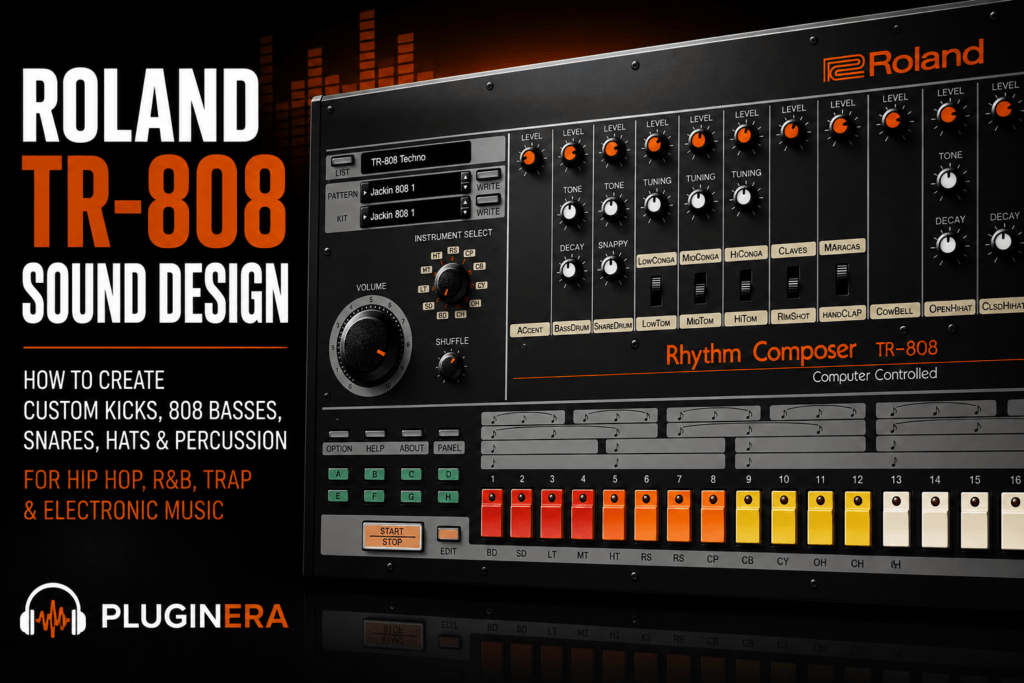
 Roland TR-808 Sound Design: How to Create Custom 808 Drums
The Roland TR-808 is one of the most recognizable drum machines ever created, but its familiar sound doesn’t mean every 808 beat has to sound the same.
You can take the familiar TR-808 bass drum, snare, toms, cymbals, and hi-hats and adjust them to better fit your production. Add the plugin’s tuning, decay, tone, overdrive, sequencing, and individual processing possibilities, and the TR-808 becomes much more than a collection of classic drum sounds.
It becomes a sound-design instrument.
In this Roland TR-808 sound design guide, we’ll explore how to create custom kicks, bass-heavy 808s, snares, hi-hats, percussion, and complete drum kits for hip hop, R&B, Trap Soul, pop, and electronic music.
What Is Roland TR-808 Sound Design?
When producers hear “808,” they often immediately think about bass.
But the TR-808 is an entire drum machine.
The classic sound palette includes:
- Bass drum
- Snare drum
- Toms
- Congas
- Rim shot
- Hand clap
- Cowbell
- Maracas
- Cymbal
- Open hi-hat
- Closed hi-hat
Roland TR-808 sound design is about taking those recognizable starting points and shaping them for a specific production.
Instead of asking:
“Which 808 sample should I use?”
You can start asking:
“What should my 808 sound like?”
That change in mindset can make the TR-808 much more powerful.
Why Design Your Own TR-808 Sounds?
There are thousands of 808 sample packs available.
Many of them are excellent.
But samples have one obvious limitation: you’re starting with someone else’s finished sound.
Maybe the kick is too long.
Maybe it’s too distorted.
Maybe the snare is too bright.
Maybe the 808 bass doesn’t sit properly underneath your chords.
You can process samples, of course, but starting with the actual TR-808 instrument gives you another level of control.
You can create the sound around the beat rather than trying to force the beat around the sample.
That’s particularly useful for producers who regularly make hip hop and R&B.
Start With the TR-808 Bass Drum
If you’re learning Roland TR-808 sound design, the bass drum is the obvious place to begin.
It’s arguably the most influential sound on the entire machine.
The TR-808 bass drum can perform several completely different roles depending on how you shape it.
It can be:
- A short punchy kick
- A deep R&B kick
- A sustained 808 bass
- A distorted trap 808
- A soft sub kick
- A layered low-frequency foundation
The key is understanding the relationship between tone, tuning, decay, and processing.
1. Create a Short, Punchy Hip-Hop Kick
Not every 808 kick needs to shake the room for five seconds.
For traditional hip hop, boom bap, or productions with a separate bassline, try creating a shorter TR-808 kick.
Start by reducing the decay.
You want enough low-frequency body to hear the unmistakable TR-808 character without allowing the tail to interfere with the bass.
Then adjust the tone until the kick has enough definition.
Your goal is something that feels like:
THUMP
rather than:
BOOOOOOM.
This works particularly well when you’re using:
- Electric bass
- Synth bass
- Sampled bass
- Bass guitar
- Low piano notes
The shorter kick leaves room for those instruments.
2. Create a Deep R&B 808 Kick
For contemporary R&B, you might want something softer and deeper.
Start with the bass drum and increase the decay moderately.
You don’t necessarily need the enormous sustain associated with trap.
Instead, aim for a warm low-frequency tail that extends underneath the groove without dominating it.
Try lowering the kick slightly in the mix.
This creates a smoother foundation for:
- Rhodes
- Electric piano
- Pads
- Synths
- Guitar
- Vocals
In R&B, an 808 doesn’t always need to be aggressive.
Sometimes the best 808 is one you feel more than hear.
3. Turn the TR-808 Kick Into a Bass
Now increase the decay further.
At longer settings, the TR-808 kick begins behaving more like a sustained bass note.
This is where tuning becomes extremely important.
Suppose your song is in C minor.
You could tune the main 808 around C and then use other notes from the scale to create movement.
For example:
C → Ab → Bb → G
Or keep it extremely simple:
C → C → Ab → G
The 808 is now functioning as both a rhythmic and melodic element.
This technique works especially well for:
- Trap
- Trap Soul
- Modern R&B
- Southern hip hop
- Alternative hip hop
Once the kick has significant sustain, think of it as a bass instrument, not merely a drum.
4. Tune Your 808 to the Song
Tuning is one of the most important parts of TR-808 sound design.
If the bass drum has a short decay, exact tuning may be less noticeable.
As decay increases, pitch becomes increasingly obvious.
Imagine you’re producing in F minor.
Your root note is F.
Start by tuning your sustained 808 around F.
You can then experiment with notes belonging to the scale:
F – G – Ab – Bb – C – Db – Eb
You don’t have to follow the chord root every time the chord changes.
The important thing is avoiding low-frequency notes that fight against the harmony.
5. Add Harmonics With Overdrive
Deep sub frequencies can sound incredible on studio monitors or a good subwoofer.
But they can disappear on:
- Phones
- Tablets
- Small Bluetooth speakers
- Laptop speakers
One solution is saturation.
The Roland TR-808 software allows you to introduce overdrive into the modeled circuitry.
As you increase the drive, additional harmonics can make the 808 easier to perceive on smaller playback systems.
Start subtly.
Increase the overdrive until you notice more character and presence.
Then compare it against the clean version.
For modern R&B, you may only need a small amount.
For aggressive hip hop or trap, push it harder.
6. Create a Distorted Trap 808
Want something more aggressive?
Start with:
- Long decay
- Correct tuning
- Moderate-to-heavy overdrive
Then process the output further in your DAW.
Try adding:
Saturation → EQ → Soft Clipping
The saturation creates harmonics.
EQ shapes the resulting tone.
Soft clipping controls peaks while adding additional aggression.
You can also experiment with filtering some extreme low frequencies before distortion if the result becomes too uncontrolled.
The goal isn’t simply making the 808 louder.
You’re changing its texture.
7. Design a Cleaner Sub 808
Sometimes you want the opposite.
Instead of distortion, create a smooth sub-heavy 808.
Use a longer bass-drum decay but keep overdrive low.
Tune it carefully.
Avoid unnecessary processing.
Then balance it underneath the rest of the production.
This can work beautifully for minimal R&B where you want the low end to feel huge without sounding aggressive.
A clean 808 also leaves more room for vocals.
8. Shape the TR-808 Snare
The TR-808 snare has a distinctly synthetic sound.
Roland gives you controls including tone and snappy, allowing you to change its character.
Tone changes the overall tonal balance.
Snappy affects the noisy, snare-like portion of the sound.
Experiment with these controls together.
Softer R&B Snare
Try reducing some of the aggressive snap and keeping the snare relatively warm.
Add a small amount of reverb afterward.
Brighter Hip-Hop Snare
Increase the snappy character and adjust the tone for more presence.
You can then layer it with another snare if you need additional punch.
9. Layer the TR-808 Snare
Sound design doesn’t have to happen entirely inside one instrument.
Layering is one of the easiest ways to transform the TR-808.
Try combining:
TR-808 Snare + Acoustic Snare
or:
TR-808 Snare + Modern Electronic Snare
The TR-808 can provide the body and character while the second sample provides the transient.
Adjust their levels carefully.
You usually don’t need both sounds equally loud.
You can also slightly change the timing of one layer to create a wider or looser effect.
10. Transform the Hand Clap
The classic TR-808 clap is instantly recognizable.
That makes it both useful and challenging.
If you use it completely dry, listeners immediately hear the classic 808 character.
But effects can push it somewhere different.
Try sending the clap into:
- Short room reverb
- Plate reverb
- Delay
- Saturation
- Chorus
- Filtering
For modern R&B, a filtered clap with a spacious reverb can work extremely well.
You can also layer it quietly underneath another clap or snare.
11. Design Better Closed Hi-Hats
TR-808 hi-hats have a metallic character that cuts through a mix easily.
That means they don’t always need to be loud.
Start by adjusting their level.
Then consider processing.
A little saturation can make them more aggressive.
Filtering can soften them.
Reverb can push them further into the background.
You can even combine the TR-808 closed hat with a modern hi-hat sample.
The 808 provides metallic texture while the modern sample provides the transient.
12. Use Decay to Shape the Open Hi-Hat
The open hi-hat gives you another important sound-design control: decay.
Longer decay creates a more obvious wash.
Shorter decay creates something closer to a quick accent.
For busy hip-hop drums, shorter settings can keep the groove cleaner.
For spacious R&B, longer open hats can help create atmosphere.
Try using different decay characteristics during different song sections.
Your chorus could have longer open hats while the verse stays tighter.
13. Turn the Rim Shot Into an Atmospheric R&B Texture
The rim shot doesn’t have to remain dry.
Try this chain:
TR-808 Rim → Filter → Delay → Reverb
Keep the effect relatively low in the mix.
Now the rim becomes an atmospheric rhythmic element rather than an obvious drum-machine hit.
This works beautifully around:
- Rhodes chords
- Guitar
- Pads
- Vocal textures
Experiment with stereo delay to make the rim bounce around the edges of the mix.
14. Make the Cowbell Sound Completely Different
Everyone recognizes the TR-808 cowbell.
So destroy it.
Seriously.
The cowbell is an excellent source for creative sound design because its original tone is so distinctive.
Try:
Cowbell → Pitch Processing → Saturation → Reverb
Or:
Cowbell → Filter → Delay
You can transform it into:
- Melodic percussion
- Atmospheric hits
- Metallic textures
- Transition sounds
- Rhythmic accents
Resample the processed cowbell and manipulate it even further.
The goal doesn’t have to be preserving the original sound.
15. Use Toms as Melodic Percussion
The TR-808’s toms can be tuned.
That means they can become melodic percussion.
Try tuning the low, mid, and high toms to notes that complement your song.
For example, in C minor you might create:
C – Eb – G
Now your tom fill outlines a C minor chord.
That’s a simple sound-design trick, but it can make percussion feel much more connected to the music.
You can do the same with the congas.
16. Create Huge Tom Fills
For more dramatic hip-hop transitions, process the toms aggressively.
Try:
Toms → Saturation → Reverb
Then automate or print the result to audio.
You could reverse the reverb tail into the original tom hit.
That creates a rising transition effect leading into:
- Choruses
- Drops
- Verse changes
- Breakdowns
This takes the TR-808 beyond traditional drum programming and into full production sound design.
17. Use Pitch as a Sound-Design Tool
Don’t think of tuning only as something you do to the bass drum.
Pitch changes can dramatically alter percussion.
Experiment with the tuning controls available for the different TR-808 instruments.
Try creating:
- Deep toms
- Tiny high percussion
- Tuned 808 basses
- Unusual metallic hits
- Melodic percussion patterns
Small tuning adjustments can also help sounds fit together better as a complete kit.
18. Use Decay to Create Different Kits
One of the easiest ways to create multiple custom TR-808 kits is simply changing decay characteristics.
Tight Hip-Hop Kit
Use shorter decay settings.
The result is punchier and leaves more room for samples and basslines.
Spacious R&B Kit
Use longer, softer drum tails and more ambience.
Trap Kit
Use a long bass drum combined with tighter supporting percussion.
Retro Kit
Keep the sounds relatively close to their classic character.
You don’t necessarily need different plugins for every genre.
You can redesign the TR-808 around the production.
19. Create Movement With Velocity and Accents
Sound design isn’t limited to changing timbre.
How a sound is triggered affects how we perceive it.
Use accents and softer hits to create dynamics.
For example, instead of programming every closed hi-hat at the same intensity, alternate between stronger and softer hits.
You might create something like:
LOUD – soft – medium – soft
The actual sound hasn’t changed dramatically.
But the groove feels more alive.
This is particularly useful for R&B, where rigid drums can quickly fight against the relaxed feeling of the music.
20. Use Shuffle as Part of the Sound
Timing can almost function like an effect.
The Roland TR-808’s shuffle capabilities let you move away from perfectly straight programming.
A hat pattern with swing feels different from the exact same sound played completely straight.
That makes groove an important part of your sound-design process.
Try different shuffle amounts on:
- Hi-hats
- Percussion
- Toms
- Congas
You don’t necessarily need every instrument to have exactly the same rhythmic feel.
21. Create Polyrhythmic Percussion
The Roland TR-808 software provides individual last-step controls.
That opens up interesting rhythmic sound-design possibilities.
Imagine your main pattern uses 16 steps.
Now create a percussion element that repeats over 15 steps.
The relationship between the percussion and main drums will gradually shift as the pattern repeats.
You can use this to create evolving:
- Percussion
- Hi-hats
- Toms
- Cowbells
- Rim shots
It’s particularly effective for experimental R&B and alternative hip hop.
22. Process Individual TR-808 Outputs
Instead of processing the entire drum machine together, create individual channels for sounds such as:
Kick
Snare
Clap
Hi-Hat
Percussion
Now every instrument can have its own processing chain.
For example:
Kick
Saturation → EQ → Clipping
Snare
EQ → Compression → Reverb
Clap
Saturation → Delay → Reverb
Hats
EQ → Saturation
Percussion
Filter → Delay → Reverb
This dramatically expands what you can create from the original TR-808 palette.
23. Resample Your TR-808
Resampling is where things get really interesting.
Create a sound inside the TR-808.
Process it.
Then record or drag the resulting audio into your DAW.
Now manipulate the audio itself.
You can:
- Reverse it
- Chop it
- Stretch it
- Pitch it
- Duplicate it
- Fade it
- Granulate it
- Layer it
- Distort it
At this point, you’re no longer restricted by what the original drum machine was designed to do.
The TR-808 simply becomes your starting material.
24. Create Your Own 808 Sample Library
Once you start designing sounds you like, save them.
You could build your own folders such as:
Custom 808 Kicks
Long 808 Bass
Distorted 808s
R&B 808s
808 Snares
808 Claps
Processed Hats
808 Percussion
Over time, you’ll develop a personal collection of sounds derived from the Roland TR-808.
That’s much more interesting than downloading the same sample packs everyone else has.
25. Build a Signature TR-808 Kit
The ultimate goal isn’t necessarily creating one cool 808.
Build an entire kit.
For example, a custom Trap Soul TR-808 kit might include:
Bass Drum
Long, tuned and lightly saturated.
Snare
Warm with reduced aggression.
Clap
Wide with subtle reverb.
Closed Hat
Soft and slightly dark.
Open Hat
Moderate decay.
Rim
Filtered with stereo delay.
Toms
Tuned to the song.
Cowbell
Heavily processed and used as a texture.
Now the entire drum machine has a cohesive identity.
Save that setup as a starting point for future productions.
Roland TR-808 Sound Design Recipe: Modern R&B
Here’s a quick recipe to try.
Tempo: 76 BPM
Key: F minor
Bass Drum
Long decay
Tune around F
Light overdrive
Snare
Warm tone
Moderate snappy setting
Short plate reverb
Clap
Lower volume
Slight stereo ambience
Closed Hat
Soft dynamics
Subtle shuffle
Open Hat
Medium decay
Sparse placement
Rim Shot
Filter → Delay → Reverb
Percussion
Minimal tom or conga accents
The result should feel deep and spacious rather than aggressive.
Roland TR-808 Sound Design Recipe: Modern Hip Hop
Try this approach for something harder.
Tempo: 140 BPM with a half-time feel
Bass Drum
Long decay
Tune to the song
Moderate overdrive
Additional saturation
Snare
Brighter tone
Layer with a modern snare
Clap
Layer underneath the snare
Closed Hat
Use sub-steps for occasional rolls
Open Hat
Shorter decay
Percussion
Sparse rim and tom accents
Then route the drums through a bus with subtle saturation or clipping to create additional cohesion.
Common Roland TR-808 Sound Design Mistakes
Using Too Much Distortion
Distortion is useful, but more isn’t automatically better.
Keep enough low-frequency clarity for the 808 to perform its job.
Ignoring Tuning
This becomes particularly problematic with long 808 bass sounds.
Tune them to the music.
Processing Everything the Same Way
Your kick doesn’t need the same processing as your hi-hat.
Use individual outputs when necessary.
Making Everything Huge
If every drum is massive, nothing feels massive.
Contrast creates impact.
Forgetting the Original Sound
Sometimes the classic TR-808 sound is exactly what the track needs.
Don’t process something simply because you can.
Is the Roland TR-808 Good for Sound Design?
Yes.
In fact, sound design is one of the strongest reasons to consider using the Roland TR-808 software instead of relying exclusively on samples.
A sample gives you a finished recording.
The Roland TR-808 gives you an instrument you can shape.
You can adjust its drum characteristics, tune sounds, change decay, add overdrive, manipulate the sequencer, process individual outputs, and resample the results.
That means the plugin can cover much more ground than simply recreating vintage drum-machine patterns.
Final Thoughts on Roland TR-808 Sound Design
The biggest mistake you can make with the TR-808 is assuming you already know what it sounds like.
Yes, everyone recognizes the classic 808.
But that’s only the starting point.
With careful tuning, decay adjustments, tone shaping, overdrive, effects, layering, individual output processing, and resampling, you can transform the Roland TR-808 into something that fits your own production style.
Create a short kick for boom bap.
Design a clean sub for R&B.
Turn the bass drum into a distorted trap 808.
Process the rim shot into an atmospheric texture.
Tune the toms into melodic percussion.
Destroy the cowbell with effects.
Then resample everything and start again.
That’s when Roland TR-808 sound design becomes much more interesting than simply choosing an 808 preset.
You’re taking one of the most recognizable drum machines in music history and turning it into your own instrument.
Check the latest Roland TR-808 price and availability at Plugin Boutique.
Disclosure: This article may contain affiliate links. If you purchase through one of our links, Pluginera may earn a commission at no additional cost to you.